
What Is Bandwidth Throttling? How to Stop It
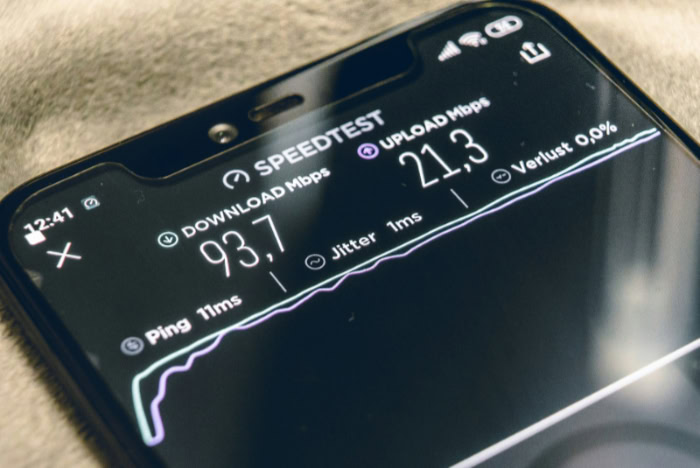
Your connection drops to a crawl right in the middle of a high-definition video stream or an important download, leaving you staring at a buffering wheel. This frustrating slowdown often happens because your internet service provider is deliberately slowing down your connection based on your online activities.
While providers claim this practice manages heavy traffic, it often feels like an unfair penalty for using the data you already pay for. Learning how these restrictions work and how to bypass them helps you restore the fast, reliable connection you expect.
Key Takeaways
- Internet service providers use deep packet inspection to analyze data packets, allowing them to identify your online activity and selectively slow down specific traffic like streaming or gaming.
- Providers limit speeds to manage heavy network traffic during peak evening hours, enforce monthly data plan limits, or deprioritize data-heavy services.
- You can detect throttling by comparing your standard internet speed with your speed when connected to a virtual private network, which hides your activity from your provider.
- Monitoring performance drop-offs between seven and eleven in the evening or using targeted streaming tests can help isolate provider-imposed restrictions from local hardware issues.
- Encrypting your traffic with a virtual private network, lowering streaming quality to conserve data, or switching to a provider with transparent policies can successfully restore your connection speeds.
The Mechanics of Bandwidth Throttling
To see how internet providers restrict online speeds, it is necessary to look at how data moves across a network. Providers use specific software and hardware tools to monitor connection behavior and manage traffic flow.
By looking at these systems, users can see how their online activities are tracked and altered.
Bandwidth vs. Connection Speed
Many people use these terms interchangeably, but they represent different aspects of network performance. Bandwidth is the maximum capacity of an internet connection, representing how much data a network can transfer at one time. Connection speed, on the other hand, is the actual rate at which data travels from the internet to a personal device.
Think of bandwidth as a highway with multiple lanes and speed as how fast the cars are traveling; a wide highway can accommodate more vehicles, but construction or artificial limits can still slow individual cars down.
Deep Packet Inspection (DPI) and Traffic Classification
Internet service providers use a technology called deep packet inspection to analyze the data traveling through their networks. Every online action, from loading a webpage to playing a game, involves sending and receiving small bundles of data called packets.
While basic routing only looks at the packet header to see where it is going, deep packet inspection analyzes the actual content of the packet. This process allows providers to classify traffic, meaning they can identify if a user is streaming video, sharing files, or simply browsing text.
Network Infrastructure and Traffic Shaping
Once traffic is classified, providers use traffic shaping to control the flow of data. This technique relies on network management software to prioritize or delay specific packets.
If the provider decides to limit video streaming, the system slows down packets associated with streaming platforms while letting general web browsing packets pass through at normal speeds. This restriction is managed directly at the provider’s routing centers, altering the performance before the data ever reaches a home router.
Why Internet Providers Throttle Bandwidth

While speed limits can feel like an unfair restriction, service providers implement them for a variety of operational and business reasons. Some of these practices help maintain network stability, while others serve to enforce customer agreements or protect profit margins.
Looking at these motivations reveals why certain online tasks trigger immediate slowdowns.
Managing Network Congestion during Peak Hours
Physical network infrastructure has finite limits, and when thousands of users connect simultaneously, networks can become overloaded. During peak hours, usually in the evening when people return home from work, providers may slow down overall traffic or target high-consumption activities.
This widespread reduction ensures that the network remains functional for everyone, preventing complete outages or extreme latency across the neighborhood.
Enforcing Data Caps and Fair Use Policies
Many internet subscription plans come with set limits on monthly data consumption. When a household exceeds this allocated limit, the provider often reduces connection speeds for the remainder of the billing cycle rather than cutting off access entirely.
These limits are written into fair use policies, which aim to prevent individual heavy users from monopolizing shared network resources to the detriment of others in the same area.
Activity-Based Deprioritization
Providers frequently target specific data-heavy activities to preserve their overall network capacity. Peer-to-peer file sharing, high-definition video streaming, and online gaming consume vast amounts of data in real time.
Rather than upgrading their physical infrastructure to meet this demand, providers may selectively slow down these specific traffic types to keep the rest of the network running smoothly for lighter tasks like email and general browsing.
How to Detect and Test for Throttling

Determining if slow speeds are caused by your service provider or by simple technical issues requires systematic testing. Slowdowns can result from outdated routers, bad Wi-Fi signals, or temporary website outages, making it important to isolate the cause.
Using a few targeted methods can help establish if your connection is being actively restricted.
Performing Comparative Speed Tests
One of the simplest ways to check for speed limits is to run comparative speed tests. First, test your internet speed under normal conditions using a standard speed testing tool.
Next, connect to a virtual private network and run the test again. If the speed is significantly faster when the virtual private network is active, your provider is likely limiting your standard connection, as the secure tunnel prevents them from seeing your specific traffic type.
Utilizing Targeted Streaming and Port Tests
Standard speed tests do not always show the whole picture, as providers sometimes allow those tests to run at full speed while restricting actual video services. To check for this, use specialized diagnostic tools designed to test streaming performance specifically, such as those that measure performance to Netflix servers.
Comparing these targeted results against a general speed test will highlight if streaming services are being singled out.
Identifying Performance Patterns
Pay close attention to when and how your connection slows down. If your speeds always drop during specific hours of the day, such as between seven and eleven in the evening, network congestion or provider limits are highly probable.
Similarly, if your connection works perfectly for reading news but struggles only when you start a video stream or a heavy download, you are likely dealing with activity-based speed restrictions.
Practical Methods to Prevent or Bypass Throttling

Once you confirm that your provider is limiting your speeds, you can take practical steps to restore your connection. Some solutions hide your online activity from your provider, while others involve modifying how you use your devices or choosing different services.
These approaches give you options to maintain the performance you pay for.
Utilizing a Virtual Private Network (VPN)
A virtual private network is an effective tool for countering activity-based restrictions. When active, it encrypts all the data leaving your device, making it impossible for your provider to identify what websites you visit or what services you use.
Because the provider cannot classify your traffic, their automated systems cannot apply specific restrictions, allowing your data to pass through without artificial interference. Using a dependable service like NordVPN offers a straightforward way to set up this secure connection and help restore your standard speeds.
Monitoring and Managing Local Data Consumption
If your speeds are limited due to a monthly data limit, managing your consumption is a practical response. You can adjust the quality settings on streaming services from high definition to standard definition, disable automatic updates on gaming consoles, and monitor your usage through your router settings.
Scheduling massive file downloads to occur during late-night or early-morning hours can also help avoid peak-time restrictions.
Negotiating Plan Upgrades or Switching Providers
When technical workarounds are not enough, you may need to look at your subscription terms. Contacting your provider to negotiate an upgrade to an unlimited data plan or a business-class connection can remove artificial limits.
If the provider remains uncooperative, switching to a competitor that advertises transparent network management policies is often the most reliable long-term solution.
Legalities and Consumer Rights

The rules governing how internet providers manage their traffic vary widely by country and region. Consumer protection laws and communication policies dictate what providers can legally do with your connection.
Familiarizing yourself with these standards helps you understand when a provider has crossed the line from reasonable maintenance into unfair practice.
Net Neutrality and Regulatory Standards
Net neutrality is the principle that internet service providers must treat all data on the internet equally, without discriminating or charging differently by user, content, website, or platform. In regions where net neutrality rules are strictly enforced, providers are generally prohibited from selectively slowing down specific websites or services to favor their own offerings or partners.
The strength and enforcement of these regulations depend heavily on the current political and legal framework of your country.
Legitimate Network Management vs. Anti-Competitive Behavior
Regulators distinguish between reasonable network management, which includes temporary measures to prevent network collapse during crises, and anti-competitive behavior. For example, slowing down all traffic slightly during a major local emergency is usually considered legitimate.
However, intentionally slowing down a competing streaming service to push users toward the provider’s own entertainment platform is a violation of fair competition rules in many jurisdictions.
How to File Consumer Complaints
If you suspect your provider is violating local regulations or deceptive marketing agreements by limiting your speeds unnecessarily, you can take formal action. Document your speed test results over several days to build a clear record of performance.
With this evidence, you can file a formal complaint with your national communications authority or consumer protection agency, which can trigger investigations and force providers to address unfair practices.
Conclusion
Bandwidth throttling is a deliberate reduction of internet speed implemented by providers using tools like deep packet inspection. While often executed to prevent network collapse during peak usage hours or to enforce subscription caps, this practice can feel like an unfair restriction on the service you purchase.
Pinpointing these artificial slowdowns involves running comparative speed tests with a virtual private network and watching for consistent performance drops during busy hours of the day.
In an era dominated by high-definition streaming and massive downloads, finding a balance remains a challenge. Consumers rightfully expect the fast, reliable connections they pay for, yet providers must manage the physical constraints of a complex global infrastructure.
Resolving this tension requires transparent management policies from providers and active monitoring from users who want to protect their online experience.
Frequently Asked Questions
How can I tell if my internet provider is slowing down my connection?
You can tell if your provider is slowing down your connection by comparing a standard speed test to a speed test run while connected to a virtual private network. If your speeds improve significantly when the secure connection is turned on, your provider is likely restricting your traffic. Consistent slowdowns during peak evening hours are another clear sign.
Will a VPN stop my internet from lagging?
A virtual private network will stop lagging only if your provider is deliberately slowing down your connection based on your specific online activity. By encrypting your data, the secure connection prevents your provider from seeing what you are doing, which stops their automated systems from restricting your speeds. It will not fix lag caused by poor Wi-Fi or physical hardware issues.
Is it legal for my internet provider to slow down my speeds?
Yes, internet service providers can legally slow down your connection for legitimate network management, such as reducing congestion or enforcing data caps. However, their ability to selectively target specific websites or competitors depends heavily on local net neutrality laws in your region. Deceptive speed reductions that violate your service agreement may be grounds for a regulatory complaint.
Why does my internet get so slow every night?
Your internet likely slows down at night because your provider is managing heavy network congestion or actively restricting high-bandwidth activities during peak usage hours. When many households in your neighborhood go online simultaneously, providers often limit speeds to keep the entire network functional. This collective slowdown typically happens between seven and eleven in the evening.
Can I bypass a data cap restriction?
You cannot bypass a provider-imposed data cap restriction using technical tools like a virtual private network. Because data caps measure the total volume of data passing through your connection rather than the type of activity, your provider can still track your consumption. To resolve this, you must adjust your usage habits, pay for more data, or switch providers.
About the Author: Julio Caesar


