
Apple Watch vs. Garmin: Which Wins?
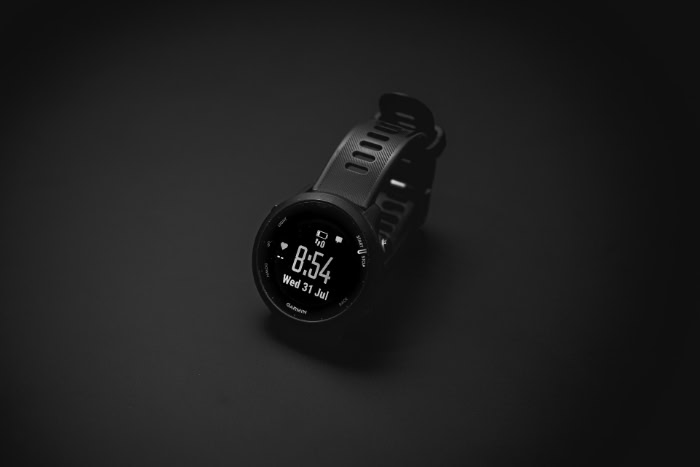
Modern wrist technology coordinates your entire daily schedule, tracks your vital signs, and monitors your physical recovery. Wearing a device that fails to align with your actual habits leads to annoying battery limits, constant charging hassles, and useless data alerts.
Today’s market presents a clear divide between two design philosophies: the daily communication hub and the dedicated athletic computer. Apple and Garmin represent these contrasting approaches, forcing users to prioritize either effortless phone integration or ultra-durable performance tracking.
Key Takeaways
- Apple Watches are strictly compatible with iOS devices, whereas Garmin watches support dual-compatibility with both Android and iOS operating systems.
- Standard Apple Watches run on an 18 to 36-hour charging cycle, while many Garmin models use low-power displays to operate for multiple weeks on a single charge.
- For back-country navigation, premium Garmin models feature preloaded, fully offline topographical maps, whereas the Apple Watch generally requires an active cellular connection or manual pre-downloads to load map details.
- The Apple Watch excels at communication, offering on-screen typing, cellular streaming, and native Siri support, while Garmin relies on basic call notifications and preset replies.
- Garmin translates biometric data into actionable training metrics like Training Readiness and Body Battery, whereas Apple focuses on tracking continuous sleep data and cumulative Training Load.
Daily Smart Features and Mobile Integration
Modern smartwatches serve as a primary bridge between our physical bodies and our digital lives. How a wearable handles daily smartphone tasks often dictates whether it remains on a user’s wrist or ends up forgotten on a charger.
Looking at how these devices integrate with mobile hardware highlights two very different approaches to daily software design.
Communication and Notifications
The Apple Watch is built to function as an extension of your smartphone, allowing you to answer phone calls, type out custom text replies with an on-screen keyboard, and dictate clear voice messages directly from the wrist. It offers robust cellular options across its lineup, enabling you to leave your iPhone at home entirely while continuing to stream music, receive emails, and place emergency calls.
Garmin handles notifications more passively. While most Garmin watches display incoming texts and alert you to calls, only certain models equipped with a built-in speaker and microphone, like the Venu or Fenix 8, allow you to take calls from your wrist.
Text messaging on Garmin is heavily restricted, offering preset quick replies for Android users while iOS users are limited to viewing alerts without the ability to reply directly from the watch.
App Ecosystem and Customization
Apple’s watchOS features a comprehensive App Store directly on the wrist, offering thousands of native third-party utilities, productivity tools, and companion services. Users can customize their watch faces with a wide array of dynamic complications that update in real time.
For payments, Apple Pay is accepted globally at almost any contactless terminal, and Siri provides responsive voice assistant commands for setting timers, controlling smart home devices, or sending quick messages. Garmin relies on its Connect IQ store, which focuses heavily on specialized data fields, custom watch faces, and fitness utilities rather than general-use apps.
Garmin Pay is functional but supports fewer banking institutions than its competitor. Voice capabilities are sparse, with only select models offering a voice assistant that routes commands through your nearby paired smartphone.
Mobile Ecosystem Compatibility
Ecosystem compatibility represents a major fork in the road for potential buyers. The Apple Watch is strictly locked to iOS, requiring a compatible iPhone for setup, customization, and daily synchronization.
Android phone owners cannot use an Apple Watch under normal circumstances. Garmin, on the other hand, adopts a dual-compatibility approach, working seamlessly with both Android and iOS devices.
While Android users get minor extra perks, such as the ability to send quick-reply text messages, the overall experience of tracking workouts, analyzing sleep data, and syncing information via the Garmin Connect application remains highly consistent regardless of which operating system your phone uses.
Health, Fitness, and Performance Analytics

While daily notification systems keep us connected, health tracking capabilities help us make sense of our physical condition. Both brands collect continuous sensor data, yet they interpret and display this information in fundamentally different ways.
One prioritizes daily wellness rings, whereas the other offers a highly detailed database of athletic performance.
Activity Metrics and Heart Rate Analysis
Both systems track basic metrics such as steps taken, active calories burned, active minutes, and periodic reminders to stand up or move. However, they diverge in sleep and wellness analysis.
Apple utilizes its Vitals app and sleep tracking algorithms to monitor sleep stages, respiration, and baseline skin temperature fluctuations. Heart rate variability is tracked quietly, feeding into general health notifications.
Garmin processes these indicators through a continuous monitoring lens. It tracks heart rate variability constantly throughout the night, using this data to establish an individual baseline.
This constant tracking feeds wellness indicators like stress monitoring, which translates physiological changes into a real-time stress score from one to one hundred.
Advanced Athletic Metrics and Recovery Scores
Garmin specializes in translating complex biometric data into actionable training scores. Its Body Battery feature estimates your remaining energy levels throughout the day by balancing physical exertion against sleep quality and rest.
The Training Readiness score informs athletes if their body is prepared for a hard workout or needs a recovery day. In contrast, the Apple Watch uses a structured health architecture that focuses on Activity Rings and Training Load.
The Training Load metric measures how the intensity and duration of your recent workouts compare to your historical averages over the past twenty-eight days. While Apple provides precise heart rate zone tracking during exercises, it leans on third-party applications to match the ready-to-use recovery algorithms that Garmin builds directly into its native operating system.
Navigational Tools and GPS Accuracy
Both Apple and Garmin feature multi-band, dual-frequency GPS across their premium models, which drastically improves signal acquisition and tracking accuracy beneath dense forest canopies and around tall city skyscrapers. Despite similar hardware capability, the software implementation differs.
Premium Garmin models offer fully offline, color-rich topographical maps preloaded onto the device. This allows for native route creation, back-to-start navigation, and real-time turn-by-turn guidance without any cellular signal.
The Apple Watch Series models require an internet connection to load map details unless they are manually downloaded beforehand. Even on the rugged Apple Watch Ultra, which offers enhanced waypoint creation and a backtrack feature, the default navigation tools are less comprehensive for deep wilderness travel unless supplemented by subscription-based third-party software.
Battery Life and Power Management

The length of time a smartwatch remains operational dictates how reliably it can monitor your lifestyle. Power capabilities determine how often you must take the watch off your wrist, directly impacting the continuity of your health data.
Comparing the charging habits required by each ecosystem reveals a stark divide between daily maintenance and multi-week endurance.
Standard Daily Power Cycles
Standard smartwatches like the Apple Watch Series generally operate on an eighteen-hour to thirty-six-hour power cycle. This short battery span demands a consistent charging routine, often requiring users to plug in their watch either before going to bed or immediately upon waking up.
This daily power cycle can complicate continuous sleep tracking. If you forget to charge your device during a small window of downtime, the watch may run out of power overnight, leading to missing sleep stages and incomplete recovery metrics.
While fast charging options mitigate this issue, the user must still actively plan their day around keeping the watch powered.
Multi-Week Power Endurance
Garmin devices bypass the need for daily charging by utilizing highly efficient operating systems paired with specialized display technologies, such as Memory-in-Pixel screens. This combination allows many Garmin watches to run for weeks on a single charge under normal conditions.
Additionally, several outdoor models feature built-in solar charging lenses, which harvest ambient sunlight to extend the battery life even further. When using power-saving expedition modes, some Garmin models can remain active for over a month.
This extended endurance is helpful for long-distance hikers, multi-day campers, and anyone who prefers to minimize their dependence on power outlets.
Impact of GPS and Active Use on Battery Life
Active GPS tracking is highly demanding and drains battery life rapidly on any wearable. For a standard Apple Watch, a few hours of outdoor workout tracking with active GPS can consume a significant portion of its total daily charge, making it difficult to complete a full marathon without turning off essential tracking features.
The premium Apple Watch Ultra extends GPS tracking capabilities to survive longer events, but still measures its continuous GPS limits in hours. Garmin devices, by contrast, are designed specifically for ultra-marathon runners and endurance athletes.
They can track continuous, high-accuracy GPS coordinates for dozens of hours, and even days in specialized ultra-tracking modes, ensuring that the watch easily outlasts the most demanding physical challenges.
Hardware Design, Durability, and Interface

Beyond software interfaces and cellular connectivity, the physical build of a wearable dictates how it feels on the wrist and how well it survives daily wear. A device’s screen technology, input methods, and material selections determine its suitability for different environments, from formal business meetings to rugged mountain trails.
Display Technology and Sunlight Visibility
Apple utilizes high-resolution AMOLED displays across its entire watch lineup, offering vibrant colors, deep black levels, and smooth animations that look highly polished in indoor environments and dark settings. While these screens are highly legible in most situations, they require significant battery power to maintain high brightness levels.
Garmin, by contrast, frequently uses transflective memory-in-pixel (MIP) displays on its dedicated sports watches, alongside AMOLED options on its lifestyle-oriented models. MIP screens perform highly effectively in direct sunlight, becoming clearer as the ambient light brightens, all while consuming minimal energy.
In dark environments, MIP displays rely on a backlight, which lacks the vibrant contrast and rich color profile of an AMOLED panel but remains highly functional.
Physical Inputs
The primary method of interacting with a watch profoundly affects its usability during movement. Touchscreens, featured prominently on the Apple Watch and many Garmin models, offer an intuitive, highly responsive experience for scrolling through notifications, typing quick messages, and browsing menus.
However, touchscreens often struggle when exposed to moisture, rain, or sweat, occasionally registering accidental touches or failing to respond to wet fingers. Garmin addresses this by incorporating a robust five-button physical layout on its sports-focused watches.
These physical buttons provide reliable, tactile feedback that remains functional when wearing gloves, swimming in open water, or experiencing heavy perspiration during high-intensity training sessions.
Material Construction and Water Resistance
Materials define both the durability and weight of these watches. Apple offers casing options ranging from lightweight aluminum on entry-level models to stainless steel and premium titanium on high-end editions, paired with durable sapphire crystal or Ion-X strengthened glass.
Garmin primarily utilizes fiber-reinforced polymer on its sports watches to keep weight to a minimum, while opting for titanium bezels and sapphire lenses on premium models. In terms of water resistance, standard Apple Watches hold a 50-meter water resistance rating suitable for shallow swimming, while the Apple Watch Ultra meets scuba diving standards down to 40 meters and holds EN13319 certification.
Most performance-oriented Garmin watches boast a 5-ATM or 10-ATM water rating, with high-end models built to withstand deep marine pressure and harsh environmental conditions.
Cost, Models, and Value Assessment

Investing in a wearable involves balancing initial financial outlay against the specific features required for your daily routine. Both manufacturers offer tiered product lines designed to target budget-conscious buyers, intermediate fitness enthusiasts, and extreme endurance athletes.
Entry-Level Options
At the lower end of the pricing spectrum, the Apple Watch SE provides a highly accessible entry point into the iOS ecosystem. It retains the essential smart capabilities, such as crash detection, heart rate monitoring, and seamless notification management, but compromises on advanced health sensors like electrocardiograms and blood oxygen tracking.
Garmin’s budget lineup, which includes devices like the Forerunner 55 and the Lily series, focuses primarily on health metrics. These budget models lack advanced mapping and premium materials, but they deliver long-lasting battery life, basic sleep tracking, and structured workout guidance that appeal directly to recreational runners and general fitness enthusiasts who prioritize basic data over smart convenience.
Mid-Tier Performance Choices
The mid-tier segment highlights the primary philosophical difference between these brands. The standard Apple Watch Series models offer a comprehensive suite of advanced health sensors, including temperature sensing and electrocardiograms, wrapped in a sleek design that serves as an excellent everyday smartwatch.
In contrast, Garmin’s mid-tier models, such as the Forerunner 265 or Venu 3, strike a different balance. The Venu series offers bright AMOLED screens and basic voice calling to compete with traditional smartwatches, while the Forerunner series prioritizes advanced athletic performance metrics, detailed training recovery analysis, and multi-band GPS tracking, appealing to individuals dedicated to structured athletic improvement.
Premium and Rugged Selections
For extreme outdoor environments and endurance sports, the high-end tier features a direct matchup between the Apple Watch Ultra and the Garmin Fenix and Epix lines. The Apple Watch Ultra offers a rugged titanium case, a flat sapphire front crystal, and a bright screen, combined with a customizable Action button and a dual-frequency GPS.
It remains a lifestyle-first smartwatch with enhanced durability. Garmin’s premium Fenix and Epix models target dedicated back-country explorers and ultra-endurance athletes.
They offer comprehensive offline mapping, battery lives measured in weeks rather than hours, and specialized solar charging options. For individuals who spend multiple days away from power sources, Garmin’s premium offerings provide practical utility that justifies their high price point.
Conclusion
The divide between Apple and Garmin represents two distinct approaches to personal technology. Apple prioritizes a seamless, daily extension of your iPhone that manages communication, applications, and general wellness from the wrist.
Garmin focuses on highly durable, athletic performance computers that provide detailed metric analysis and extended battery endurance for outdoor exploration.
Selecting the ideal device depends on your smartphone ecosystem and training intensity. If you use an iPhone, desire daily cellular convenience, and prefer a vibrant touchscreen interface, the Apple Watch is a natural choice.
However, if you require multi-week battery life, utilize an Android device, or need advanced recovery metrics and offline topographical maps for long-distance training, a Garmin device will better support your goals.
Frequently Asked Questions
Can I use a Garmin watch with an iPhone?
Yes, Garmin watches are fully compatible with iPhones. You can sync all of your fitness data, customize settings, and receive call notifications through the free Garmin Connect application. However, because of iOS operating system limitations, you cannot reply to incoming text messages directly from your Garmin watch when paired with an iPhone.
How often do I need to charge an Apple Watch?
You will need to charge a standard Apple Watch every day. Most models offer an eighteen to thirty-six hour battery life, which requires a daily charging routine before bed or after waking up. While fast charging options help power up the device quickly, neglecting this daily habit results in incomplete overnight sleep and wellness tracking.
Which watch is better for running a marathon?
Garmin is the superior choice for marathon running due to its battery performance and advanced metrics. Garmin watches can actively track your GPS location and heart rate for dozens of hours without running out of power. They also provide training readiness data and post-run recovery guidance directly on your wrist.
Can I make calls and send texts on a Garmin?
You can only make calls and send custom texts on specific Garmin models paired with an Android phone. Only select premium models like the Venu 3 contain a built-in microphone and speaker for taking voice calls. If you use an iPhone, you can view incoming alerts but cannot reply from the watch.
Does the Apple Watch track sleep without cellular service?
Yes, the Apple Watch can fully track your sleep stages and heart rate without any cellular connection. All sensor calculations occur directly on the device and sync to your iPhone once you are back in range. You do not need active data service or internet to gather nightly wellness information.
About the Author: Elizabeth Baker


