
Lenovo vs. Dell: Which Laptop Brand Wins?

Lenovo and Dell stand as two of the largest and most trusted Windows computer manufacturers in the world. Shoppers comparing both brands often notice identical internal specifications across rival machines.
Both companies source processors from Intel, AMD, and Qualcomm, while relying on NVIDIA and AMD for graphics cards. Because internal silicon remains the same, the true distinctions between a Lenovo and a Dell computer come down to exterior design, structural reliability, pricing strategies, and post-purchase support.
Selecting the right machine requires looking beyond raw processor speeds to evaluate how each manufacturer builds and supports its hardware. Comparing product families, chassis durability, thermal performance, retail value, and warranty service helps buyers match their specific daily needs and budget with the ideal laptop or desktop.
Key Takeaways
- Lenovo ThinkPad and Dell Pro laptops offer commercial-grade durability and easy component upgrades, making them stronger long-term investments than entry-level IdeaPad or base Dell consumer models.
- Lenovo Yoga laptops specialize in flexible 360-degree convertible hinges for tablet use, whereas Dell XPS machines prioritize compact aluminum frames and virtually borderless OLED and IPS displays.
- Gamers get better cooling and lower prices per frame from the Lenovo Legion and LOQ lines, while Dell Alienware systems charge a premium for bold chassis aesthetics and heavy metal builds.
- Lenovo inflates baseline website prices to run frequent eCoupon promotions, meaning shoppers should wait for holiday sales or checkout codes rather than paying the initial retail sticker price.
- Upgrading to Lenovo Premier Support or Dell ProSupport bypasses scripted call centers and provides next-business-day in-home technician repairs for critical work machines.
Overview of Product Lines and Sub-Brands
Both manufacturers organize their catalogs into distinct sub-brands targeted at specific types of users. Matching equivalent product families across both companies ensures a fair, tier-to-tier comparison when shopping for a new machine.
Budget and Everyday Laptops: Lenovo IdeaPad vs. Base Dell Models
Entry-level laptops handle web browsing, schoolwork, home office tasks, and streaming media without breaking the bank. Lenovo serves budget shoppers with its IdeaPad lineup, while Dell offers its mainstream Dell series, historically known as the Inspiron line.
Both product families keep costs down by using polycarbonate plastic frames, basic 60Hz screens, and integrated graphics. Lenovo IdeaPad models often pack slightly faster processors and firmer typing decks at the $400 to $700 price range.
Base Dell models counter with larger trackpads, wider retail availability, and occasional aluminum top lids on mid-tier configurations.
Premium Ultrabooks and 2-in-1s: Lenovo Yoga vs. Dell XPS
Flagship consumer laptops focus on thin profiles, luxury materials, and effortless portability. Lenovo leads with its Yoga series, which emphasizes versatile 360-degree convertible hinges that let the screen fold flat into a tablet.
Many Yoga 7 and Yoga 9 models include a stylus in the box and integrate a speaker bar directly into the rotating hinge. Dell focuses its XPS lineup (alongside its unified Dell Premium models) on sleek, minimalist clamshell aesthetics.
Rather than prioritizing tablet modes, Dell trims the screen borders to fit a 14-inch or 16-inch display into a remarkably compact, machined aluminum footprint.
Business and Office Computers: Lenovo ThinkPad vs. Dell Pro
Commercial-grade laptops are built for remote workers, corporate fleets, and frequent travelers who cannot afford hardware downtime. Lenovo dominates corporate environments with its iconic matte-black ThinkPad series and its more stylish, aluminum-clad ThinkBook line.
Dell competes head-to-head with its Dell Pro lineup, the modern successor to the long-running Latitude series. Everyday consumers frequently buy these commercial machines instead of consumer laptops because business models undergo rigorous stress testing, feature glare-free matte screens, and keep replacement parts available for years after purchase.
Systems for Video Games: Lenovo Legion vs. Dell Alienware
Both brands split their gaming catalogs into affordable entry-level rigs and high-end flagship machines. Budget-conscious players can choose between Lenovo LOQ and Dell G-Series laptops, both of which put strong graphics cards inside thicker plastic shells.
At the top tier, Lenovo Legion goes up against Dell Alienware. Lenovo designs its Legion 5 and Legion 7 laptops with understated, professional exteriors that blend easily into an office or classroom while delivering exceptional thermal performance.
Alienware takes the opposite approach, using bold, futuristic chassis shapes, customizable lighting zones, and heavy anodized metal frames that carry a significantly higher price tag.
Exterior Design, Build Quality, and Displays
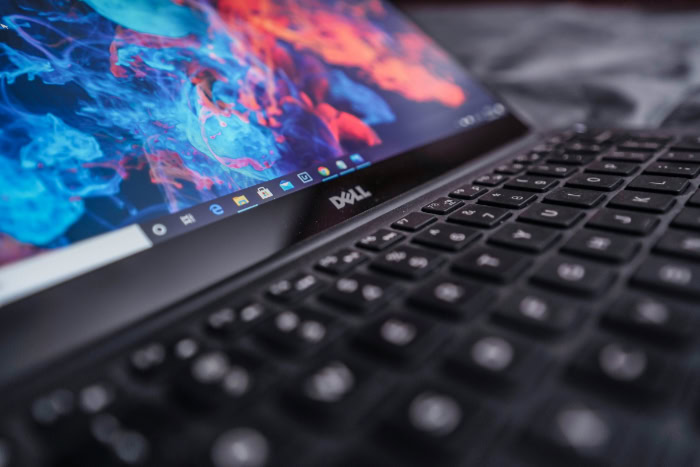
Physical construction dictates how a computer feels in your hands and how well it survives years of daily travel. Evaluating chassis materials, typing ergonomics, display panels, and port selection reveals distinct engineering philosophies between the two brands.
Case Materials and Structural Strength
Material quality scales directly with price across both catalogs. Sub-$600 machines from both companies rely on molded plastic that can flex under pressure.
Moving up to the $1,000 tier introduces anodized aluminum on Lenovo Yoga and Dell midrange laptops. At the premium and commercial tiers, structural approaches diverge.
Lenovo constructs its flagship ThinkPad X1 Carbon and T-series models using carbon fiber weaves and magnesium alloy roll cages designed to pass MIL-STD-810H military testing for drops, vibrations, and minor spills. Dell favors rigid CNC-machined aluminum and Gorilla Glass on its top consumer laptops, creating a dense, unibody feel that resists bending.
Keyboards, Touchpads, and Ergonomics
Lenovo holds a wide industry lead in typing comfort. Even budget IdeaPad models feature slightly curved letter caps with generous downward travel and crisp tactile feedback.
On ThinkPad laptops, users also get the signature red TrackPoint nub in the center of the typing deck, coupled with dedicated physical clicking buttons above a traditional Mylar or glass trackpad. Dell typing decks are flatter and shallower, and recent flagship Dell models use zero-lattice layouts where the square caps sit flush against one another.
For cursor control, high-end Dell laptops use seamless glass haptic touchpads hidden invisibly inside the palm rest, offering a futuristic look that some users find tricky to locate by touch alone.
Screen Quality, Brightness, and Display Types
Visual quality varies heavily by configuration, starting with dim 250-nit full-HD panels on budget notebooks from both brands. Buyers who edit photos, watch movies, or work in bright rooms should step up to upgraded display tiers.
Lenovo equips many midrange and premium Yoga, IdeaPad Pro, and ThinkPad laptops with PureSight OLED panels that deliver deep blacks, 120Hz refresh rates, and vibrant color accuracy at relatively accessible prices. Dell popularized the nearly borderless InfinityEdge screen, offering sharp 4K+ IPS and tandem OLED options that maximize screen area while keeping the overall laptop dimensions compact.
Port Selection and Monitor Ecosystem
Lenovo generally builds more varied physical ports into its laptops, reducing the need to carry external dongles. Most ThinkPad, Legion, and IdeaPad models include a mix of USB-C, traditional rectangular USB-A ports, and a full-size HDMI output.
Lenovo Legion laptops conveniently route most heavy power and display cables out the back edge of the chassis to keep desk space clean. Dell has aggressively embraced thin designs that rely solely on two or three Thunderbolt 4 USB-C ports on its sleekest laptops.
However, Dell makes up for minimalist laptop ports with an industry-leading ecosystem of UltraSharp monitors and Thunderbolt docking stations that let users connect an entire home office through a single cable.
System Performance, Battery Life, and Software

Two laptops carrying the exact same processor and memory capacity can perform very differently during daily tasks. Internal cooling layouts, power tuning, and pre-installed software determine how fast, quiet, and long a computer runs off the charger.
Speed, Heat Management, and Fan Noise
Processors generate intense heat during heavy workloads like video rendering or modern gaming, forcing the system to slow down if internal fans cannot clear the warm air. Lenovo consistently excels at thermal engineering, particularly in its Legion gaming systems and ThinkPad workstations.
By using wide rear exhaust vents, phase-change thermal pads, and vapor chambers, Lenovo laptops sustain high clock speeds without producing a high-pitched fan whine. Dell packs powerful components into very thin chassis profiles, which can cause compact XPS and midrange systems to run warm to the touch and spin their fans loudly during sustained multitasking.
Battery Longevity and Power Efficiency
Real battery endurance depends on screen resolution, processor architecture, and battery capacity measured in watt-hours. When comparing 14-inch laptops equipped with standard full-HD screens and modern Intel Core Ultra, AMD Ryzen, or Qualcomm Snapdragon processors, both brands achieve 10 to 15 hours of light document creation and video calls.
Adding a high-resolution OLED screen drops endurance to roughly 7 to 9 hours on both Lenovo and Dell machines. Both manufacturers include rapid charging technology over USB-C, allowing drained batteries to recover up to 80% capacity in about 60 minutes using compact 65W power adapters.
Pre-Installed Software, AI Tools, and System Utilities
Out of the box, both companies include system management applications alongside unwanted promotional trials. Lenovo Vantage stands out as one of the cleanest, most helpful built-in utilities on Windows 11.
It puts driver updates, cooling performance modes, and a battery charge threshold toggle (which caps charging at 80% to preserve battery health for desk-bound users) on one simple dashboard. Dell splits these functions across MyDell and Dell Optimizer, which adjust audio, charging, and network priority automatically but can feel cluttered.
Consumer machines from both brands commonly ship with trial antivirus pop-ups that should be uninstalled immediately, while commercial ThinkPad and Dell Pro units arrive with clean software images.
Price, Value for Money, and the Purchase Process

Smart timing and careful configuration can save hundreds of dollars when buying directly from either manufacturer. Both companies use distinct pricing models and customization systems on their online storefronts.
Overall Value Across Budget and Premium Tiers
At the $500 mark, Lenovo IdeaPad models usually deliver better hardware specifications per dollar, often providing 16GB of RAM and a 512GB solid-state drive where base Dell configurations still start with 8GB of RAM. Around the $1,000 sweet spot, Lenovo Yoga and IdeaPad Pro laptops frequently include OLED screens and metal builds at prices Dell reserves for standard IPS screens.
Once budgets pass $1,500, value evens out; both brands offer top-tier build materials, though Lenovo Legion remains significantly more affordable than comparably equipped Dell Alienware desktops and laptops.
Website Sales, Coupon Codes, and Retail Discounts
Shopping on Lenovo.com requires ignoring the initial “list price.” Lenovo routinely sets artificial baseline prices high and pairs them with permanent eCoupons, seasonal sales, and clearance codes that slash 30% to 45% off at checkout. A ThinkPad listed at $2,000 is almost always available for $1,100 to $1,300 within a few weeks.
Dell.com uses a more grounded baseline price but runs rotating weekly deals and bundle discounts with monitors and accessories. To spot a genuine bargain, buyers should compare the final checkout price against third-party retailers like Best Buy, Amazon, and Costco, which sell popular pre-configured models at steady, transparent prices.
Custom Hardware Orders and Delivery Times
Both manufacturers allow buyers to customize hardware orders online by selecting faster processors, extra memory, larger storage drives, and brighter screens before checkout. Lenovo frequently charges lower upgrade fees for bumping RAM from 16GB to 32GB compared to Dell’s steeper component pricing.
Pre-configured, ready-to-ship machines from both brands typically arrive at your doorstep within two to five business days. Custom build-to-order configurations are assembled overseas and generally take two to four weeks for delivery.
Customer Service, Warranties, and Maintenance

Post-purchase support and repairability dictate how painful or expensive it is to recover from a hardware failure after your computer arrives.
Standard Warranty Terms and Basic Customer Support
Consumer laptops from both Lenovo and Dell come with a standard 12-month mail-in warranty that covers factory defects but excludes accidental drops or liquid spills. Relying on basic consumer support from either company can be frustrating.
Entry-level phone and chat queues are handled by overseas call centers where representatives follow rigid troubleshooting scripts, often requiring complete operating system resets before approving a repair depot shipping label. Mailing a laptop in for service commonly takes 10 to 14 business days from start to finish.
Premium Support Plans: Lenovo Premier vs. Dell ProSupport
Both brands offer upgraded commercial warranty tiers that completely transform the support experience: Lenovo Premier Support and Dell ProSupport. Available as affordable add-ons at checkout for most laptops, these plans provide 24/7 direct phone access to senior North American or regional technicians, optional accidental damage protection, and next-business-day on-site repairs.
If a motherboard or screen fails, a certified technician travels to your home or office the following workday with replacement parts in hand. Dell ProSupport is widely regarded as the gold standard for enterprise dispatch speed, with Lenovo Premier Support following closely behind.
Ease of Repair and Post-Purchase Part Upgrades
Opening a laptop to replace a worn battery, expand storage, or upgrade memory is straightforward on business and gaming lines from both brands. Lenovo ThinkPad, Lenovo Legion, and Dell Pro laptops use standard Phillips screws on their bottom covers, feature replaceable M.2 storage slots, and often retain dual SO-DIMM memory slots.
Conversely, ultra-thin Lenovo Yoga and Dell XPS laptops solder the RAM directly onto the motherboard, making post-purchase memory upgrades impossible. Both companies publish excellent, free PDF hardware maintenance manuals online with step-by-step disassembly diagrams and allow owners to buy official replacement parts directly by serial number.
Conclusion
Lenovo and Dell each excel in specific areas of computer engineering. Lenovo stands out for its comfortable keyboards, rugged ThinkPad durability, versatile Yoga 2-in-1 designs, and high-value Legion gaming rigs.
Dell shines through its sleek industrial aesthetics, compact borderless displays, unmatched UltraSharp monitor ecosystem, and rapid ProSupport enterprise service.
Matching your daily workflow to the right product line ensures a satisfying purchase:
- Students and Home Users: Choose a Lenovo IdeaPad 5 or Yoga 7 for the best mix of price, typing comfort, and flexible tablet modes.
- Office Professionals and Remote Workers: Choose a Lenovo ThinkPad T-Series for unmatched keyboard ergonomics and ruggedness, or a Dell Pro laptop if you pair your computer with a multi-monitor Dell docking setup.
- Content Creators and Designers: Choose a Dell XPS 16 for a compact aluminum footprint with a high-resolution display, or a Lenovo Yoga Pro 9i for strong creator value.
- Video Game Enthusiasts: Choose a Lenovo Legion 5 or Legion 7 for quiet, high-value thermal performance, or a Dell Alienware system if you want bold, futuristic styling.
Frequently Asked Questions
Which brand is more reliable for everyday use, Lenovo or Dell?
Both brands offer high reliability, though Lenovo edges ahead in physical durability while Dell excels in enterprise support. Lenovo ThinkPad models regularly survive drops and spills thanks to rugged carbon fiber shells. Dell matches that dependability in its Pro business line and backs its machines with fast on-site technician repairs.
Are Lenovo Legion laptops better than Dell Alienware for video games?
Lenovo Legion laptops provide better value for money, whereas Dell Alienware laptops focus on luxury builds and bold styling. A Lenovo Legion typically costs hundreds of dollars less than an equivalently equipped Alienware system and runs cooler under heavy loads. Alienware remains the top choice for players who want distinctive lighting and heavy metal frames.
Why are Lenovo laptops always on sale on their website?
Lenovo uses an inflated list price strategy that pairs high initial prices with constant promotional coupon codes. Shoppers should rarely pay the full sticker price listed on the official Lenovo store. Waiting for holiday events or applying checkout eCoupons regularly lowers the cost of IdeaPad, Yoga, and ThinkPad models by 25% to 40%.
Can I upgrade the memory and storage on Lenovo and Dell laptops myself?
Upgrade options depend on the specific product line, with business and gaming laptops offering the easiest internal access. Most thin consumer models like the Lenovo Yoga and Dell XPS solder the memory directly to the motherboard to save space. Buyers who want open memory slots and replaceable storage drives should pick a Lenovo ThinkPad or Dell Pro machine.
Is it worth paying extra for Lenovo Premier Support or Dell ProSupport?
Upgrading to a premium warranty plan is well worth the cost for remote workers, students, and small business owners. Standard warranties require mailing a broken computer to a central repair depot, which can leave you without a machine for weeks. Both upgraded tiers include 24/7 phone access to senior technicians and next-business-day repairs at your home.
About the Author: Julio Caesar


