
Curved vs. Flat Monitors: Which Shape Is Best?

Humans see the world in an arc, yet for decades, we have forced our eyes to process information on perfectly flat planes. If you find yourself leaning closer to your screen or rubbing your eyes by mid-afternoon, your monitor geometry might be the silent culprit behind your physical fatigue.
The shift from rigid glass panels to sweeping curves is more than a mere aesthetic trend. It represents a fundamental change in how light reaches your retinas.
While a curved display promises to wrap your peripheral vision in a seamless digital environment, it simultaneously introduces geometric distortions that can ruin professional design work.
Key Takeaways
- Monitor curvature is measured by an “R” rating, such as 1000R or 1800R, where lower numbers indicate a deeper and more aggressive arc.
- Curved screens reduce ocular fatigue by maintaining a consistent focal distance, preventing eye muscles from constantly refocusing as you move your gaze from the center to the corners.
- Flat monitors are the essential standard for architectural work and graphic design because they provide perfectly straight lines and zero geometric distortion.
- The ergonomic benefits of a curve only become significant on screens that are 27 inches or larger, as smaller displays do not cover enough peripheral vision to justify the arc.
- Curved panels are more susceptible to glare because their shape can capture light from multiple angles and stretch reflections across the screen surface.
Fundamentals of Display Geometry
The shape of a screen determines how light travels from the pixels to your eyes, dictating the perceived depth and scale of the digital workspace. While flat monitors have been the standard for decades, curved panels introduce a geometric variable that attempts to mimic the natural arc of human vision.
This shift in design is not merely for style; it is a calculated attempt to align screen physics with the way our eyes naturally perceive the world around us.
The Physics of Curvature and R-Ratings
Curved monitors are categorized by an “R” rating, which represents the radius of the circle the monitor would form if it were part of a complete ring. A 1800R monitor has a radius of 1800 millimeters, while a 1000R monitor has a much tighter radius of 1000 millimeters.
A lower number indicates a more aggressive curve. The human field of view has a natural arc roughly equivalent to 1000R, meaning monitors with this rating are designed to fill your vision more completely than a flatter screen.
Choosing between these ratings often depends on how far you sit from the display.
Field of View Expansion
A curved screen utilizes peripheral vision more effectively than a flat one. By bringing the edges of the display closer to the user, the monitor creates a wider perceived image without requiring a physically larger panel.
This expansion allows for a more natural viewing experience where the edges of the screen feel just as prominent as the center. On a flat display, the edges are technically further away from your eyes than the middle, which can make the screen feel smaller or more distant in your peripheral areas.
Viewing Angles and Color Shift
Image consistency is a major advantage of curved geometry. On large flat panels, the light at the far edges hits your eyes at an angle, which can lead to “color shift” where colors appear washed out or distorted at the periphery.
Because a curved monitor angles those edge pixels directly toward your face, the light travels in a straight path to your pupils. This ensures that contrast and color remains uniform across the entire width of the display, regardless of how wide the panel is.
Ergonomics and Visual Comfort

The relationship between screen shape and physical health is often overlooked until discomfort sets in. Traditional monitors require the human eye to perform constant micro-adjustments as focus shifts from the center to the distant corners.
Curved screens aim to resolve this by creating a more harmonious interaction between the hardware and the biological requirements of the visual system.
Consistent Focal Distance
A significant benefit of a curved display is the maintenance of a consistent focal distance. On a flat screen, the center is closer to your eyes than the corners, forcing your eye muscles to refocus every time you look away from the middle.
The arc of a curved monitor keeps every pixel at a nearly equal distance from your retinas. This consistency allows the eyes to glide across the screen without the strain of constant readjustment, creating a smoother experience during long sessions.
Reduction of Ocular Fatigue
Minimizing the work your eyes have to do directly impacts how long you can remain productive or entertained. By aligning the screen with the natural curvature of the eye, these monitors reduce the physical stress on the ocular muscles.
Users often report fewer headaches and less dryness after extended use because the visual system is operating within its natural comfort zone. This makes curved screens a strong option for anyone who spends more than six hours a day staring at a display.
Physical Posture and Neck Movement
Large flat monitors, especially ultrawide versions, often force users to swivel their heads back and forth to see the entire desktop. This repetitive neck movement can lead to stiffness and long-term strain.
A curved ultrawide brings the edges into view with less physical movement, allowing the eyes to do the work instead of the neck. This encourages a more stationary, ergonomic posture where you can stay tucked into your chair rather than constantly shifting to see different windows or tools.
Performance Benchmarks for Specific Use Cases

Different tasks demand different visual properties. While some users prioritize the feeling of being inside a digital environment, others require absolute geometric perfection.
Gaming and Media Immersion
For gaming and cinema, curved monitors provide a wrap-around effect that flat screens cannot replicate. This is particularly noticeable in first-person shooters, racing simulators, and open-world adventures where spatial awareness is vital.
The curve creates a sense of depth that makes the environment feel three-dimensional, drawing the player into the action. In these scenarios, the slight distortion of the image is a fair trade for the increased sense of presence within the game world.
Creative Precision
Professionals in graphic design, photography, and CAD often prefer flat monitors for their lack of distortion. A curved screen, by its very nature, bends straight lines.
If you are an architect drawing a perfectly horizontal beam or a photographer trying to ensure a horizon line is level, a curved screen can make these tasks difficult. Flat monitors remain the gold standard for creative work where geometric accuracy and perfectly straight lines are non-negotiable requirements for a professional output.
Office Productivity and Multitasking
In a professional office setting, a single large curved ultrawide is an efficient alternative to a dual-monitor setup. Because there is no bezel in the middle, you can snap three or four windows side-by-side in a seamless arc.
This layout is highly effective for spreadsheets, coding, and data entry. However, if your work involves sharing your screen with a colleague sitting next to you, a flat monitor is better.
The viewing angles on a curve are optimized for a single person in the center; anyone watching from the side will see a distorted, reflected image.
Spatial Logistics and Environmental Factors

A monitor does not exist in a vacuum; it must fit your desk and handle the lighting in your room. The physical footprint and the way a screen interacts with its surroundings can be just as important as the panel quality itself.
The Desktop Footprint
Curved monitors usually require more desk depth than flat ones. Because the screen arches toward the user, the stand must often be larger and deeper to maintain stability.
If you have a shallow desk, a curved monitor might sit uncomfortably close to your face. Flat monitors, conversely, have a very slim profile and can be pushed right up against a wall, making them ideal for compact workspaces or minimalist setups where desk real estate is limited.
Glare and Light Management
Light interaction is one of the most distinct differences between the two formats. Flat screens with matte coatings are excellent at diffusing light from windows or lamps.
Curved screens, however, can act like a funhouse mirror. Because of the arc, a single light source can be caught and “stretched” across a wider portion of the screen, creating a distracting glare.
Managing your environment by using blackout curtains or directional lighting is often necessary when switching to a curved display.
Mounting and Multi-Monitor Alignment
Wall-mounting a curved monitor presents a unique aesthetic challenge, as the edges will stick out significantly from the wall. Furthermore, creating a multi-monitor array with curved panels requires careful planning.
While a “cockpit” style setup with three curved screens provides an incredible panoramic view, it takes up a massive amount of space. Flat monitors are much easier to align perfectly side-by-side or to mount on articulating arms for a clean, professional look.
Economic and Technical Trade-offs
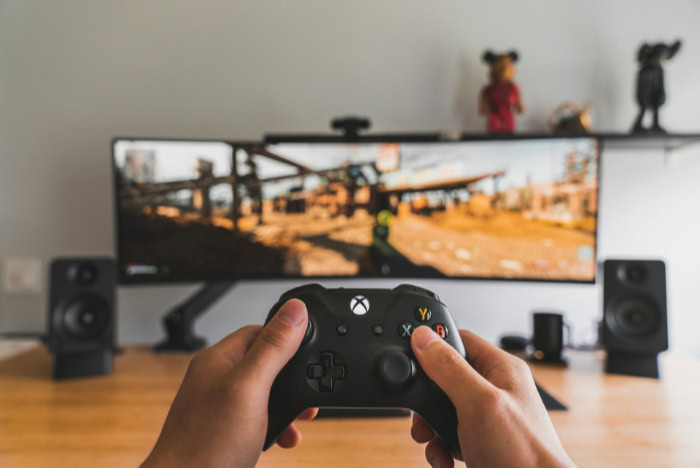
The decision between a flat and curved display often comes down to the budget and the specific panel technology available. Manufacturers must balance the complexity of bending a screen with the need for high refresh rates and color accuracy.
The Price-to-Performance Ratio
There is generally an “immersion premium” associated with curved screens. Manufacturing a curved panel is a more complex process, which often reflects in a higher retail price compared to a flat monitor with the same resolution and refresh rate.
For budget-conscious users, a flat monitor almost always offers better raw specs for the money. You have to decide if the ergonomic benefits and the visual experience are worth the extra cost.
Size Thresholds
The benefits of a curve are largely dependent on the size of the screen. On a standard 24-inch monitor, a curve is almost unnoticeable and provides very little ergonomic benefit.
The “break-even” point where a curve begins to make sense is usually around 27 inches or larger. For ultrawide monitors reaching 34 or 49 inches, a curve becomes almost a necessity to prevent the edges from feeling too far away or becoming difficult to see clearly.
Panel Technology Limitations
The type of panel used, such as IPS, VA, or OLED, interacts differently with screen shape. Most curved monitors use VA panels because they are easier to bend during manufacturing and offer high contrast.
However, IPS panels, which are prized for their color accuracy, are more difficult and expensive to curve. OLED technology is now entering the market for both flat and curved formats, offering the best of both worlds with perfect blacks and fast response times, though at a significant price increase.
The choice of shape often dictates which panel technology you will end up with.
Conclusion
The decision to choose a specific display geometry depends on the specific balance you require between visual immersion and geometric truth. Curved monitors excel at providing a comfortable, wrap-around experience that aligns with the natural arc of human vision, making them a strong choice for gaming and high-volume office multitasking.
Conversely, flat monitors offer the reliability and precision needed for professional tasks where every line must be perfectly straight and every angle must be exact.
For users who prioritize a cinematic feel or who spend long hours reading across wide spreadsheets, a curved ultrawide offers a significant ergonomic advantage. For those focused on content creation, photography, or shared viewing in a collaborative office, the flat panel remains the more versatile and accurate tool.
By matching the monitor shape to your primary tasks and your physical workspace, you ensure that your hardware supports both your productivity and your long-term physical comfort.
Frequently Asked Questions
Will a curved monitor make my eyes hurt?
A curved monitor actually helps reduce eye strain by keeping the entire screen at a more consistent distance from your face. This setup prevents your eye muscles from constantly adjusting their focus as you look from the middle to the edges. Most users find the experience much more comfortable during long work sessions.
Is a curved screen bad for graphic design?
Most professional designers prefer flat screens because curved monitors slightly distort straight lines and geometric proportions. If your work requires absolute accuracy in horizontal and vertical alignment, a curve can make it difficult to judge your progress. Flat panels ensure that what you see on screen perfectly matches the final output.
Do I need a curved monitor if it is only 24 inches?
Curvature provides very little benefit on screens smaller than 27 inches because the surface area is too small to fill your peripheral vision. On a standard 24-inch display, the human eye does not need the edges brought closer to maintain focus. You are better off spending that extra money on a higher resolution flat panel.
Why are curved monitors more expensive?
The manufacturing process for curved panels is more complex and involves higher production costs than traditional flat glass. Most curved displays also use vertical alignment panel technology to achieve their shape, which contributes to the price difference. While costs are coming down, you are still paying a premium for the ergonomic design.
Can I mount a curved monitor on my wall?
You can wall mount a curved monitor using standard brackets, but the edges will stick out much further than a flat display. This can look awkward in a minimalist room and may make it harder to tilt the screen toward you. For the best experience, use an articulating desk arm instead.
About the Author: Julio Caesar


