
Gaming Laptop vs. Gaming Desktop: Which Rig Wins?

Dropping fifteen hundred dollars on a new rig feels great until the internal fans start screaming like a jet engine during a simple boss fight. Every gamer eventually faces the choice between the freedom of a backpack-sized powerhouse and the massive potential of a stationary tower.
This decision dictates your daily comfort and how much performance you actually get for your hard-earned money. Modern hardware has closed the gap between these two options, yet the physical realities of heat and power remain.
Key Takeaways
- Desktop graphics cards outperform laptop versions with the same model name because they have higher power limits and more physical space for cooling.
- Laptops provide a lower barrier to entry for new gamers by including a high-speed display and keyboard in the initial purchase price.
- A desktop system offers significantly better ergonomics by allowing you to position the screen at eye level and use separate, adjustable peripherals.
- Modern laptops often suffer from thermal throttling, a process where the system slows down its own processor during long sessions to prevent heat damage.
- Choosing a desktop extends the functional lifespan of your investment because you can replace individual parts as they fail or become outdated.
Raw Performance and Hardware Architecture
Raw performance remains the most significant differentiator between these two platforms. While marketing often uses the same names for mobile and desktop graphics cards, the underlying physics of these components vary significantly.
A desktop tower has the luxury of space and nearly unlimited power, whereas a laptop must balance speed with heat and battery constraints. This physical reality means that identical labels on a box do not always translate to identical frame rates on the screen.
Component Disparity Between Mobile and Desktop
A graphics chip labeled as an RTX 5080 in a laptop does not possess the same power as its desktop namesake. Laptop components are physically smaller and operate within strict power limits to prevent the machine from melting.
A desktop card can pull hundreds of watts and features massive heat sinks; the mobile version must share limited space and a single cooling system with the processor. This results in a performance gap where the desktop version consistently produces higher frames per second and handles higher resolutions with greater ease.
Thermal Management and Performance Throttling
Heat is the enemy of speed. When a laptop reaches a specific temperature threshold, it automatically slows down its clock speeds to protect its internal circuitry.
This process, known as thermal throttling, can lead to sudden drops in performance during intense gameplay. Desktops avoid this through large-volume airflow and the option for liquid cooling.
A desktop can maintain peak performance for hours, whereas a laptop might see performance degradation once the chassis becomes saturated with heat.
Power Supply and Wattage Constraints
Electricity is the fuel for high-end gaming. A desktop remains tethered to a high-capacity power supply that provides a consistent, heavy flow of energy directly from a wall outlet.
Laptops are designed for efficiency and portable use. Even when plugged in, a laptop faces power delivery limits that prevent the hardware from reaching its full potential.
On battery power, performance drops even further as the system tries to preserve enough energy to stay powered on, making high-end gaming nearly impossible without a charger.
Portability and Space Management
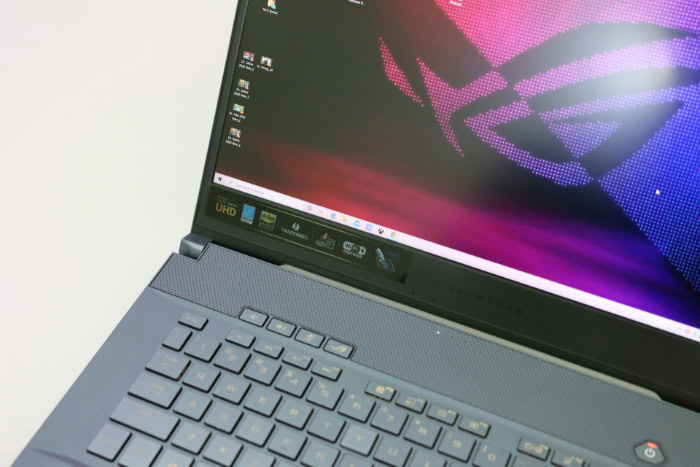
Physical space and the need for mobility often dictate the final choice between a portable unit and a stationary one. Laptops offer a self-contained environment that fits into a backpack, while desktops demand a dedicated area of the home.
For those who move frequently or lack a permanent office, the physical footprint of the machine is just as important as the hardware inside.
The Convenience of All-in-One Design
Laptops provide a complete gaming environment in a single package. The inclusion of a screen, keyboard, and trackpad means you can play anywhere from a hotel room to a library without extra equipment.
This mobility is a major advantage for students or professionals who need their primary computer to serve multiple roles in different locations. The ability to close the lid and move the entire system in seconds is a level of freedom a desktop cannot match.
Footprint and Workspace Requirements
Desktop towers require a dedicated desk and a sturdy chair. They occupy a permanent spot in a room and often need extra space for monitors and speakers.
Laptops require almost no real estate when not in use. A user can simply close the machine and slide it into a drawer, making it an ideal choice for small apartments or shared living spaces where a permanent desk is not an option.
Cable Management and Setup Efficiency
Setting up a desktop involves a complex web of power cables, display ports, and USB connections. While this allows for a highly customized setup, it also creates a cluttered environment that is difficult to move.
A laptop typically uses a single power brick. This simplicity saves time and reduces the mess of wires that often accumulates behind a desktop tower, keeping the gaming area clean and organized.
Customization, Maintenance, and System Lifespan

Buying a computer is an investment in time as much as money. The ability to fix a broken part or upgrade a single component determines how long the machine remains useful.
Desktops offer a modular approach that allows for constant evolution, while laptops are generally restricted by their integrated design.
The Modular Upgrade Path
The modular nature of a desktop is its greatest strength. If a new game requires more processing power, a user can swap the old graphics card for a new one.
Laptops are far more restrictive. While some models allow for more memory or a larger storage drive, the core processor and graphics chip are soldered to the motherboard.
Once these parts become obsolete, the entire machine usually needs to be replaced to keep up with modern software.
Repairability and Technical Troubleshooting
When a single part fails in a desktop, the fix is usually straightforward. You can buy a new power supply or a fresh stick of memory and install it yourself.
Repairing a laptop is often a difficult process involving proprietary screws and glued-down batteries. A failure in the keyboard or the screen often requires professional service; in many cases, the cost of labor and integrated parts is so high that it is more economical to buy a new machine.
Future-Proofing Capabilities
Desktops stay relevant longer because they can evolve. By updating individual components every few years, a user can keep a ten-year-old case running like a modern machine.
A laptop has a fixed ceiling. Because you cannot replace the most vital parts, the device has a definitive expiration date.
It will eventually struggle with new releases, and there is no way to bridge that performance gap without purchasing a completely new system.
Financial Value and Total Cost of Ownership
Economic value involves more than just the initial sticker price. To understand the total cost, one must account for performance per dollar and the secondary items required to make the system functional.
While desktops often win on raw value, the inclusive nature of laptops provides a different type of financial efficiency that appeals to certain budgets.
The Price-to-Performance Ratio
In a direct comparison of raw power, the desktop offers more for the money. Larger components are cheaper to manufacture than highly compressed, mobile versions.
A buyer will find that a thousand dollars spent on a desktop results in higher frame rates and better graphical settings than the same amount spent on a gaming laptop. For those who prioritize power above all else, the desktop is the more efficient investment.
Factoring in Peripheral Investments
The sticker price of a desktop can be deceiving. A laptop comes with a high-refresh-rate screen and a keyboard included.
For a desktop, the buyer must also purchase a monitor, a mouse, a keyboard, and likely a headset or speakers. These extras can easily add several hundred dollars to the total cost.
This narrows the price gap between the two platforms during the initial purchase, as the laptop is a ready-to-use solution out of the box.
Depreciation and Resale Value
Laptops lose their value rapidly. The wear on the battery, the potential for screen damage, and the inability to upgrade make them less attractive on the used market.
Desktop parts retain value more effectively. A high-quality power supply or a sturdy case can last through multiple builds.
Individual graphics cards can be sold separately to recoup a significant portion of the original investment, allowing the user to fund future upgrades.
Ergonomics and Sensory Experience

The physical interaction with a machine changes how a game feels. Beyond frame rates, the quality of the screen, the sound of the fans, and the comfort of the controls shape the daily experience.
These sensory factors are often overlooked during the initial purchase but become the most noticeable aspects during long play sessions.
Display Quality and Screen Real Estate
Size matters for immersion. A 27-inch or 32-inch desktop monitor provides a field of view that a 15-inch laptop screen cannot match.
Larger screens allow for higher resolutions and better multitasking. While modern laptop screens are sharp and fast, they force the user to sit much closer to the device.
This can lead to eye strain and a less cinematic experience compared to a large, dedicated monitor setup.
Acoustics and Noise Pollution
Small fans must spin much faster to move enough air to cool a laptop. This often results in a high-pitched whine that can be distracting without noise-canceling headphones.
Desktops use much larger fans that move more air at lower speeds. This makes for a much quieter gaming environment, allowing the user to hear the game audio clearly without the constant background noise of a struggling cooling system.
Input Comfort and Body Posture
The ergonomics of a laptop are inherently compromised. The screen and keyboard are attached, forcing the user to either look down at an awkward angle or elevate the entire machine.
Desktops allow for a healthy posture. You can place the monitor at eye level and use a separate mechanical keyboard that suits your specific typing style.
This flexibility is vital for anyone who plans to spend hours at a time in front of the screen.
Conclusion
Choosing between a laptop and a desktop is a choice between immediate convenience and long-term sustainability. Desktops provide the best value for enthusiasts who demand peak frame rates and the ability to repair or upgrade their hardware over several years.
Laptops serve those who require a powerful system for both work and play while moving between different locations. Frequent travelers and students living in small dorms benefit most from the self-contained design of a portable machine.
Competitive players and home-based users should lean toward a desktop for its superior cooling and ergonomic flexibility. In the end, the best machine is not the one with the highest benchmark scores, but the one that fits naturally into your daily routine and physical space.
Frequently Asked Questions
Is a laptop RTX 5080 as fast as the desktop version?
No, the laptop version of a graphics card is significantly slower than its desktop equivalent due to power and heat limits. While they share the same name, the desktop card has more physical space for cooling and pulls more wattage. This allows the desktop version to maintain higher clock speeds and better frame rates.
Can I upgrade my gaming laptop later if it gets too slow?
Most gaming laptops only allow you to upgrade the storage and memory, while the processor and graphics chip are permanent. Unlike a desktop where you can swap out any part, a laptop’s core performance is fixed. Once the hardware becomes too old for new games, you usually have to buy a whole new machine.
Why do gaming laptops get so loud when I play?
Laptops use small fans that must spin at very high speeds to exhaust heat from the compact chassis. Because there is very little room for airflow, these fans work much harder than the large, slow-moving fans found in a desktop case. This creates a high-pitched whirring sound that is common during intense gaming sessions.
Is it actually cheaper to build a desktop than buy a laptop?
A desktop offers more raw power for every dollar spent, but you must factor in the extra cost of a monitor and keyboard. While the tower itself is more cost-effective, a laptop includes the display and input devices in one price. For a complete setup, the costs are often closer than they appear.
Will my laptop battery die if I game on it all the time?
Heavy gaming generates intense heat and high power draw, which can degrade a battery faster over time. Most manufacturers recommend staying plugged into a wall outlet to ensure the hardware receives enough energy for peak performance. Using the battery for gaming often results in lower frame rates and a very short play time.
About the Author: Julio Caesar


