
Is 100 Mbps Fast? What It Can Really Do
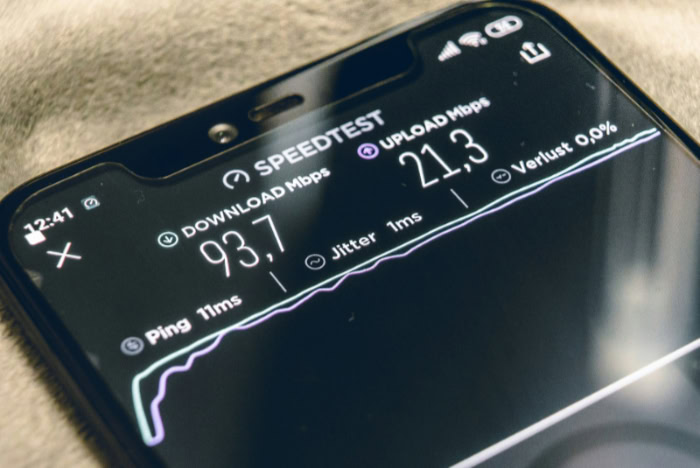
An internet speed of 100 megabits per second (Mbps) means a home network can transfer roughly 12.5 megabytes of data each second. With internet service providers aggressively advertising gigabit packages, many shoppers question if a 100 Mbps tier still meets modern household demands.
The actual sufficiency of this speed depends directly on household size, the volume of active devices, and specific online habits. While routine web browsing and high-definition video playback perform smoothly on this bandwidth, homes with several remote workers, heavy file transfers, or active gamers might experience slowdowns.
Reviewing daily bandwidth needs helps determine if 100 Mbps provides fast, dependable service for your household or creates frustrating network bottlenecks.
Key Takeaways
- A 100 Mbps connection provides a theoretical maximum download speed of 12.5 MB/s, which easily accommodates common household tasks like web browsing and video calls.
- Streaming in 4K Ultra HD consumes 15 to 25 Mbps per screen, meaning a 100 Mbps plan can comfortably support up to four concurrent 4K streams.
- Online multiplayer video games require less than 5 Mbps during active play, relying primarily on low latency and stable ping rather than raw speed.
- Downloading modern 50GB to 100GB software installations or video games requires roughly 1.1 to 2.5 hours at peak 100 Mbps speeds.
- A 100 Mbps tier offers an ideal balance of cost and utility for households with one to three moderate users, but larger families may encounter congestion during peak hours.
Bandwidth Demands for Common Digital Activities
Different online tasks require varying amounts of data transmission to run without interruptions. Reviewing the specific bandwidth consumption of everyday applications shows how much capacity a 100 Mbps connection leaves for other household needs.
High-Definition and 4K Video Playback
Video streaming platforms adjust data rates based on resolution and compression quality. A standard high-definition (HD) 1080p stream from services such as Netflix, YouTube, or Disney+ consumes approximately 5 Mbps of bandwidth.
A 4K Ultra HD stream requires between 15 and 25 Mbps to display sharp detail and High Dynamic Range (HDR) color without stuttering.
A 100 Mbps connection can comfortably support multiple video streams at the same time. A household can run four concurrent 4K streams, consuming 60 to 100 Mbps of total bandwidth.
Alternatively, the network can maintain up to 15 concurrent HD streams without buffering. For most residential setups, video playback will rarely saturate the available connection.
Video Conference Calls and Remote Work Platforms
Remote work software relies on steady, two-way communication channels. Platforms such as Zoom, Microsoft Teams, and Google Meet generally require 2 to 4 Mbps for one-on-one video calls in HD resolution.
Group conferences with multiple video feeds and active screen sharing require 3 to 5 Mbps of stable bandwidth.
Smooth video collaboration depends heavily on stable upload performance. While download bandwidth pulls incoming participant video into the home, upload bandwidth sends your camera feed and presentation data outward.
If an asymmetrical connection throttles upload speed below 2 Mbps during peak usage, video calls experience audio dropouts, frozen frames, and transmission lag.
Online Multiplayer Video Games and Network Latency
Online gameplay requires surprisingly little bandwidth compared to video streaming. Most multiplayer titles, including competitive shooters and sports games, transmit small positional updates and player inputs that consume less than 5 Mbps, typically averaging 1 to 2 Mbps during active matches.
Network latency, measured in milliseconds as ping, determines gaming responsiveness rather than raw bandwidth. Bandwidth dictates how wide the data pipe is, whereas latency measures how fast a packet of data travels from a console or PC to the game server and back.
A 100 Mbps connection provides more than enough throughput to prevent gameplay bottlenecks, provided the local network maintains a low and stable ping under 40 milliseconds.
Household Capacity and Device Distribution

A connection speed does not exist in isolation; it gets divided among all the active users and automated hardware in a residence. The practical capability of a 100 Mbps line shifts based on living arrangements and overall network activity.
Solo Occupants and Two-Person Homes
A 100 Mbps plan delivers an exceptional balance of price and utility for one or two people sharing a living space. In a two-person household, both individuals can simultaneously join separate work video calls, stream high-definition movies, or browse social media without encountering speed reductions.
Because individual daily activities rarely demand more than 25 Mbps at any single moment, two occupants will rarely exceed the capacity of a 100 Mbps connection. Choosing this tier over more expensive gigabit options allows small households to keep monthly broadband costs low without sacrificing performance.
Multi-User Family Environments and Peak Traffic
In households with three to five users, network demand climbs during peak evening hours when family members use the internet simultaneously. Congestion emerges when multiple high-demand activities occur at the exact same time.
For example, if two individuals stream 4K movies (consuming 40 to 50 Mbps combined) while a third user downloads a massive game patch and a fourth joins a live video broadcast, the connection will hit its 100 Mbps ceiling. When total bandwidth demand exceeds network capacity, users notice buffering wheels on media players, delayed web page loads, and temporary voice dropouts during calls.
Smart Home Automation and Continuous Network Traffic
Modern homes often feature dozens of connected gadgets, including smart speakers, smart thermostats, connected lighting hubs, and security sensors. Most low-power automation devices transmit minimal amounts of data, consuming only a few kilobits per second periodically.
Cloud-connected security cameras and video doorbells demand significantly more resources. A single smart camera uploading continuous 1080p footage to the cloud uses 2 to 4 Mbps of upload bandwidth around the clock.
If a residence operates four security cameras, they consume 8 to 16 Mbps of upload capacity continuously, which can cause severe network strain on asymmetrical cable connections with limited upload limits.
Transfer Duration for Common File Sizes

File transfers highlight the difference between various internet tiers because large files demand maximum network capacity. Calculating transfer durations provides concrete benchmarks for standard media, software, and remote backups.
Standard Media: Music Albums, Podcasts, and Movie Files
Standard entertainment files transfer rapidly across a 100 Mbps connection due to their relatively modest file sizes. Running at the full theoretical speed of 12.5 MB/s, standard media files complete in seconds or a few minutes.
A compressed music album of 100MB finishes downloading in approximately 8 seconds. A typical 500MB video podcast or high-resolution document takes roughly 40 seconds.
A full-length feature film in 1080p high definition, which averages 4GB in size, downloads completely in roughly 5 to 6 minutes. These quick turnaround times make a 100 Mbps service feel responsive for regular media consumption.
Large Software Packages and Video Game Installations
Modern software packages and gaming titles represent the greatest challenge for a 100 Mbps tier. Modern computer operating system updates and console game installations frequently range from 50GB to 100GB in size.
Downloading a 50GB software package over a 100 Mbps line requires approximately 1.1 hours, assuming the connection maintains peak throughput. A massive 100GB video game installation takes roughly 2.2 to 2.5 hours to finish.
By comparison, a 1,000 Mbps gigabit plan downloads a 100GB game in approximately 15 minutes. Users who routinely download large game libraries will notice substantial wait times on a 100 Mbps plan.
Cloud Storage Synchronization and Full System Backups
Syncing personal files with cloud storage services like Google Drive, Apple iCloud, or Microsoft OneDrive depends directly on the upload speed of your broadband plan. Synchronizing standard document folders and photo libraries containing 1GB to 2GB of data takes only a few minutes.
Full system backups and extensive 4K video archives create longer waiting periods on asymmetrical connections. Backing up a 50GB system drive over a symmetrical fiber connection with 100 Mbps upload takes roughly 1.1 hours.
On an asymmetrical cable connection with a 10 Mbps upload cap, that same 50GB backup takes over 11 hours to complete.
Speed Bottlenecks and Network Optimization

Subscribing to a 100 Mbps plan does not guarantee that every connected device receives full bandwidth at all times. Physical network setups, local equipment age, and software configurations dictate whether a household achieves optimal speeds.
Wired Ethernet Connections vs. Wi-Fi Signal Degradation
Connecting a device directly to a router using an Ethernet cable delivers the most reliable throughput. A Category 6 (Cat 6) Ethernet cable transmits the full 100 Mbps without signal loss, wireless interference, or packet drops.
Wireless connections introduce natural speed degradation over distance. Standard Wi-Fi routers transmit across two primary frequency bands: 2.4 GHz and 5 GHz.
The 2.4 GHz band provides extended range but suffers from radio interference and rarely exceeds 40 to 50 Mbps in real conditions. The 5 GHz band easily handles the full 100 Mbps speed but struggles to penetrate physical barriers.
Moving 30 feet (9.14 meters) away from the router or placing thick concrete or drywall between devices causes Wi-Fi speeds to drop noticeably.
Router Hardware Limits and Physical Placement
Outdated hardware creates immediate bottlenecks on residential networks. Older routers using legacy Wi-Fi 4 standards cannot distribute 100 Mbps efficiently across multiple devices simultaneously.
Ensuring that your modem supports current DOCSIS 3.1 standards and updating router firmware prevents hardware-induced data throttling.
Router positioning also shapes signal quality. Placing a router inside a closed cabinet, behind a television, or near large metal appliances degrades radio waves.
Setting the unit in an open, elevated location near the center of the living area allows wireless signals to disperse evenly throughout the home.
Traffic Prioritization Through Quality of Service (QoS)
Many modern routers feature Quality of Service (QoS) settings that let administrators manage how bandwidth gets distributed. Enabling QoS prevents background downloads from interrupting critical remote work sessions or video calls.
- Open a web browser on a connected computer and enter your router’s default gateway IP address (commonly
192.168.1.1or192.168.0.1). - Enter the administrative credentials found on the router hardware label to access the configuration dashboard.
- Locate the QoS or Traffic Management menu under advanced network settings.
- Enable the QoS feature and enter your plan speed parameters (100 Mbps download and your specific upload rate).
- Assign high priority to essential devices or specific applications, such as work laptops and video conferencing software.
- Save the settings and reboot the router to apply the prioritization rules.
Conclusion
A 100 Mbps internet connection delivers more than enough bandwidth for individuals and small households of one to three people. For daily digital tasks such as streaming 4K entertainment, attending video meetings, and basic online gaming, this tier provides seamless reliability at an affordable price point.
Choosing 100 Mbps over expensive gigabit packages allows budget-conscious consumers to avoid paying for excess speed they never fully use.
However, larger families with four or more active users and enthusiasts who frequently download 50GB to 100GB game packages will find this speed restrictive during peak hours. If your household relies on multiple cloud security cameras or constant remote backups, a symmetrical fiber plan or a higher bandwidth tier offers a more comfortable buffer against network slowdowns.
Frequently Asked Questions
Is 100 Mbps good for working from home?
Yes, 100 Mbps is more than fast enough for remote work tasks and video conferencing. Platforms like Zoom and Microsoft Teams only require 2 to 4 Mbps for stable high-definition calls. As long as your connection provides at least 10 Mbps of upload speed for screen sharing and file uploads, working remotely will run smoothly without interruptions.
Can you game online with 100 Mbps?
Yes, a 100 Mbps internet plan is plenty of speed for playing multiplayer games online. Online gaming actually uses very little bandwidth, typically needing only 1 to 5 Mbps during gameplay. Low latency and a stable connection matter far more than download speed for preventing lag, though downloading large new games will require some patience.
How many devices can run on 100 Mbps at the same time?
A 100 Mbps network can comfortably support 5 to 10 connected devices running moderate daily tasks simultaneously. Low-demand hardware like smart plugs and smartphones use almost no continuous bandwidth. However, if four or five devices attempt high-bandwidth activities like 4K streaming or massive file downloads at the exact same moment, the network will experience buffering and slowdowns.
Is 100 Mbps fast enough to stream 4K movies?
Yes, 100 Mbps is fast enough to stream multiple 4K movies simultaneously. Most major streaming platforms require between 15 and 25 Mbps of bandwidth for a single 4K Ultra HD stream. A 100 Mbps connection allows a household to run up to four separate 4K streams at the same time before running into buffering issues.
Why am I not getting the full 100 Mbps on Wi-Fi?
Wireless interference, physical distance from your router, and older device hardware naturally reduce Wi-Fi speeds compared to wired connections. The 2.4 GHz frequency band often maxes out around 40 to 50 Mbps due to walls and appliance interference. Switching your device to the 5 GHz band or using a direct Ethernet cable restores full plan speeds.
About the Author: Julio Caesar


