
LCD vs. LED: What Is the Difference?
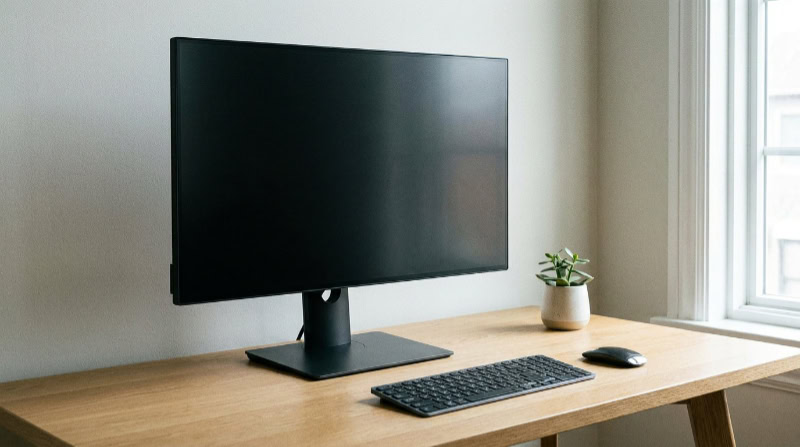
Shopping for a new monitor or television often presents buyers with a confusing choice between “LCD” and “LED” labels. Many people assume these terms describe two totally separate screen types competing for dominance on retail store shelves.
In truth, an LED display represents an evolution of standard liquid crystal hardware rather than an entirely different invention. Both screen types use liquid crystals to build an image, but LED models replace bulky fluorescent light tubes with smaller, more efficient semiconductor diodes behind the glass.
Key Takeaways
- LED screens are not an entirely new display format, but an upgraded version of LCD hardware that uses energy-efficient light diodes instead of older fluorescent lamps.
- Modern diode displays consume between 15 watts and 25 watts of electricity, cutting power draw by 20% to 40% compared to legacy fluorescent monitors.
- Solid-state backlights deliver brightness levels ranging from 400 nits to over 1,000 nits, making them significantly easier to view in daylight than older 200-nit screens.
- Modern light diodes offer an operating life between 50,000 and 100,000 hours, outlasting older fluorescent tubes by tens of thousands of hours while resisting color decay.
- Edge-lit configurations enable ultra-thin screen profiles under 0.5 inches (1.3 cm) thick, whereas full-array panels offer localized dimming zones for deeper contrast.
The Core Display Mechanics
Every flat-panel monitor relies on a specialized setup to produce recognizable imagery on glass. While standard liquid crystal panels and diode-based screens share foundational architecture, the way they generate illumination marks a major engineering divide.
Traditional LCD Construction and CCFL Light Sources
Liquid crystal displays contain microscopic fluid structures sandwiched between polarized filters and glass substrates. These liquid crystals do not generate any light on their own.
Instead, they shift when exposed to electrical current, acting like microscopic window blinds that allow or prevent light from passing through color filters.
Older monitors relied on Cold Cathode Fluorescent Lamps (CCFL) positioned behind the liquid crystal layers. These glass tubes functioned much like the overhead fluorescent lights found in commercial buildings, requiring higher operating voltages and a dedicated power inverter to generate continuous white light across the panel.
Modern LED Design and Diode Backlights
Modern monitors replace CCFL tubes with light-emitting diodes, commonly abbreviated as LEDs. These compact semiconductor devices glow when electric current runs through them, offering a far more compact illumination source for the liquid crystal layer.
Marketing terms can sometimes cause confusion regarding what LED actually means on a product box. An LED monitor remains a liquid crystal screen, using diodes solely for background illumination.
In contrast, self-emissive technologies like organic light-emitting diode (OLED) screens do not use a separate backlight; each individual pixel on an OLED display generates its own light and turns off completely for absolute dark levels.
Backlight Configurations: Edge Placement vs. Full Arrays
Manufacturers install diode backlights in two primary arrangements across consumer monitors. Edge-lit screens place a row of diodes along the outer borders of the frame, using a specialized acrylic guide plate to spread illumination across the rear of the panel.
This design allows manufacturers to build extraordinarily thin chassis.
Direct-lit and full-array designs place a grid of diodes directly behind the entire liquid crystal panel. While basic direct-lit screens use fewer diodes to maintain lower production costs, high-end full-array systems pack hundreds or thousands of tiny diodes across the back.
These full-array configurations can brighten or dim specific clusters independently, giving viewers much better localized light control.
Visual Quality and Picture Output

The method used to illuminate a monitor directly dictates the final image quality that reaches the eye. Switching from fluorescent tubes to solid-state diodes brings noticeable enhancements to overall depth, color vibrance, and motion tracking.
Contrast Levels and Deep Blacks
Because liquid crystals cannot block 100% of the light shining through them, backlighting directly impacts how dark a scene can appear. Older CCFL panels lit the entire screen uniformly, which meant stray light continually leaked through dark areas, rendering night skies and shadows as murky dark gray.
Modern diode arrays handle contrast with greater precision. Advanced full-array screens use local dimming to shut off or lower diodes directly behind dark portions of the frame while keeping bright objects vivid.
This zoned approach cuts down light bleed, producing deeper black levels and higher contrast ratios that make images pop.
Peak Brightness and Daylight Visibility
Diodes deliver significantly higher light output than legacy fluorescent tubes. A standard CCFL screen typically maxed out around 200 nits to 300 nits of brightness.
Modern diode displays easily reach 400 nits for general desktop use, with specialized high-dynamic-range displays exceeding 1,000 nits.
This higher peak output makes a tremendous difference in bright spaces. Rooms with unshaded windows or strong overhead office lights easily wash out older CCFL monitors.
Diode-lit panels cut through harsh ambient glare, keeping spreadsheets and video streams easy to read throughout sunny afternoons.
Motion Clarity and Pixel Response Speed
Fast-moving objects on older liquid crystal panels often suffered from trailing or smearing. This blur happened because liquid crystal molecules require a tiny fraction of a second to twist into new orientations, and persistent CCFL illumination kept the transition visible to human eyes.
Contemporary monitors pair quicker liquid crystal panels with rapid diode pulse control. Backlight strobing techniques briefly turn the diodes off between frame refreshes, mimicking the smooth motion of old cathode-ray tubes.
By hiding the physical shifting of the liquid crystals during rapid frame changes, modern displays deliver crisp text during scrolling and sharp outlines during frantic action scenes.
Energy Efficiency and Hardware Durability

Beyond visual fidelity, the hardware supporting modern displays influences operational costs and workspace ergonomics. The transition to solid-state illumination brought substantial improvements in power conservation and overall physical footprint.
Power Consumption and Heat Production
Semiconductor diodes convert electricity into visible light with minimal waste, drawing 20% to 40% less electrical power than older fluorescent tubes of equal size. A legacy 24-inch CCFL monitor frequently pulled 50 watts or more from the wall outlet, whereas a comparable diode-lit unit uses around 15 watts to 25 watts.
Lower wattage also prevents excessive heat buildup. Fluorescent tubes radiate noticeable warmth from the edges and rear casing, which can warm up a small room and degrade sensitive internal plastics over the years.
Diode systems run significantly cooler, reducing thermal stress on internal circuits and keeping home offices comfortable during long work shifts.
Monitor Profile, Bezel Width, and Weight
The diminutive size of light diodes reshaped desktop aesthetics. Legacy CCFL screens required thick cylindrical tubes, heavy mounting brackets, and bulky power inverters, resulting in enclosures that measured 3 inches to 5 inches thick and weighed over 15 lbs (6.8 kg).
Edge-lit diode configurations allow screens to measure under 0.5 inches deep, resting inside sleek enclosures that weigh as little as 6 lbs (2.7 kg) to 8 lbs (3.6 kg). Eliminating bulky components also enabled manufacturers to shrink bezel borders down to thin frames measuring under 0.1 inches, creating seamless multi-monitor setups.
Expected Service Life and Degradation Risks
Solid-state diodes outlast legacy lamps by a wide margin. A standard CCFL tube was rated for approximately 20,000 to 30,000 hours of operation before its internal gases degraded.
Diodes regularly maintain reliable illumination for 50,000 to 100,000 hours, translating to over a decade of continuous daily operation.
Older lamps also exhibited unpleasant aging symptoms. As CCFLs aged, they lost substantial brightness and shifted toward an uneven yellow or pink tint across the panel.
Diodes retain their factory color balance and brightness levels much longer, resisting premature dimming and ensuring uniform color accuracy throughout their service life.
Selection Criteria by Daily Use Case

Selecting an appropriate display depends on the daily tasks performed in front of the screen. Matching specific lighting hardware and panel traits to specific workloads ensures comfortable viewing and efficient spending.
Office Productivity and Document Work
Daily office routines focus on clean typography, wide spreadsheet views, and extended sessions without eye fatigue. For these tasks, edge-lit diode panels provide an economical, energy-efficient solution that keeps text sharp across entire web pages.
Workers spending full workdays at a desk should pay attention to backlight dimming methods. Cheap pulse-width modulation can cause invisible screen flickering that triggers headaches.
Selecting a monitor with direct-current flicker-free dimming and uniform edge lighting creates a calm, consistent visual surface that protects against ocular fatigue during intense workdays.
Home Cinema and Media Playback
Viewers who enjoy high-definition movies and streaming television benefit most from full-array displays equipped with local dimming. Because dramatic cinematic scenes shift rapidly between bright outdoor environments and dark interiors, independent light zones are essential for maintaining rich black levels without turning shadow details into gray wash.
Color reproduction is equally important for media playback. Modern diode backlights paired with quantum dot enhancement sheets cover over 95% of wide color gamuts like DCI-P3.
This combination produces rich reds, vibrant greens, and natural skin tones, elevating movie viewing in both dimly lit dens and brightly lit family rooms.
Video Games and High-Speed Action
Interactive gaming places intense demands on monitor hardware, requiring quick pixel transitions and minimal input delay. Modern diode displays paired with fast refresh rates, such as 144Hz or 240Hz, supply fluid visual updates that prevent competitive gameplay from feeling sluggish.
Budget considerations guide the ideal purchase here. Casual gamers who play slow-paced titles or console games can enjoy vibrant visuals on an affordable edge-lit screen with a 60Hz or 75Hz refresh rate for under $150.
In contrast, competitive players should prioritize gaming-grade panels featuring fast response times under 1 millisecond and backlight strobing features to ensure optimal clarity during frantic tournaments.
Conclusion
Every LED display sold today is fundamentally a liquid crystal screen that relies on solid-state light-emitting diodes rather than outdated fluorescent lamps. This lighting upgrade provides higher peak brightness, noticeably slimmer enclosures, significantly lower power consumption, and deeper contrast through localized light control.
For everyday office tasks, budget-friendly edge-lit monitors offer plenty of sharpness and energy savings. Viewers prioritizing cinematic entertainment or fast-paced gaming gain the most from full-array models or high-refresh panels that deliver richer blacks and fluid motion.
Choosing the right display comes down to balancing these technical perks against daily viewing habits and individual hardware budgets.
Frequently Asked Questions
Is an LED monitor actually different from an LCD monitor?
An LED monitor is simply a modern type of LCD that uses light-emitting diodes instead of fluorescent tubes for its backlight. Older models relied on bulky fluorescent lamps that drained more power and ran hot. Switching to diodes creates a brighter screen, cuts energy use by up to 40%, and enables ultra-thin monitor frames.
Is an LED screen better for your eyes than an older LCD?
Yes, modern LED displays are generally better for your eyes because they provide consistent brightness and reduce visual fatigue. Older fluorescent backlights could degrade unevenly over time and cause subtle screen flickering. Contemporary LED monitors frequently include direct-current flicker-free dimming and dedicated low-blue-light modes, which help prevent headaches during long workdays.
How long does an LED monitor usually last?
An LED monitor typically lasts between 50,000 and 100,000 hours of regular use before noticeable dimming occurs. This lifespan translates to roughly 10 to 20 years under normal daily workloads. By comparison, older fluorescent tubes usually began losing brightness or shifting toward an uneven yellow tint after just 20,000 to 30,000 hours.
What is the difference between edge-lit and full-array screens?
Edge-lit screens place light diodes only along the monitor borders, while full-array screens position a complete grid of diodes directly behind the display. Edge lighting allows manufacturers to produce extremely thin and lightweight monitors at lower prices. Full-array systems cost more, but they use local dimming zones to deliver deeper blacks and superior contrast.
Do LED monitors use a lot of electricity?
No, LED monitors are highly energy efficient and typically draw between 15 watts and 25 watts of electricity during regular use. Their solid-state diodes generate very little waste heat compared to older fluorescent displays, which often pulled 50 watts or more. This low power consumption keeps electric bills down and prevents desktop areas from overheating.
About the Author: Julio Caesar


