
Lossless vs. High-Res Audio: Can You Hear the Difference?

Every major music service now offers high-fidelity options, but selecting the right setup can save you from wasting money on unnecessary equipment or expensive subscription tiers. With conflicting marketing terms flying around, it is easy to mismatch your playback hardware with your favorite audio files.
The terminology used by streaming platforms often blurs the lines between preserving original recording data and capturing higher studio resolutions. While many files are promoted as premium, the actual technical limits of modern delivery systems remain unclear to many listeners.
Learning how these formats interact with your playback devices ensures that your next hardware investment delivers the crisp, detailed sound you actually expect to hear.
Key Takeaways
- Lossless formats like FLAC and ALAC compress audio file sizes without discarding any acoustic data, guaranteeing an exact reconstruction of the original studio recording.
- High-resolution audio refers to digital files that exceed the standard CD quality threshold of 16-bit depth and a 44.1 kHz sampling rate, typically utilizing 24-bit/96 kHz or 192 kHz formats.
- Standard Bluetooth transmission is always lossy, meaning you must use a wired connection or high-bandwidth codecs like Sony’s LDAC to preserve lossless audio quality.
- An external digital-to-analog converter (DAC) is required to process true high-resolution files without downsampling, bypassing the low-quality internal components found in most smartphones.
- The production quality of the original studio recording impacts sound quality far more than the final digital delivery format.
The Concepts of Lossless and High-Resolution Audio
The modern audio market is filled with terms like lossless, high-definition, and studio quality. Understanding these concepts requires looking past the marketing slogans to see how audio data is actually processed and stored.
By separating how files are compressed from how they are recorded, listeners can make sense of what they are actually hearing.
Defining Lossless Audio
To make digital music files small enough to stream or store easily, the original audio data must be compressed. This compression falls into two categories: lossy and lossless.
Lossy formats, such as MP3 and AAC, discard parts of the audio signal that the human ear is less likely to perceive, resulting in much smaller files but at the cost of original sound quality. In contrast, lossless compression algorithms, such as FLAC (Free Lossless Audio Codec) and ALAC (Apple Lossless Audio Codec), pack the data more efficiently without removing any information.
When a lossless file plays, it unpacks into an exact, bit-for-bit reconstruction of the original recording, preserving every detail of the studio output.
Defining High-Resolution Audio
While lossless audio refers to how a file is compressed, high-resolution audio refers to the detail level of the original recording itself. The baseline for standard digital audio is Red Book CD quality.
High-resolution audio is defined as any format that surpasses this CD standard. Because of this distinction, all high-resolution audio is lossless, as it would make no sense to record at a premium level only to throw away data with lossy compression.
However, not all lossless audio is high-resolution; a CD-quality FLAC file is perfectly lossless, but it does not meet the higher specifications required to be classified as high-resolution.
Audio Container Formats
Digital audio is packaged into various container formats, each with different properties regarding compression and compatibility. Uncompressed formats like WAV and AIFF store the original recording exactly as it was captured, but they result in massive file sizes because they use no compression at all.
FLAC and ALAC serve as more efficient alternatives; they offer the exact same audio quality as WAV or AIFF while reducing the file size by roughly half. FLAC is an open-source format supported by a wide variety of devices and platforms, while ALAC is Apple’s proprietary equivalent, designed for seamless integration within its ecosystem.
The Technical Benchmarks
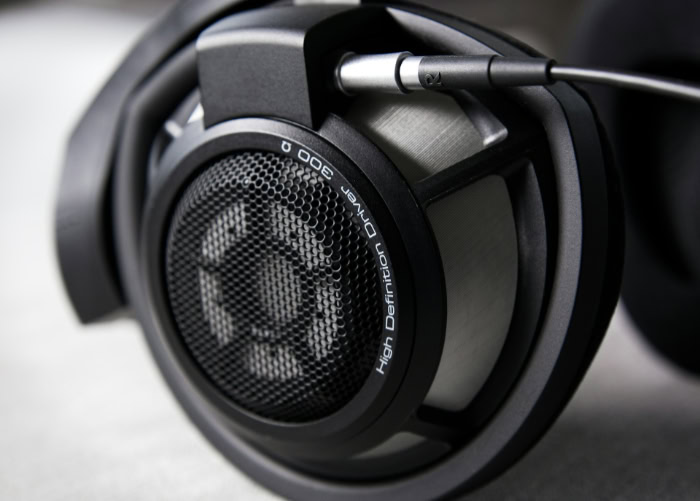
Digital audio relies on two primary measurements to capture sound: bit depth and sample rate. These numbers define the accuracy and frequency range of the digital representation compared to the original analog sound wave.
Analyzing how these metrics work explains why certain formats are considered superior to others.
Standard CD Quality (16-bit / 44.1 kHz)
The standard for CD-quality audio is 16-bit depth with a 44.1 kHz sample rate. This standard was chosen because it aligns with the limits of human hearing, which generally spans from 20 Hz to 20 kHz.
According to the Nyquist-Shannon sampling theorem, to perfectly reconstruct an analog wave, the digital sample rate must be at least twice the highest frequency being recorded. Sampling at 44.1 kHz ensures that frequencies up to 22.05 kHz are captured accurately, comfortably covering the entire audible range of human ears and preventing any distortion or missing frequencies.
High-Resolution Thresholds (24-bit / 96 kHz and 192 kHz)
High-resolution audio moves beyond the CD standard, typically starting at 24-bit depth paired with sample rates of 96 kHz or 192 kHz. Mathematically, increasing the sample rate means taking more snapshots of the sound wave every second, which theoretically allows for the capture of ultrasonic frequencies far beyond human hearing.
While these ultra-high frequencies are not directly audible, the extra data points provide a more detailed reconstruction of the original wave shape, allowing digital filters to operate more smoothly during playback.
Dynamic Range and Noise Floor
Bit depth dictates the dynamic range of an audio file, which is the difference between the quietest and loudest sounds that can be recorded without distortion. A 16-bit depth offers a theoretical dynamic range of 96 decibels (dB), which is already quiet enough to hide the background noise floor in most listening settings.
Stepping up to 24-bit audio expands this range to 144 dB, effectively lowering the noise floor to near-silence. However, the benefits of this wider dynamic range depend heavily on the quality of the original recording and final studio engineering.
If a track is recorded poorly or compressed heavily during production, the delivery resolution will not improve the sound.
The Wireless Bottleneck and Transmission Constraints

Many listeners invest in high-fidelity files only to listen to them over wireless headphones, unaware of the transmission limitations of Bluetooth. Understanding how wireless transmission handles audio data is essential for maintaining the integrity of high-fidelity files.
Standard Bluetooth Limits
Traditional Bluetooth connections lack the bandwidth required to transmit uncompressed or even compressed lossless audio. Standard codecs like SBC (Subband Coding) and AAC (Advanced Audio Coding) must compress the audio signal significantly to fit it through the narrow wireless pipeline.
This process is lossy, meaning that even if you play a high-quality lossless file from your phone, the Bluetooth transmitter will discard data to send it to your wireless headphones, reducing the audio quality back to a standard lossy level.
Higher-Bandwidth Wireless Codecs
To address these limitations, several higher-bandwidth wireless codecs have been developed. Sony’s LDAC and Qualcomm’s aptX Adaptive or aptX Lossless formats can transmit data at much higher bitrates, sometimes approaching near-lossless or true lossless CD quality under ideal conditions.
However, using these codecs requires compatible hardware. Both the transmitting device, such as your smartphone, and the receiving device, like your headphones, must support the exact same codec, or the connection will default to a lower-quality standard like SBC.
Wi-Fi and Local Network Streaming
Unlike Bluetooth, Wi-Fi networks have more than enough bandwidth to handle full, uncompressed lossless files. Casting protocols such as Apple AirPlay and Google Chromecast use local Wi-Fi to send audio from a source device to compatible speakers or receivers.
Because Wi-Fi does not suffer from the same transmission bottlenecks as Bluetooth, these protocols can transmit CD-quality lossless files across your home network without any data compression or loss of fidelity.
Essential Playback Equipment for High-Fidelity Audio

Having a high-resolution file is only the first step; the hardware pipeline used to play that file determines how much detail actually reaches your ears. Every link in the audio chain must be capable of processing the data without degrading the signal.
The Role of the Digital-to-Analog Converter (DAC)
All digital audio files must be converted back into analog electrical signals before they can vibrate the speakers in your headphones. This task is handled by a Digital-to-Analog Converter (DAC).
While smartphones, computers, and tablets have built-in DACs, these internal components are often cheap and susceptible to electrical noise from other computer parts. To process true high-resolution files, especially those at 24-bit/192kHz, an external DAC is usually necessary to ensure clean, accurate conversion without introducing unwanted noise or downsampling the file.
Analog Output: Headphones and Speakers
The physical speakers and headphones you use must have the physical capability to reproduce the expanded frequency response and dynamic range of high-resolution files. Low-end consumer headphones often lack the driver quality needed to show any audible difference between standard and high-fidelity tracks.
Furthermore, wired connections remain necessary for true zero-loss audio transmission. Using physical cables like 3.5mm, 4.4mm balanced, or XLR connectors bypasses all digital compression, delivering the pure analog signal directly to your ears.
The Signal Chain: Sourcing and Processing
A common mistake is having great hardware but failing to configure the software properly. Operating systems often downsample audio to a standard rate before sending it to the output jack.
To prevent this, the entire playback pipeline, from the media player settings to the system audio drivers, must be configured to pass the audio signal cleanly. Using specialized playback software that can bypass system mixers ensures that the file reaches your external DAC in its original, unaltered form.
Practical Considerations and the Listening Experience

While high-fidelity audio sounds impressive on paper, practical constraints and human biology play massive roles in the actual listening experience. Before investing in expensive equipment, it is worth looking at how these files perform in everyday environments.
Data Consumption and Local Storage Demands
High-resolution files require significantly more storage space and data bandwidth than standard formats. A typical three-minute MP3 file might take up around 5 megabytes of space.
A CD-quality lossless version of the same track jumps to roughly 30 megabytes, while a high-resolution 24-bit/192kHz file can exceed 100 megabytes. Streaming these massive files over mobile network connections can quickly consume your monthly data allowance and requires a highly stable, fast internet connection to prevent buffering.
Human Audibility and Ambient Environments
Human hearing naturally degrades with age, with most adults unable to hear frequencies above 15 kHz or 16 kHz, far below the 20 kHz threshold. This makes the ultra-high frequencies captured by high-resolution audio physically impossible for most people to detect.
Additionally, background noise in daily environments, such as traffic, air conditioning, or office chatter, easily drowns out the quiet details that high-fidelity audio preserves, making the differences between CD quality and high-res imperceptible outside of a quiet room.
Evaluating Audio Source Material
The most critical factor in sound quality is not the file format, but the quality of the original studio recording and final audio production. A well-engineered track recorded in a high-end studio will sound spectacular even when compressed to a standard MP3.
Conversely, a poorly mixed track with harsh levels and low-quality microphones will still sound terrible when played back in 24-bit/192kHz resolution. The care taken during the production process matters far more than the final container format used to deliver the music.
Conclusion
Distinguishing between lossless compression and high-resolution recording is essential for any modern listener. Lossless technology acts purely as a mathematical packaging method, ensuring that no recorded data is lost during file compression.
High-resolution audio, meanwhile, defines the actual resolution of the original recording itself, capturing broader dynamic ranges and higher frequencies.
To determine if high-resolution audio is worth the investment, you must evaluate your entire listening environment and hardware setup. If you primarily listen through wireless Bluetooth headphones in noisy environments, standard lossless files or even high-quality lossy formats are more than sufficient.
True high-resolution audio only reveals its advantages through dedicated wired headphones, high-quality external DACs, and quiet rooms where the lowest noise floors can actually be perceived.
Frequently Asked Questions
Can people actually hear the difference in high-res music?
Most people cannot perceive the ultrasonic frequencies that high-resolution audio captures. Human hearing is physically limited to 20 kHz, which standard CD quality already covers completely. To notice any subtle improvements in dynamic range, you need exceptionally quiet surroundings and high-end wired playback gear.
Can I hear lossless music over Bluetooth?
Standard Bluetooth cannot transmit true lossless audio because it lacks the necessary wireless bandwidth. When you stream lossless files wirelessly, standard codecs like AAC or SBC discard audio data to send the signal to your headphones. You need a wired connection or a high-bandwidth codec like LDAC to preserve original quality.
Do I need to buy an external DAC for high-res audio?
Yes, you generally need an external DAC to listen to high-resolution files at their maximum quality. While phones and laptops have built-in DACs, they usually lack the hardware to play files higher than CD quality without downsampling them. An external DAC ensures clean conversion and prevents interference.
Does high-res audio use a lot of phone data?
Yes, streaming high-resolution audio consumes significantly more mobile data than standard or lossless files. A standard MP3 track requires about 5 megabytes of data, whereas a high-resolution file can easily exceed 100 megabytes. Streaming these tracks over mobile networks will drain your data allowance very quickly.
What is the difference between FLAC and ALAC?
There is no difference in audio quality, but they are built for different device ecosystems. FLAC is an open-source format supported by a wide variety of audio platforms and devices. ALAC is Apple’s proprietary version, designed to compress lossless files for seamless playback on iOS and Mac devices.
About the Author: Elizabeth Baker


