Lossless vs. Lossy Audio: Can You Hear the Difference?
For decades, listening to music meant handling physical discs and tapes. As personal computers and internet connections became standard household fixtures, portable digital tracks replaced vinyl records and CDs.
Early hard drives and slow download speeds could not easily handle the immense size of raw sound files. Engineers designed audio compression methods to shrink tracks down to manageable sizes, balancing limited storage space with acoustic fidelity.
Today, music platforms offer two main categories of files: lossless and lossy.
Key Takeaways
- Lossy compression formats like MP3 and AAC permanently remove inaudible sound data using psychoacoustic models, reducing file sizes by roughly 80% to 90% compared to original studio recordings.
- Lossless formats such as FLAC and ALAC package audio like a ZIP file, preserving every bit of the original master recording without discarding acoustic data.
- Standard Bluetooth connections lack the bandwidth for lossless streams, automatically re-compressing audio wirelessly and making wired connections necessary for true lossless playback.
- Lossless streaming consumes approximately 450MB of data per hour for CD quality, compared to roughly 144MB per hour for high-bitrate 320 kbps lossy streams.
- Most listeners cannot reliably tell the difference between high-bitrate lossy audio and lossless files without dedicated external DACs, quality amplifiers, and high-end wired headphones.
The Mechanics of Audio Compression
Audio compression processes digital sound files to balance storage demands with acoustic quality. Converting analog sound waves into computer files generates substantial amounts of data.
To make these files manageable for streaming and local storage, audio engineers rely on two fundamentally different methods: permanently removing unneeded data or packaging the full signal for complete reconstruction.
Data Removal in Lossy Compression
Lossy compression reduces file sizes by permanently stripping away acoustic information that is difficult for human ears to detect. This technique relies on psychoacoustic models, which analyze how the human brain processes auditory information.
For instance, when a very loud sound occurs simultaneously with a quiet sound at a nearby frequency, the louder sound masks the quieter one. The psychoacoustic algorithm identifies these masked frequencies, as well as sounds outside typical human perception, and deletes them from the audio stream.
Because lossy encoding discards this information permanently, the process is completely irreversible. Once an audio file is encoded into a lossy format, the discarded frequencies and nuances cannot be restored.
Converting a lossy file back into a higher-quality container will not recover the missing data; it merely places the reduced audio into a larger file.
Data Preservation in Lossless Compression
Lossless compression preserves every single bit of the original sound recording without discarding any acoustic data. This method operates much like a standard ZIP file used for computer documents.
The compression algorithm scans the audio data for repetitive patterns and mathematical redundancies, encoding them into a more compact format without altering the underlying content.
During playback, the media software unpacks and decompresses the stream in real time. The resulting output is an exact, bit-perfect replica of the source file.
Because no data is discarded during the compression phase, lossless files deliver the exact sound quality captured by the recording engineer in the studio.
Comparison of File Sizes and Bitrates
Audio resolution and transmission speeds are measured in kilobits per second (kbps), which represents the amount of data processed during each second of playback. A higher bitrate indicates that more data is being delivered, which generally translates to higher fidelity and a larger file size.
Standard lossy files typically operate at bitrates between 128 kbps and 320 kbps. A four-minute song encoded as a 320 kbps MP3 occupies roughly 9MB to 10MB of storage space.
In contrast, a CD-quality lossless file for the same four-minute track runs at roughly 1,411 kbps, resulting in a file size between 30MB and 50MB. This difference demonstrates how lower bitrates dramatically improve storage efficiency on hard drives and mobile devices at the expense of discarded audio data.
Classification of Digital Audio Formats
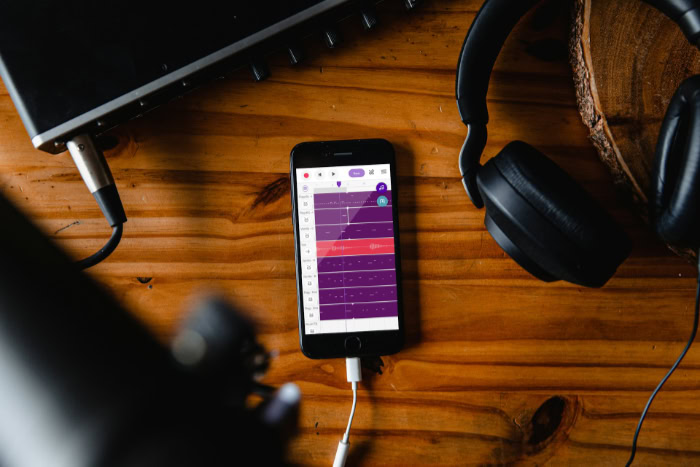
Digital audio formats are divided into distinct categories based on how they process, store, and compress acoustic information. Modern listening platforms and hardware devices support a selection of lossy codecs, compressed lossless formats, and raw studio containers, each designed for specific user needs and playback systems.
Popular Lossy Formats
The MP3 format remains the most widely recognized audio format in digital media history. Developed in the early 1990s, MP3 achieved universal compatibility across virtually every computer, media player, and operating system.
It commonly operates across three standard quality tiers: 128 kbps for basic speech and low-bandwidth streams, 192 kbps for standard listening, and 320 kbps for maximum lossy fidelity.
Advanced Audio Coding (AAC) was created as a successor to MP3, offering superior compression efficiency and better sound reproduction at identical bitrates. A 256 kbps AAC file frequently matches or exceeds the perceptual quality of a 320 kbps MP3.
Due to its efficiency, AAC serves as the default audio format for Apple Music, YouTube, and modern Bluetooth streaming profiles.
Ogg Vorbis is an open-source, patent-free lossy format designed to provide flexible encoding without licensing restrictions. Platforms such as Spotify utilize Ogg Vorbis for desktop and mobile streaming, taking advantage of its efficient variable bitrate handling to deliver consistent sound across various network conditions.
Standard Lossless Formats
Free Lossless Audio Codec (FLAC) is the open-source standard for compressed lossless sound. FLAC reduces original file sizes by roughly 50% to 60% without sacrificing any audio data.
It includes comprehensive support for metadata tagging, album artwork, and high-resolution sample rates. FLAC enjoys broad support across Android devices, Windows operating systems, media streaming servers, and standalone high-resolution audio players.
Apple Lossless Audio Codec (ALAC) provides identical bit-perfect audio reproduction while integrating directly into the Apple ecosystem. Originally proprietary, Apple released ALAC as open source in 2011.
It functions as the standard lossless container for iOS, iPadOS, macOS, and Apple Music lossless streaming.
Uncompressed Studio Formats
Waveform Audio File Format (WAV) and Audio Interchange File Format (AIFF) store raw, uncompressed Pulse Code Modulation (PCM) audio. Unlike FLAC or ALAC, these formats perform zero compression, writing audio samples directly to storage.
WAV is common on Windows systems, whereas AIFF was developed by Apple for Mac environments.
While WAV and AIFF preserve pristine studio quality, they are inefficient for consumer music libraries. Because they lack data compression, files consume approximately 10MB of storage for every minute of audio.
Additionally, WAV files have historically offered poor support for embedded metadata such as artist names, track titles, and album covers, making large personal libraries difficult to organize.
Auditory Perception and Sound Quality
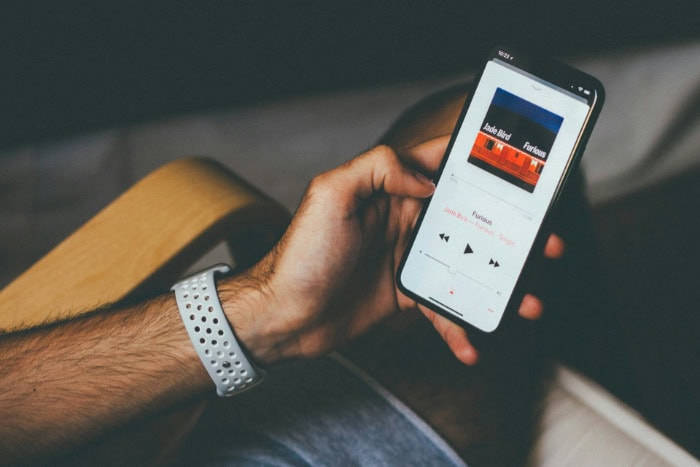
The perceived quality of digital audio depends on the physiological limits of human hearing, the electronic components that convert digital data into sound waves, and controlled listening methods. While digital files can record frequencies and dynamic nuances well beyond biological capabilities, practical perception often differs from raw technical specifications.
Human Auditory Limits and Audio Resolution
The human ear can detect sound frequencies within a nominal range of 20Hz to 20,000Hz (20 kHz). As people age, exposure to ambient noise and natural biological changes reduce sensitivity to upper frequencies, often lowering the practical hearing threshold to around 14 kHz or 16 kHz in adults.
Standard CD-quality audio uses a 16-bit depth and a 44.1 kHz sample rate. According to acoustic sampling principles, a 44.1 kHz sample rate accurately captures frequencies up to 22.05 kHz, covering the entire spectrum of human hearing.
High-Resolution (Hi-Res) audio extends these parameters to 24-bit depth and sample rates of 96 kHz or 192 kHz. A 24-bit depth expands dynamic range, lowering the noise floor and capturing subtle volume shifts between the quietest and loudest passages, though the higher frequencies stored in 96+ kHz files sit far above what human ears can physically register.
The Impact of Digital-to-Analog Converters (DACs)
Digital audio files consist entirely of binary numbers that must be converted into physical sound waves before speakers can produce music. A Digital-to-Analog Converter (DAC) performs this translation, converting digital bits into continuous electrical voltage.
Most smartphones, laptops, and basic audio devices contain built-in DAC chips. While these standard chips function adequately for everyday listening, they are often crowded onto motherboards alongside noisy computer components, introducing minor electrical interference.
Dedicated external DAC units isolate the conversion process, utilizing cleaner power supplies, superior clocking mechanisms to reduce timing errors known as jitter, and lower noise floors to produce a clearer analog signal.
Results from ABX Blind Audio Tests
Double-blind ABX testing provides a rigorous method for evaluating whether listeners can genuinely perceive differences between audio formats. In an ABX test, a participant listens to two known audio samples, Source A and Source B, where one is a lossless file and the other is a lossy file.
The participant is then presented with an unidentified sample, Source X, and must determine whether Source X matches A or B without any visual indicators or brand cues.
When evaluating high-bitrate lossy files, such as 320 kbps MP3 or 256 kbps AAC, against lossless originals, most listeners fail to identify the lossless track at a rate better than random chance. Even with high-end audio gear, distinguishing between transparent lossy files and bit-perfect lossless files proves exceptionally difficult for typical listeners in controlled testing environments.
Hardware and Transmission Constraints
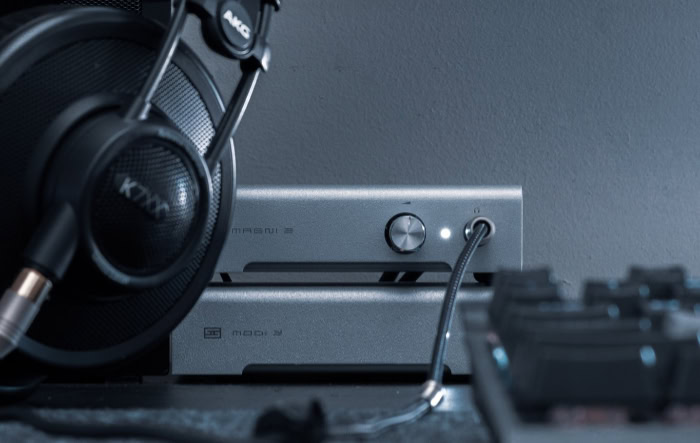
Delivering full digital sound quality requires an unbroken chain of compatible hardware and transmission channels. Even if an audio file contains pristine, bit-perfect data, physical bottlenecks such as wireless codecs, amplification limits, and internet bandwidth can restrict what reaches the listener.
Limitations of Bluetooth Codecs
Bluetooth technology relies on short-range wireless radio connections with restricted transmission bandwidth. Standard Bluetooth profiles cannot transfer the full bitrate of uncompressed or lossless audio streams.
When a device streams audio over Bluetooth, it must re-encode and compress the signal in real time, turning even a pristine lossless source into a lossy transmission.
Different wireless codecs manage this bottleneck with varying degrees of efficiency:
- Subband Codec (SBC): The baseline Bluetooth codec supported by all devices, operating with moderate compression efficiency and bitrates up to 328 kbps.
- Advanced Audio Coding (AAC): The preferred Bluetooth codec for iOS devices, delivering efficient compression and consistent fidelity on supported headphones.
- LDAC: A proprietary codec developed by Sony that transmits up to 990 kbps over compatible connections, approaching near-lossless transmission for standard audio files.
- aptX and aptX HD: Codecs developed by Qualcomm that offer stable transmission and bitrates up to 576 kbps, reducing latency and audio compression artifacts.
Requirements for Wired Connections and Amplification
To bypass the compression imposed by wireless protocols, listeners must use a direct physical cable. An analog cable transfers the converted electrical signal directly from a DAC or amplifier to the headphone drivers without digital re-encoding.
Headphone performance also depends on electrical impedance, which is measured in ohms. Consumer earbuds typically feature low impedance, between 16 ohms and 32 ohms, allowing them to reach full volume from standard smartphone outputs.
High-impedance studio headphones, ranging from 250 ohms to 600 ohms, require a dedicated headphone amplifier. An amplifier provides the necessary voltage and current to drive the headphone drivers cleanly, preventing distortion and maintaining dynamic range.
Bandwidth Demands and Mobile Data Consumption
Streaming lossless audio over cellular connections requires significantly more network data than streaming lossy files. A standard 320 kbps lossy stream consumes approximately 2.4MB of data per minute, or roughly 144MB per hour.
A CD-quality lossless FLAC stream consumes around 7.5MB per minute, amounting to roughly 450MB per hour. High-resolution 24-bit/192 kHz streams can exceed 3GB of data per hour.
These high data rates impact offline storage as well. While a smartphone with 128GB of internal storage can hold over 10,000 high-bitrate lossy songs, that same storage capacity can hold only about 2,500 CD-quality lossless tracks or fewer than 500 Hi-Res albums.
Managing local caching and mobile data limits is essential when using lossless streaming services on portable devices.
Recommended Applications for Each Format Type
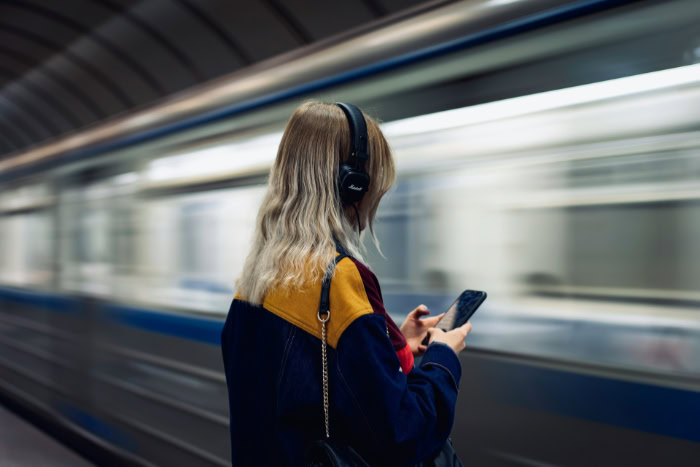
Selecting the appropriate audio format involves matching file properties to specific listening environments, playback equipment, and storage availability. Choosing the right format ensures optimal audio clarity while avoiding unnecessary storage and bandwidth usage.
Media Archival and Studio Production
Lossless formats are the ideal standard for archiving physical media collections and producing music. When ripping an audio CD, saving the tracks in FLAC or ALAC creates a permanent, bit-perfect digital duplicate that preserves all original acoustic details for long-term storage.
In audio production environments, uncompressed and lossless formats prevent generational loss. Whenever an audio file is edited, processed, and re-exported in a lossy format, the compression algorithm discards additional acoustic data with each pass.
Using uncompressed WAV files or lossless FLAC files ensures that the audio maintains its full fidelity throughout the recording, mixing, and export stages.
Daily Mobile Playback and Storage Management
High-bitrate lossy formats remain the practical choice for everyday mobile listening and commuting. Because wireless Bluetooth headphones compress the incoming audio signal regardless of the source file, streaming or storing lossless files on a smartphone provides no audible benefit through wireless gear.
Using 256 kbps AAC or 320 kbps MP3 files conserves local device storage and prevents excessive mobile data consumption over cellular networks. This approach allows listeners to maintain extensive offline libraries and stream music without risking data overages or battery drain caused by sustained high-bandwidth downloads.
Dedicated High-Fidelity Audio Setups
Lossless and high-resolution formats provide acoustic value when paired with dedicated, high-end playback equipment. In a treated listening room equipped with premium stereo speakers, an external DAC, and a powerful amplifier, lossless files deliver the full dynamic range and spatial separation intended by the recording engineers.
Similarly, pairing lossless audio with audiophile-grade, open-back wired headphones connected to an external DAC and amplifier reveals subtle background details, instrument separation, and natural decay on acoustic instruments. In these carefully configured environments, lossless audio ensures that the hardware chain is supplied with an uncompromised source signal.
Conclusion
Selecting between lossy and lossless audio comes down to balancing file size constraints with your playback hardware. Lossy formats like 320 kbps MP3 and 256 kbps AAC discard inaudible sound data to provide lightweight files that save mobile data and storage space, making them ideal for everyday listening on wireless headphones.
In contrast, lossless formats like FLAC and ALAC preserve every bit of the original recording, which benefits media archiving, audio editing, and dedicated wired high-fidelity sound systems.
For most listeners using standard wireless gear or phone speakers, high-bitrate lossy audio delivers an exceptional experience without unnecessary bandwidth overhead. Choosing lossless audio makes practical sense when you have the specialized wired equipment, storage capacity, and quiet environment needed to appreciate the subtle improvements in dynamic range and acoustic detail.
Frequently Asked Questions
Can you actually hear the difference between lossless and lossy audio?
Most people cannot hear a noticeable difference between high-bitrate lossy audio and lossless files under normal listening conditions. Formats like 320 kbps MP3 or 256 kbps AAC remove only masked frequencies that human ears struggle to detect. Unless you use premium wired headphones with a dedicated DAC, high-bitrate lossy files sound identical to lossless audio.
Does Bluetooth support lossless audio playback?
Standard Bluetooth connections cannot transmit true lossless audio because they lack the necessary wireless bandwidth. When streaming audio to wireless headphones, Bluetooth automatically re-encodes the signal using lossy compression. Even advanced codecs like LDAC compress sound data to fit wireless limits, making a wired connection essential for bit-perfect playback.
Is FLAC better than MP3?
FLAC delivers superior audio fidelity compared to MP3 because it preserves all original audio data. While MP3 permanently discards frequencies to achieve small file sizes, FLAC retains bit-perfect studio quality. However, FLAC files are roughly five times larger than MP3s, requiring significantly more storage space and streaming bandwidth.
How much mobile data does lossless streaming use?
Lossless audio streaming consumes approximately 450MB of cellular data per hour for CD-quality playback. In comparison, streaming standard lossy audio at 320 kbps uses only around 144MB per hour. High-resolution 24-bit lossless streams can exceed 3GB per hour, rapidly draining mobile data plans and internal device storage.
Do I need an external DAC to listen to lossless music?
You do not need an external DAC to play lossless files, but one is recommended for optimal sound. Built-in phone or computer outputs can decode lossless streams, but often introduce electrical noise. A dedicated external DAC isolates the signal and delivers clean analog audio, allowing premium wired headphones to perform at their best.
About the Author: Julio Caesar