
MacBook Air vs. MacBook Pro: Which Should You Buy?

Buying a new laptop used to be a simple choice between raw power and portability. Today the line is blurred.
The modern MacBook Air is powerful enough to shame older desktops, while the base MacBook Pro offers an accessible entry point into professional workflows. This overlap makes the final purchase decision surprisingly difficult.
Apple separates these lines by intent. The Air serves users who value a silent and featherlight machine for burst tasks.
The Pro caters to those needing active cooling and sustained performance for hours of heavy lifting. Spec sheets rarely tell the full story. We will break down the practical differences in thermal management, daily usability, and long-term value to determine which machine actually deserves a spot in your backpack.
Design Philosophy And Form Factor
The physical differences between these two product lines define how they fit into your daily routine. Apple designs the Air to disappear into a bag, while the Pro is built to assert its presence on a desk.
While both machines share an aluminum unibody construction and a similar aesthetic language, the similarities end when you pick them up. The choice here comes down to how much weight you are willing to carry versus how much utility you require.
Portability And Weight Dynamics
The modern MacBook Air has abandoned the classic tapered wedge shape for a flat, uniform design that mirrors the Pro, yet it remains significantly thinner. The Air is built for constant movement.
It slips easily into slim sleeves and adds minimal bulk to a backpack. In contrast, the MacBook Pro is dense and substantial.
The 14-inch model is manageable for most commuters, but the 16-inch variant is undeniably heavy. It commands a dedicated workspace and can become burdensome if you walk long distances or travel frequently.
Users who prioritize mobility often find the 13-inch or 15-inch Air strikes the perfect balance between screen size and manageability.
Fanless vs. Active Cooling
One of the most defining characteristics of the MacBook Air is its lack of moving parts. It uses a passive cooling system, meaning it has no internal fans.
This makes the machine completely silent regardless of the workload. You can work in a quiet library or record audio without a whirring fan ruining the background.
The MacBook Pro takes a different approach. It utilizes active cooling with robust fans to push air through the chassis. While these fans are usually quiet during light tasks, they will spin up audibly during intense processing to dissipate heat.
This is a necessary trade-off for users who need sustained performance without the hardware slowing down.
Keyboard And Trackpad Ergonomics
Apple has standardized the input experience across both laptops. Both the Air and the Pro feature the acclaimed Magic Keyboard and a Force Touch trackpad, providing a consistent typing and clicking experience.
The keys have good travel and tactile feedback, and the Touch Bar has been removed from all new models in favor of a traditional function row. The primary difference lies in the chassis space.
The 16-inch MacBook Pro offers a vast expanse of palm rest area, which is comfortable for long typing sessions but adds to the machine's overall footprint. The smaller 13-inch Air feels more compact and cozy, which might feel cramped for users with larger hands.
The Visual Experience: Display Technology

The screen is the primary interface between the user and the machine, and this is where Apple has drawn a sharp line between consumer and professional models. While both displays are sharp and color-accurate, the technology driving them differs significantly.
The MacBook Pro utilizes advanced backlighting and refresh rates to cater to visual creatives, while the Air focuses on providing a high-quality standard viewing experience. Your decision here depends on how much you value motion smoothness and contrast ratios in your daily work.
Refresh Rates And Motion Smoothness
The MacBook Pro features ProMotion technology, which allows the display to refresh at up to 120Hz. This results in incredibly fluid animations, smoother scrolling through web pages, and more responsive cursor movements.
Once you adjust to this fluidity, returning to a standard screen can feel jarring. The MacBook Air sticks to a traditional 60Hz refresh rate.
For general productivity, writing, and media consumption, 60Hz is perfectly adequate. Most users will not notice the lack of ProMotion unless they view the two screens side-by-side.
However, for editors scrubbing through timelines or designers working with rapid motion, the higher refresh rate on the Pro is a significant advantage.
Brightness, Contrast, And Color Accuracy
The gap widens when comparing brightness and contrast. The MacBook Air uses a standard Liquid Retina display (IPS LCD).
It offers great color accuracy and decent brightness, usually peaking around 500 nits. The MacBook Pro upgrades this to Liquid Retina XDR, powered by Mini-LED technology.
This allows for localized dimming zones, delivering true, inky blacks and a contrast ratio that rivals OLED panels.
The Pro also supports sustained full-screen brightness of 1,000 nits and peak brightness of 1,600 nits for HDR content. This makes the Pro far superior for outdoor work in direct sunlight and for watching or editing High Dynamic Range movies.
Screen Real Estate Options
Apple recently introduced a 15-inch version of the MacBook Air, creating a new category for buyers. Previously, if you wanted a large screen, you were forced to buy the expensive and heavy 16-inch Pro.
Now, users can opt for the 15-inch Air to get ample screen space for multitasking without paying for performance they do not need. This model offers a middle ground. It provides the visual comfort of a larger display while retaining the slim profile and lower weight class of the Air family.
It effectively removes screen size as a barrier for budget-conscious buyers.
Performance Capabilities And Thermal Management

Hardware performance determines not just how fast a computer is today, but how long it remains useful. The MacBook Air is designed for “burst” speed, handling everyday tasks instantly.
The MacBook Pro is an endurance athlete, built to run at maximum capacity for hours without faltering. Understanding the architecture of the chips inside these machines reveals exactly what you are paying for when you upgrade to the Pro tier.
Chipset Hierarchy
The MacBook Air typically runs on the base “M” series chip. This processor is a marvel of efficiency, capable of handling dozens of browser tabs, 4K video editing, and photo manipulation with ease.
It is more than enough power for ninety percent of users. The MacBook Pro steps up to the Pro and Max chips. These processors add significantly more CPU and GPU cores.
They are designed to crunch numbers, compile massive codebases, and render complex 3D environments. The graphical performance on the Pro and Max chips scales much higher, making them the only logical choice for intense graphical work or gaming.
Sustained vs. Burst Performance
Thermal management is the invisible wall that separates the Air from the Pro. Because the MacBook Air has no fans, it relies on passive cooling.
If you push the Air with a heavy task like a long video export, the chip will eventually reach its thermal limit. To protect itself, the system slows down, or throttles, the performance to lower the temperature.
The MacBook Pro avoids this with its active cooling system. The fans kick in to keep the chip cool, allowing it to maintain peak speeds indefinitely.
For a writer or a student, the Air's throttling is irrelevant. For a video editor, the Pro's ability to sustain high speeds saves hours of waiting time over the course of a week.
RAM And Storage Ceilings
The final bottleneck for power users is memory bandwidth and capacity. The MacBook Air has a lower ceiling for Unified Memory (RAM).
It usually maxes out around 24GB or similar configurations depending on the generation. This is plenty for general use but can be limiting for massive multitasking.
The MacBook Pro, specifically with the Max chip, supports significantly higher amounts of memory, sometimes reaching up to 128GB. It also offers faster memory bandwidth, meaning data moves between the CPU and RAM much quicker.
If your workflow involves handling gigabytes of raw footage or large datasets, the memory limits of the Air will become a frustration long before the processor speed does.
Connectivity And Expansion

A laptop is rarely an island. Most users eventually need to connect something, be it a projector for a presentation, an SD card from a camera, or a second monitor for multitasking.
The philosophy between the Air and the Pro diverges sharply here. The Air assumes you live a mostly wireless life or are willing to carry adapters, while the Pro assumes you have professional peripherals that need to be plugged in immediately.
The Dongle Life Reality
The MacBook Air commits fully to the USB-C standard. It typically features just two Thunderbolt/USB-C ports on one side of the machine.
While these ports are versatile, they force a specific lifestyle on the user. If you want to connect a standard HDMI cable or read an SD card, you must buy and carry a separate hub or dongle.
For photographers, this adds a layer of friction; forgetting a dongle means you cannot offload your photos. The MacBook Pro eliminates this anxiety by bringing back the legacy ports.
It includes an HDMI port and a dedicated SDXC card slot built directly into the chassis. This allows you to walk into a conference room or a studio and plug in without rummaging through your bag for an adapter.
External Display Support
Monitor support is one of the strictest limitations of the base M-series chips found in the MacBook Air. Generally, the MacBook Air supports only one external display up to 6K resolution while the laptop lid is open.
While recent updates have allowed for a second display if the laptop lid is closed, the limitation remains restrictive for users who prefer a three-screen setup or who want to use the laptop screen alongside dual external monitors. The MacBook Pro, equipped with Pro or Max chips, removes these shackles.
These machines natively support multiple external displays, up to four depending on the specific chip, without complex workarounds or closing the laptop. For traders, editors, or developers who rely on vast screen real estate, the Pro is the only viable option.
Charging Ecosystem
Both product lines have fortunately adopted the MagSafe 3 charging port, which snaps magnetically to the side of the chassis and releases safely if the cord is tripped over. This frees up one of the precious USB-C ports on the Air for data use.
The difference lies in the power delivery. The MacBook Pro usually ships with a higher wattage power adapter in the box, capable of fast-charging the battery to 50 percent in just 30 minutes.
While the Air supports fast charging, the base models often ship with a lower-wattage compact adapter. To get the same fast-charging speed on the Air, you often have to pay extra for an upgraded power brick or use a third-party charger.
The Price Trap: Configuration And Value Analysis
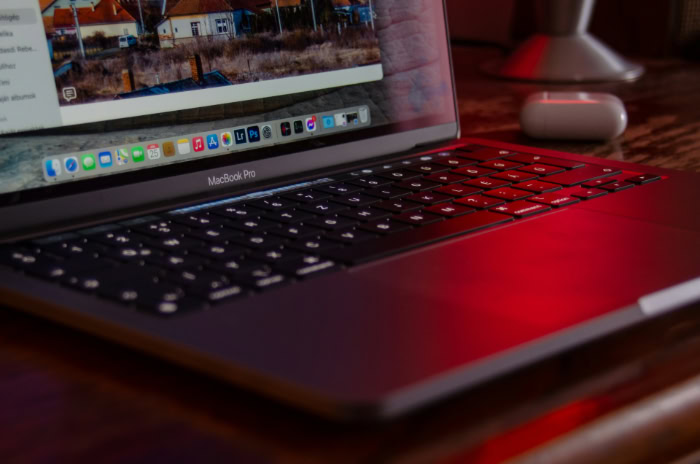
Pricing strategies are designed to upsell you. The most confusing part of the buying process happens when you start upgrading the specifications of the lower-end machine.
There exists a specific price window where the lines blur, and you might end up paying more for less hardware if you are not careful. Analyzing the return on investment requires looking beyond the sticker price and considering what the machine offers as a complete package.
The Overlap Zone
The “price trap” occurs when you configure a MacBook Air with 16GB of RAM and 512GB of storage. At this price point, the cost of the Air rises dangerously close to the entry-level MacBook Pro.
This is a critical decision point. For roughly the same money, the MacBook Pro offers the superior Mini-LED display, more ports, active cooling, and a faster chip.
By sticking with the upgraded Air, you are paying a premium strictly for portability and the specific color options. Unless weight is your absolute priority, the entry-level Pro is objectively the better hardware value in this overlap zone.
It gives you a much higher ceiling for performance for a marginal difference in cost.
Resale Value And Longevity
MacBooks are known for holding their value, but the Pro models tend to depreciate slower than the Airs. Because the Pro starts with higher specifications and active cooling, it remains “fast enough” for more years than the passive Air.
A MacBook Pro purchased today will likely handle operating system updates and heavier software requirements five years from now with more grace than a base-model Air. When it comes time to sell or trade in the machine, the “Pro” moniker and the robust screen technology usually command a higher resale price on the used market.
Buying the Pro can be seen as paying more upfront to extend the usable life of the computer.
Student vs. Professional Pricing
Apple's Education Pricing can sometimes distort the value proposition. Students and educators receive a discount that often makes the MacBook Air an irresistible deal, especially when bundled with gift cards or accessories during back-to-school promotions.
For a student whose primary workflow involves research and writing, the discounted Air is the undeniable winner. However, if the education discount brings the MacBook Pro down to a reachable price, it becomes a steal.
Students entering creative fields like design or film should leverage the education discount to jump to the Pro tier, as the hardware benefits will be necessary for their coursework in a way that general studies do not require.
Conclusion
Choosing the right laptop requires an honest assessment of your daily needs rather than a desire for the highest specifications. For the vast majority of users, including writers, students, and office professionals, the MacBook Air is the definitive choice.
It offers a blend of performance and portability that handles general workloads effortlessly. The silent operation and slim profile make it an ideal companion for mobile work, and it delivers this experience without the added bulk or cost of the higher-tier models.
You are not settling for less; you are simply avoiding paying for capacity you will likely never utilize.
The MacBook Pro exists for a specific subset of users who push hardware to its absolute limit. If your workflow involves complex video editing, 3D rendering, or large-scale software development, the Pro is non-negotiable.
The active cooling system ensures that export times remain short, while the superior display and port selection accommodate a professional workstation setup. For these users, time is money, and the extra cost of the Pro pays for itself in efficiency and sustained power.
Ultimately, the decision should come down to the nature of your output. Unless you have a specific, revenue-generating reason to require sustained peak performance or multiple external monitors, the MacBook Air is the superior value proposition.
It provides a premium experience that satisfies the needs of almost everyone, making it the smartest purchase for the general consumer.
About the Author: Elizabeth Baker


