
Pros and Cons of Smart Homes: Is It Worth It?
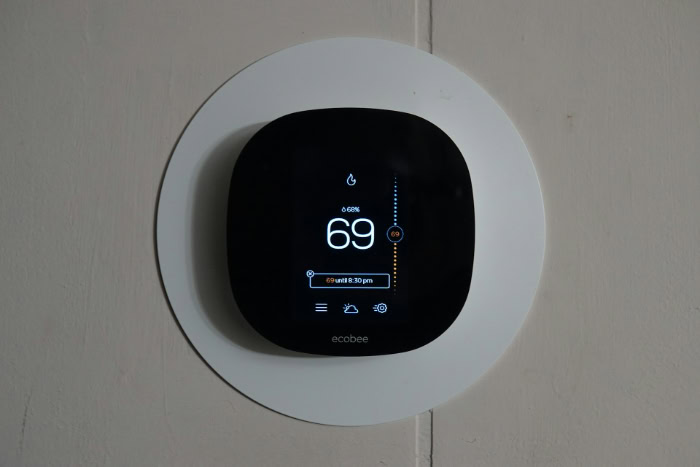
Upgrading your living space with smart locks, connected thermostats, and automated appliances can simplify daily routines and reduce household utility bills. However, rushing into these systems without assessing the associated security vulnerabilities and initial expenses often leads to unexpected frustration and safety risks.
Balancing the undeniable convenience of hands-free controls with the realities of network setup, data privacy, and ongoing maintenance remains a complex decision for modern homeowners.
Key Takeaways
- Automation saves time by eliminating repetitive daily tasks and offering hands-free voice control or remote management, particularly aiding those with physical mobility challenges.
- Higher upfront costs for hardware, professional installation, and network upgrades can be offset over time through lower utility bills driven by automated climate and power systems.
- Smart devices can introduce digital vulnerabilities, making it essential to isolate them on a dedicated guest Wi-Fi network and keep all firmware regularly updated.
- System compatibility issues are common across different brands, meaning buyers should prioritize unified communication standards like Matter or a central control hub to avoid ecosystem lock-in.
- Internet drops and power outages can render smart devices useless, requiring homeowners to establish backup power options and maintain physical overrides like traditional mechanical locks.
Primary Advantages of Smart Home Technology
Integrating modern automation into a household changes how residents interact with their living spaces. By upgrading traditional fixtures to connected devices, homeowners can optimize daily schedules, enhance safety, and tailor their environment to specific household needs.
These enhancements offer practical benefits that go beyond simple novelty.
Daily Convenience and Automation
Automating everyday household chores saves valuable time and minimizes mental clutter. Residents can program smart lightbulbs to dim at bedtime, schedule coffee makers to brew before waking, and configure thermostats to adjust according to occupancy.
Voice assistants allow individuals to control these systems hands-free, eliminating the need to search for physical switches or remotes. Furthermore, remote access via mobile applications ensures that users can monitor and adjust household settings, such as checking if the oven is turned off or adjusting the temperature, even when they are miles away from home.
Accessibility for Diverse Needs
Connected devices provide substantial support for elderly residents and individuals facing physical limitations or mobility challenges. Standard tasks that once required significant physical effort, such as turning hard-to-reach valves, closing heavy drapes, or operating traditional door locks, can be managed through simple voice commands.
This technology helps individuals maintain independence in their own homes. Hands-free operations minimize the need for manual dexterity, ensuring that everyone in the household can comfortably interact with their environment.
Centralized Control of Domestic Systems
Traditional homes require users to manage utilities, entertainment systems, and security measures independently. Modern automation unifies these disparate components under a single interface, typically accessible via a smartphone, tablet, or wall-mounted panel.
From this central control point, homeowners can view the status of their security cameras, adjust the lawn sprinkler schedule, and dim the living room lights simultaneously. This consolidated oversight simplifies home management and provides a comprehensive view of the household’s operational status.
Financial Implications and Resource Efficiency

Implementing home automation involves a detailed balance of initial expenses and ongoing operational savings. While the upfront costs can be substantial, the potential for long-term resource reduction and improved property appeal often balances the scales.
Upfront Costs versus Long-Term Utility Reduction
Purchasing smart thermostats, automated lighting systems, and connected appliances requires a notable initial capital investment. Beyond hardware costs, homeowners often face fees for professional installation, particularly for complex systems like smart security or in-wall wiring, alongside potential network upgrades to support additional devices.
However, these expenses can be offset over time by reduced utility bills. Automated climate systems and smart power strips prevent unnecessary energy use by turning off devices when rooms are empty, which helps lower monthly electricity and gas expenses.
Property Value and Market Appeal
An integrated automation system can positively influence a property’s marketability and overall valuation. Many modern homebuyers seek properties equipped with modern technology, viewing pre-installed smart locks, thermostats, and security systems as valuable assets.
Consequently, these upgrades can make a listing stand out in competitive markets. Additionally, several insurance providers offer discount opportunities on homeowner premiums for properties equipped with active monitoring systems, such as smart smoke detectors and water leak sensors, which mitigate risk.
Device Durability and Replacement Cycles
Unlike traditional home fixtures that regularly last for decades with minimal intervention, smart hardware operates on much shorter lifecycles. Microchips, sensors, and wireless transmitters are susceptible to rapid wear and technical obsolescence.
When manufacturers stop supporting older models with firmware updates, devices may lose functionality or become security risks, forcing premature replacement. Homeowners must also account for ongoing maintenance expenses, including replacement batteries and recurring software subscription fees required to access premium cloud storage or advanced automation features.
Privacy, Data Security, and Vulnerabilities

As physical homes become connected to the internet, they also become susceptible to digital hazards. Protecting personal data and securing physical entry points are critical considerations when deploying smart devices.
Understanding these risks is necessary to maintain a safe and private domestic environment.
Cyber Threats and Unauthorized Device Access
Every device connected to a home network serves as a potential entry point for malicious actors. If a single smart lightbulb or connected camera features weak security protocols, a hacker can exploit it to gain access to the broader local network.
This unauthorized access can compromise personal computers, tablets, and smartphones connected to the same Wi-Fi. In severe cases, hackers can take remote control of sensitive hardware, allowing them to disable smart locks, disable security alarms, or view live feeds from indoor cameras.
Corporate Data Collection and Privacy Policy
Smart home manufacturers regularly collect vast amounts of data regarding daily household routines. Smart speakers record voice commands, thermostats track when residents are home, and connected appliances monitor usage habits.
While companies often claim this information is used solely to improve services, it can also be stored in cloud servers, analyzed, or shared with third parties for targeted advertising. Users must carefully review privacy policies to understand their rights regarding how this highly personal data is stored, processed, and utilized.
Physical Security Risks
While smart security systems offer convenience, they introduce unique physical vulnerabilities. Software bugs, system glitches, or sudden hardware failures can leave smart locks unresponsive, potentially locking residents out of their homes or leaving entryways unsecured.
Furthermore, electronic locking mechanisms can sometimes be susceptible to physical tampering or electromagnetic interference, presenting alternative entry methods for sophisticated intruders who understand how to bypass electronic security components.
Technical Hurdles and Operational Reliability

The functionality of an automated home relies heavily on stable connections and software compatibility. When these systems fail to work together harmoniously, the convenience of smart technology can quickly turn into a source of domestic frustration.
System Interoperability and Ecosystem Lock-in
One of the most persistent issues in home automation is getting products from different brands to communicate effectively. Homeowners often find themselves locked into specific brand ecosystems because a smart plug from one manufacturer will not cooperate with a motion sensor from another.
While unified communication protocols, like Matter, aim to bridge these gaps by creating a universal standard, many older or budget-friendly devices do not support these protocols, leaving users with fragmented systems that require multiple control applications.
Internet Dependency and Power Outage Protocol
Many smart devices rely entirely on a stable internet connection and cloud servers to process commands. If the local internet connection drops, residents may lose the ability to control their lights, adjust the temperature, or receive security alerts.
Power outages present even greater challenges. Without backup battery power supplies or mechanical override options, critical systems like smart deadbolts or security gates can become completely inoperable, highlighting the importance of maintaining physical keys and manual access methods.
Setup Complexity and User Adaptation Period
The initial setup of a smart home often requires a high degree of technical patience. Homeowners must configure local networks, pair devices, assign IP addresses, and establish complex automation rules within various mobile applications.
This installation process can be difficult for individuals who are not tech-savvy. Additionally, visitors, elderly relatives, and temporary guests often face a steep learning curve when trying to perform basic actions like turning on a light or unlocking a door in a highly automated environment.
Strategic Preparation and Best Practices for Implementation
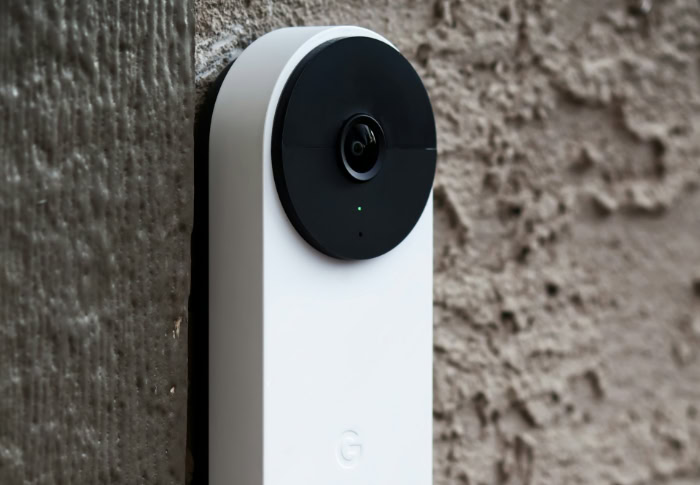
Building a reliable smart home requires careful planning and a methodical approach to deployment. Rather than rushing to automate every fixture at once, homeowners benefit from a structured strategy that prioritizes security and compatibility.
Gradual Adoption versus Full System Overhaul
A practical way to build a smart home is through a slow, modular introduction of technology. Starting with entry-level devices, such as a single smart thermostat or a couple of connected lightbulbs, allows residents to test the technology and adapt to automated routines without a massive financial commitment.
This approach contrasts sharply with a whole-house overhaul during a major renovation or new construction. While a full system design allows for deeply integrated wiring and built-in systems, it requires substantial upfront capital and leaves less room for adjustments as technology changes.
Selection of a Unified Smart Home Hub
A central control hub acts as the main director for all connected devices in a household. When selecting a hub, homeowners should evaluate whether the system processes commands locally or relies heavily on the cloud.
Local processing hubs offer faster response times and continue to run automation schedules even when the internet is down. Choosing a hub that supports industry-standard communication protocols ensures that future device purchases from various brands can be integrated seamlessly under a single management system.
Basic Network Protection and Security Hygiene
Securing the local home network is the most critical step in protecting a smart home from cyber threats. Homeowners should set up a dedicated guest Wi-Fi network specifically for smart devices, keeping them isolated from computers and phones that hold sensitive personal information.
Furthermore, establishing strong security hygiene, such as creating unique passwords for every device account, enabling two-factor authentication, and regularly updating device firmware, dramatically reduces the risk of unauthorized network access.
Conclusion
Investing in a connected home involves a significant trade-off between the undeniable convenience of modern automation and the long-term demands of system maintenance, security, and expense. While voice-controlled systems and automated utilities simplify daily routines, they require active management, financial commitment, and robust digital security hygiene.
Before proceeding with these upgrades, homeowners should evaluate their own readiness by asking a few fundamental questions:
- Are you comfortable troubleshooting occasional network connectivity drops and software pairing issues?
- Does your budget accommodate not only the initial hardware purchases but also professional installation, network upgrades, and potential subscription fees?
- Are you willing to actively monitor your network security and accept the privacy risks associated with cloud-connected devices?
Honest answers to these inquiries will clarify if a smart home truly aligns with your household needs.
Frequently Asked Questions
Will my smart devices stop working if the internet goes down?
Many smart devices will lose their advanced features and remote control capabilities during an internet outage. Basic functions like turning on a light switch or unlocking a door physically will still work, but automated schedules and voice commands usually fail. To prevent complete failure, you should choose a hub that supports local processing.
Do smart homes actually save you money on electricity?
Yes, smart home systems can reduce your electricity bills through automated power management and climate controls. For example, a smart thermostat can automatically lower the heat when you are at work, preventing wasted energy. However, it takes several years of these utility savings to offset the high initial cost of purchasing the hardware.
Can someone hack into my smart locks or cameras?
Smart locks and security cameras can be hacked if they are connected to a poorly secured Wi-Fi network. Outdated software and weak passwords leave these devices open to remote manipulation, which might allow an intruder to disable security systems. You can greatly reduce this risk by setting up a separate network for smart devices.
How do I make devices from different brands work together?
You can connect devices from different brands by using a central smart home hub or a universal protocol like Matter. These tools act as translators, allowing gadgets from competing manufacturers to communicate and run joint automation schedules. Checking for product compatibility badges before you buy makes the process much simpler.
Do smart home products require a monthly subscription?
Many smart home products work without a subscription, but you may need one to access premium cloud features. For instance, security cameras often require monthly fees to save video recordings, while smart thermostats might charge for advanced energy reporting. You can avoid these costs by selecting devices that support local memory storage.
About the Author: Elizabeth Baker


