
Single-Core vs. Multi-Core Processors: How to Choose

You might spend thousands of dollars on a high-end processor only to find your favorite software running no faster than it did on a cheap laptop. This frustrating bottleneck happens because application code dictates how hardware behaves, meaning your daily work or gaming frame rates depend entirely on choosing the right processor architecture for your specific tasks.
For years, chip manufacturers focused solely on boosting raw clock speeds, but physical limitations forced a shift toward packing multiple processing units onto a single slice of silicon. Learning how these distinct structures execute tasks allows you to confidently decipher complex hardware specifications, helping you select a system well-suited for your software demands.
Key Takeaways
- Single-core versus multi-core demands: Basic office applications and legacy software rely heavily on fast single-core clock speeds, while tasks like 3D modeling, video rendering, and modern AAA games require high core counts.
- The clock speed metric is incomplete: A processor’s speed is determined by both its gigahertz frequency and its instructions per cycle, meaning a lower-clocked chip with a superior internal design can outperform a higher-frequency chip.
- Logical threads maximize hardware usage: Multithreading technologies allow a single physical core to act as two logical cores, utilizing otherwise idle processor resources to handle data more efficiently.
- Software limits hardware potential: Due to Amdahl’s Law, the sequential portion of a program acts as a hard limit on performance gains, meaning poorly optimized software will leave multiple cores completely idle.
- Hybrid core layouts preserve battery life: Modern mobile and desktop processors use a mix of larger performance cores and smaller efficient cores to handle demanding tasks while reducing heat and saving power.
Foundations of CPU Architecture and Single-Core Processing
Every action a computer performs, from rendering a webpage to calculating a spreadsheet formula, relies on the central processing unit. To understand how modern computers manage these tasks, it is necessary to first look at the basic building block of processing power: the single core.
Defining a CPU “Core”
A central processing unit core is an independent computational engine capable of executing programmed instructions. Within each core lies a highly specialized triad of components.
The Arithmetic Logic Unit, or ALU, performs all mathematical calculations and logical comparisons. Registers act as ultra-fast, temporary storage locations that hold the immediate data the ALU needs.
The control unit directs the flow of data, acting as the director of the system. Together, these components perform the instruction cycle.
First, the core fetches an instruction from memory. Next, the control unit decodes the instruction to determine what action is required.
Finally, the ALU executes the command, and the result is stored back in a register or system memory.
The Mechanics of Single-Core Processing
In a traditional single-core processor, execution is strictly sequential. The hardware processes exactly one instruction at a time, completing one task before moving to the next.
While a single-core computer might appear to run multiple applications at once, this multitasking is an illusion. The processor relies on a technique called context switching.
By rapidly saving the state of one task, loading the state of another, and executing a few instructions before switching back, the core moves between active applications in milliseconds. To human perception, these operations seem to occur simultaneously, even though the hardware is only ever handling a single thread of execution at any given moment.
Clock Speed and Instructions Per Cycle (IPC)
The speed of a processor is historically measured in gigahertz, representing billions of clock cycles per second. Each clock cycle is a heartbeat during which the processor can execute a portion of an instruction.
However, clock speed alone is a misleading metric for overall performance. The true throughput depends equally on Instructions Per Cycle, or IPC, which measures how many instructions a core can complete during a single tick of its internal clock.
A processor running at three gigahertz with a highly efficient design can easily outperform a four-gigahertz processor with a poorly designed instruction pipeline, because the former completes more useful work per cycle.
The Evolution and Mechanics of Multi-Core Processing

As software demands increased, engineering physical limits forced hardware designers to rethink how processors improve speed. Simply ramping up clock speeds on a single core became impossible, prompting a shift toward multi-core designs.
The Transition to Multi-Core Architecture
For decades, the primary method to increase CPU performance was raising the clock speed. However, in the early 2000s, engineers hit what is known as the power wall.
As clock speeds climbed higher, power consumption grew exponentially, generating excessive heat that could not be cooled by consumer-grade hardware. To resolve this bottleneck, manufacturers began placing multiple independent processing cores onto a single silicon die.
By running several cores at lower, more efficient clock speeds, the processor could handle multiple threads of data simultaneously without melting the silicon, providing a sustainable path forward for hardware performance.
Physical Cores vs. Logical Cores (Threads)
Understanding the distinction between physical and logical units is essential when evaluating modern processors. A physical core is an actual, separate hardware unit on the chip with its own ALU and registers.
In contrast, a logical core, or thread, is a virtual processing path recognized by the operating system. Technologies such as Intel’s Hyper-Threading and AMD’s Simultaneous Multithreading allow a single physical core to behave as two logical cores.
These technologies work by utilizing idle execution resources within a physical core. When one thread is waiting for data to load from memory, the core quickly switches to processing the second thread, ensuring the hardware remains active.
Core Communication and Shared Memory Hierarchy
Because multiple cores work together on shared applications, they must communicate quickly and access data without delay. Cores coordinate their activities using a high-speed internal system bus.
To prevent slow system memory from bottlenecking the cores, processors employ a tiered cache memory hierarchy. Level 1 (L1) and Level 2 (L2) caches are extremely fast but small memory pools dedicated to individual cores.
Level 3 (L3) cache is larger and shared among all cores on the chip. This shared hierarchy ensures that cores can quickly access frequently used data and coordinate their processing tasks without waiting for the much slower system RAM.
Software Optimization and the Parallel Processing Challenge
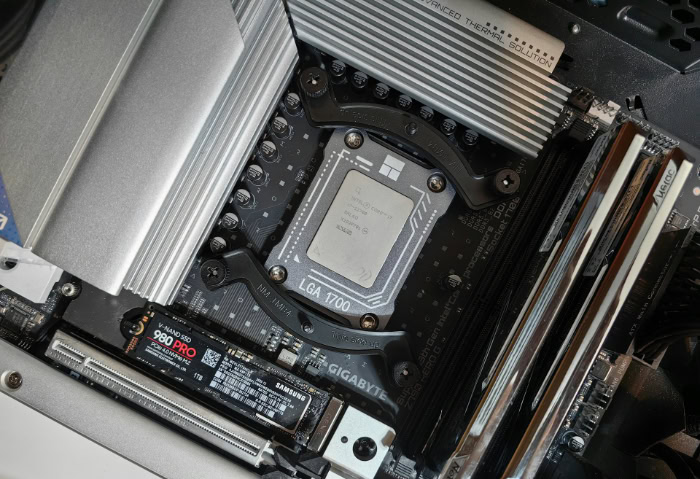
Having more processing cores does not automatically make every program run faster. The speed of a system is heavily dependent on how the software itself is written to utilize the available hardware resources.
Sequential vs. Parallel Workloads
Computer workloads fall into two broad categories: sequential and parallel. Sequential workloads consist of instructions that must be executed in a strict, linear order, because each calculation depends on the result of the previous one.
Basic system processes, user inputs, and simple text editing are examples of sequential tasks that cannot be split across multiple cores. Conversely, parallel workloads can easily be broken down into independent sub-tasks.
When compressing a large archive or rendering a video, different parts of the file or different blocks of the image can be processed simultaneously on separate cores, resulting in massive performance gains.
The Software Developer’s Challenge
Writing software that can leverage multiple cores is exceptionally difficult. Programmers must manually divide code into multiple threads, introducing significant complexity.
If two threads try to modify the same piece of data at the same time, it can cause data corruption, application crashes, or race conditions. Ensuring proper synchronization between threads requires extensive debugging and testing.
If a developer cannot efficiently partition the workload, the application will fail to use the available processing power, leaving several cores idle while a single core works at maximum capacity.
Amdahl’s Law and Diminishing Returns
The limits of multi-core performance are mathematically defined by Amdahl’s Law. This principle states that the potential speedup of a program using multiple processors is limited by the sequential portion of the software.
For example, if an application is ninety percent parallelizable but ten percent must remain sequential, the program can never run more than ten times faster, no matter how many hundreds of cores are added. This creates a scenario of diminishing returns.
Upgrading from a four-core to an eight-core processor might double the speed of certain operations, but jumping to a thirty-two-core processor will yield increasingly smaller performance gains for average applications.
Performance Analysis: Matching Workloads to Core Configurations

Selecting the right processor requires a clear understanding of the software you run daily. Different tasks demand very different hardware characteristics, making a universal “best” processor a myth.
Tasks That Rely on Single-Core Performance
Many everyday applications do not require a high core count. Web browsing, document editing, and basic office applications are lightweight, sequential tasks that run best on a fast single core.
Similarly, legacy software and many older or indie video games are designed around a single processing thread. For these applications, a processor with fewer, faster cores will feel much more responsive than a heavily multi-core processor running at lower clock speeds, as the software is simply incapable of distributing its work to additional cores.
Tasks That Require Multi-Core Performance
In contrast, demanding creative and technical tasks rely heavily on multi-core performance. Video rendering, 3D modeling, and high-resolution photo editing require processing massive amounts of data that can be easily split.
Virtualization, which involves running multiple operating systems on a single physical machine, also demands high core counts to allocate dedicated processing paths to each virtual environment. Additionally, modern AAA video games are designed with advanced engine architectures that distribute tasks like physics calculations, artificial intelligence, and audio processing across multiple cores.
Balancing Clock Speed Against Core Count
Buyers must balance raw clock speed against total core count when choosing a processor. A chip with eight cores running at a high clock speed is often the sweet spot for gaming and general use, offering high single-core performance while providing enough cores for modern applications.
On the other hand, creative professionals who render video or compile large codebases benefit more from a processor with sixteen or twenty-four cores, even if those cores run at slightly lower clock speeds, because the sheer volume of parallel threads outweighs the minor drop in individual core speed.
Hardware Design Trade-offs: Power, Heat, and Hybrid Layouts

Processor design is a constant balancing act between raw power, energy efficiency, and thermal management. As manufacturers add more cores, these trade-offs become more challenging to manage.
Thermal Design Power (TDP) and Energy Consumption
Every active core requires electrical power and generates heat. This relationship is quantified by Thermal Design Power, or TDP, which represents the maximum amount of heat a cooling system must dissipate under load.
As core counts increase, the total energy consumption of the CPU rises significantly. To maintain sustained performance, these multi-core processors require robust cooling systems, such as large dual-tower air coolers or liquid cooling loops.
Without adequate cooling, the processor will engage in thermal throttling, automatically lowering its clock speed to prevent permanent damage from heat buildup.
Mobile and Portable Device Constraints
Portable devices like laptops, tablets, and smartphones face even stricter design constraints. These devices have limited physical space for cooling and must rely on batteries for power, making high-TDP, multi-core processors impractical.
Mobile hardware must prioritize power efficiency above all else. To deliver acceptable battery life without sacrificing usability, mobile processors must balance core usage carefully, dynamically powering down idle cores when the user is performing simple tasks like reading an article or checking notifications.
Modern Hybrid Architectures
To address these power and thermal challenges, modern processors widely employ hybrid architectures, also known as heterogeneous computing. This design combines two types of cores on a single chip: Performance Cores (P-Cores) and Efficient Cores (E-Cores).
P-Cores are larger, run at higher clock speeds, and handle demanding, time-sensitive tasks. E-Cores are smaller, consume far less power, and manage background processes.
The operating system’s thread scheduler plays a crucial role in this setup, analyzing active workloads in real time and assigning them to the most appropriate core type to maximize performance and battery life.
Conclusion
The choice between a processor with exceptional single-core speed and one with high multi-core capacity depends entirely on the nature of your software. Single-core performance remains the foundation for daily responsiveness, web browsing, and running older applications, while multi-core processors excel at demanding, parallelizable workloads like video editing, virtualization, and modern gaming.
Rather than simply purchasing the chip with the highest numbers on the box, matching your processor’s architecture to your personal computing habits ensures you invest in hardware that actually accelerates your daily workflow.
Frequently Asked Questions
Why does my cheap laptop run basic apps just as fast as an expensive PC?
Basic applications like web browsers and word processors rely primarily on single-core speed rather than multiple cores. Because these everyday tasks are sequential and cannot be split among multiple processors, having a CPU with sixteen cores provides no benefit. A cheaper processor with a fast single-core clock speed will feel just as snappy for light office work.
Should I buy a CPU with more cores or higher clock speed for gaming?
For most modern games, a processor with a balanced mix of eight fast physical cores is the ideal choice. While older games rely heavily on single-thread performance, modern titles are designed to utilize multiple threads for tasks like physics and artificial intelligence. Choosing moderate core counts with high clock speeds prevents bottlenecks in your graphics card.
What is the difference between a physical core and a thread?
A physical core is an actual hardware unit on the silicon chip, while a thread is a virtual path that allows a core to handle tasks. Through multi-threading technology, one physical core can handle two threads simultaneously. This maximizes efficiency by using idle hardware resources on the core when the main thread is waiting for data to load.
Will adding more cores always make my computer run faster?
No, adding more cores will not speed up applications that are designed to run in a strict, sequential order. According to computer engineering principles, software must be specifically written to divide its workload among multiple cores. If an application is poorly optimized, those extra cores will remain idle while a single core handles the entire workload.
Why do phone processors have different types of cores on the same chip?
Mobile processors use hybrid core layouts to balance high performance with long battery life. High-performance cores handle demanding apps like mobile games, while smaller, energy-efficient cores run background processes and simple tasks. This layout prevents unnecessary battery drain and keeps the phone from overheating during basic usage.
About the Author: Julio Caesar


