
What Are Megapixels? Why More Isn’t Always Better

Every time you shop for a new smartphone or camera, manufacturers bombard you with massive numbers promising superior photos. You might feel pressured to spend extra money on a 200-megapixel device, assuming a higher count automatically guarantees stunning clarity.
A megapixel simply refers to one million pixels, which are the microscopic colored squares that combine to form a digital image. Tech companies constantly use these inflated counts as a major selling point.
However, the truth is that an abundance of pixels does not automatically produce a better photograph. The relentless push for the highest possible resolution often distracts from the physical hardware actually required to capture brilliant light and crisp detail.
Key Takeaways
- A megapixel represents exactly one million individual pixels, which are the microscopic colored squares that combine to construct your digital images.
- Increasing the pixel count does not automatically improve image quality unless the physical sensor is also large enough to capture adequate light.
- Smartphone screens and 4K televisions only require about 8.3 megapixels to display an image at full resolution without losing any visual data.
- Resolutions between 16 and 24 megapixels provide the optimal balance for general photography, offering manageable file sizes alongside excellent low-light performance.
- Massive resolutions exceeding 40 megapixels generate enormous files that drain local storage space and demand powerful computers for rendering and editing.
How Megapixels Work
Before evaluating the cameras on modern devices, you need to comprehend the fundamental mechanics of digital imagery. The terminology used in tech specifications often sounds complex, but the underlying concepts rely on simple math and basic visual building blocks.
What is a Pixel?
A pixel is the smallest individual unit of a digital image. If you zoom in close enough on a photograph displayed on a screen, the image eventually breaks down into a grid of tiny squares.
Each of these squares is a pixel, and every pixel displays exactly one solid color. When millions of these colored squares are arranged together in a specific pattern, they trick the human eye into seeing a seamless, continuous picture.
The Math Behind Megapixels
The prefix “mega” simply means one million. Therefore, one megapixel equals one million pixels.
Camera manufacturers determine this number by calculating the total grid size of the sensor. They multiply the number of pixels in a horizontal row by the number of pixels in a vertical column.
For example, if a camera sensor captures an image that is 4000 pixels wide and 3000 pixels tall, multiplying those two numbers results in 12,000,000 pixels. In marketing terms, this is advertised as a 12-megapixel camera.
Resolution vs. Aspect Ratio
People often confuse the total pixel count with the shape of the image. Resolution refers entirely to the total number of pixels contained within the image grid, dictating how much detail the file holds. Aspect ratio defines the proportional shape of that grid, such as the square 1:1 format popular on social media or the wide 16:9 format standard for television screens.
A camera can shoot at a high resolution while using various aspect ratios by simply cropping out certain portions of the sensor’s total pixel grid.
Understanding Megapixels and Image Quality

While megapixel counts provide a simple metric for comparing devices, they only tell a fraction of the story. The physical components inside the camera and the software processing the image play much larger roles in determining the final visual output.
The “More is Better” Misconception
A common trap is assuming that a higher megapixel count automatically results in a superior photograph. A 108-megapixel smartphone camera will not necessarily outperform a 24-megapixel professional camera.
Packing more pixels onto a sensor only increases the image dimensions. It does nothing to guarantee sharp focus, accurate colors, or proper exposure.
If the light entering the camera is handled poorly, those millions of pixels will simply capture a very large, blurry, and inaccurate image.
The Significance of Physical Sensor Size
The most critical component of any camera is the image sensor, which is the physical chip that catches light. Sensor size dictates the physical footprint of the individual pixels printed on it.
A large sensor allows for larger pixels, which act like wide buckets that collect light efficiently. A small sensor, like those found in ultra-thin smartphones, forces manufacturers to shrink the pixels so they all fit.
Tiny pixels struggle to gather light, which directly harms the camera’s ability to produce a clean, vibrant photograph.
The Impact of Lenses and Image Processing
Light must pass through a lens before it ever hits the sensor. High-quality optical glass focuses light sharply, while cheap plastic lenses scatter it.
Even with a brilliant sensor, a poor lens will result in a soft, unappealing photo. Furthermore, modern cameras rely heavily on software algorithms to translate raw sensor data into a finished file.
Many high-resolution smartphones use a technique called pixel binning. This software process combines data from multiple adjacent pixels into one larger virtual pixel to improve color accuracy and brightness, effectively lowering the final resolution to produce a better-looking shot.
Practical Benefits of Higher Megapixel Counts

Despite the misconceptions, massive pixel counts do offer specific advantages for certain types of photography. When paired with high-quality hardware, a large resolution provides significant flexibility during the editing process and expands your options for physical reproduction.
Composition and Cropping Flexibility
The most immediate benefit of a high-resolution image is the ability to crop aggressively after you take the photo. If you photograph a bird from a distance, the subject might appear tiny in the original frame.
With a 40-megapixel file, you can cut away the edges of the image and zoom in on the bird without losing essential clarity. The cropped area still retains enough pixels to look sharp on a screen or in print, acting as an effective digital zoom.
Large-Format Printing and PPI Requirements
Translating a digital file into a physical medium requires a specific density of pixels to look good. This density is measured in Pixels Per Inch, or PPI.
Standard high-quality printing usually requires 300 PPI. If you want to print a massive wall poster or a detailed canvas, you need a vast number of pixels to fill that physical space at 300 PPI.
Higher megapixel counts ensure that large-format prints remain crisp and do not look blocky or pixelated when viewed up close.
Capturing Fine Textures and Details
Certain genres of photography demand an extraordinary level of micro-detail. Nature photographers often want every leaf on a distant tree to be visible.
Macro photographers need the microscopic hairs on an insect to be sharply defined. Archival photographers digitizing historical documents require precise replication of paper textures and faded ink.
In these scenarios, a high-resolution sensor captures the minute variations in light and color that lower-resolution sensors simply average out and lose.
The Technical Challenges of High-Resolution Imagery

Pushing camera technology to capture tens of millions of pixels introduces significant friction into the photographic process. Handling these massive files requires more robust infrastructure and can negatively impact the camera’s baseline performance.
Increased Storage Demands
Every additional pixel requires data to record its color and brightness. Consequently, high-megapixel cameras produce enormous file sizes.
Uncompressed raw files from a 50-megapixel camera can easily exceed 100 megabytes per image. This rapid data generation quickly exhausts the internal storage on smartphones and fills up expensive memory cards.
It also forces photographers to pay for higher-tier cloud storage subscriptions and buy massive external hard drives to archive their work over time.
Processing and Hardware Performance Constraints
Capturing the image is only the first step. Moving and editing massive files places a heavy computational load on your devices.
Transferring hundreds of high-resolution images from a camera to a computer takes considerable time. Once loaded into editing software, these large files demand substantial memory and powerful processors to apply color corrections, layer adjustments, and final rendering.
Older or budget-friendly computers will stutter and freeze under the weight of such dense data.
Low-Light Performance and Digital Noise
Cramming a massive number of pixels onto a limited sensor area creates significant issues in dark environments. Because the individual pixels must be smaller to fit, their light-gathering capacity drops dramatically.
In low light, the camera’s processor attempts to compensate by amplifying the electrical signal from these tiny pixels. This amplification introduces digital noise, which appears as ugly, colorful grain across the image.
A lower-resolution camera with larger pixels will almost always produce cleaner, sharper images at night compared to a high-resolution camera with identical sensor dimensions.
Guidelines for Choosing Your Ideal Megapixel Count
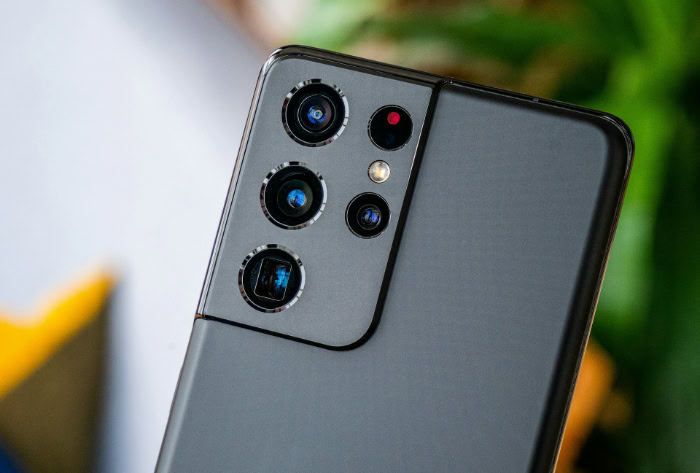
Selecting the right camera requires matching the hardware to your actual viewing habits and creative goals. Evaluating how you plan to use your photos will immediately clarify how much resolution you actually need.
Casual Use, Social Media, and Digital Displays
If your primary goal is to share photos with friends, post on social media, or view memories on your phone and television, 8 to 12 megapixels is more than enough. A 4K television screen only displays about 8.3 megapixels.
Any resolution beyond that is completely wasted when viewed on standard digital displays. Social media platforms heavily compress uploaded images anyway, stripping away the extra data you paid a premium to capture.
Enthusiast Photography and Standard Printing
For hobbyists who want room to crop their images and the ability to create physical photo albums, the 16 to 24-megapixel range is the ideal sweet spot. This range offers a perfect balance.
It provides enough detail to print an excellent large photograph while keeping file sizes manageable. Cameras in this range also tend to offer superior low-light performance and faster continuous shooting speeds because the processor is not choking on massive amounts of data.
Professional and High-Detail Applications
Resolutions of 40 megapixels and above are highly specialized tools. They are genuinely necessary for commercial advertising campaigns where images might be printed on billboards or two-page magazine spreads.
Fine art reproduction and high-end fashion photography also require this extreme level of detail. Unless your workflow involves severe cropping requirements or producing massive physical media, investing in this tier of resolution is an unnecessary expense that complicates your storage and editing process.
Conclusion
Evaluating a camera requires looking past the inflated numbers printed on the box. True photographic excellence relies on a careful balance between the total pixel count, the physical dimensions of the image sensor, and the quality of the lens capturing the light.
While massive resolutions offer specific advantages for severe cropping or billboard printing, they introduce heavy storage demands and potential low-light issues for average users. You should assess your camera needs based entirely on how you intend to display your final images.
If you primarily post photos online or view them on a television screen, a moderate pixel count will serve you perfectly. Selecting the right hardware ensures you get brilliant, sharp photos without bogging down your devices with unnecessary data.
Frequently Asked Questions
Do higher megapixels mean better camera quality?
A higher megapixel count does not automatically guarantee better photo quality. It simply means the resulting image has larger dimensions and more total pixels. True image clarity relies heavily on a large physical sensor and high-quality lenses to capture light accurately.
How many megapixels do I need for social media?
You only need about 8 to 12 megapixels for posting high-quality photos on social media. Platforms heavily compress your uploads anyway, which immediately strips away extra data. Anything beyond this range is unnecessary for mobile viewing and simply wastes your storage space.
Why do my high-megapixel photos look grainy at night?
High-resolution cameras cram millions of tiny pixels onto a limited sensor, which severely reduces their ability to absorb light. The camera must artificially boost the electrical signal in dark environments to compensate. This software amplification introduces the colorful grain and digital noise you see.
Can I print good pictures with a 12-megapixel phone?
Yes, a 12-megapixel camera produces excellent physical prints up to standard sizes like 8×10 or 11×14 inches. You will retain sharp details and vibrant colors without any visual pixelation. You only need a larger resolution if you plan to print massive wall posters or canvases.
Why are my camera files taking up so much storage?
High-megapixel cameras generate massive files because the device must record color and brightness data for millions of individual pixels. A single high-resolution raw image can easily exceed 50 megabytes. Lowering your capture resolution will drastically reduce file sizes and save your hard drive space.
About the Author: Elizabeth Baker


