
What Is a POS System and How Does It Work?

Decades ago, ringing up a purchase meant pressing mechanical buttons on a heavy cash register that simply locked away bills and printed basic paper totals. Today, those standalone machines have transformed into connected digital commerce hubs.
Businesses of all sizes, from neighborhood coffee shops to multi-location retail chains, rely on Point of Sale (POS) technology to unify customer checkout with daily operations. Rather than merely collecting payments, a modern setup automatically adjusts inventory counts, compiles financial reports, and coordinates staff workflows in real time.
Choosing and operating the right POS platform starts with breaking down its hardware and software anatomy, step-by-step transaction mechanics, flexible deployment models, major operational benefits, and practical solutions to common implementation challenges.
Key Takeaways
- Integrated Hardware and Software Replace Isolated Registers: A modern POS system links countertop screens, EMV chip readers, barcode scanners, and back-end databases so every sale updates stock counts and financial ledgers automatically.
- Card Transactions Clear in Two Distinct Stages: While a payment processor and issuing bank authorize a card within 2 to 3 seconds at checkout, settled funds typically reach the merchant’s bank account over 1 to 2 business days.
- Hosting Models Match Different Operational Needs: Cloud-based platforms keep startup costs low with remote access and automatic updates, whereas on-premise servers provide local data control at the cost of dedicated hardware and manual IT upkeep.
- Unified Data Automates Inventory, CRM, and Multi-Channel Sales: Built-in management dashboards prevent overselling across online and physical stores, trigger low-stock purchase alerts, track staff shifts, and tie loyalty rewards directly to buyer profiles.
- Offline Modes and Tokenization Safeguard Daily Operations: Choosing a PCI-DSS compliant system with end-to-end encryption protects against breaches and chargebacks, while local offline queuing keeps checkout lines moving during Wi-Fi outages.
Definition and Core Components of a POS System
Every modern retail counter or service desk depends on coordinated tools to turn a customer’s intent to buy into a completed sale. A Point of Sale (POS) system brings together physical devices and specialized software so businesses can accept payments while keeping their daily records accurate.
POS Definition and Evolution from Cash Registers
The phrase “Point of Sale” carries two closely linked meanings. First, it describes the exact physical or digital location where a transaction takes place, such as a boutique checkout counter, a restaurant dining table, or an online shopping cart.
Second, it refers to the integrated technology platform that processes that purchase and records the underlying business data.
For decades, merchants relied on mechanical cash registers and standalone card terminals that operated in isolation. A traditional cash drawer simply held bills, performed basic addition, and printed a paper tape total, while a separate credit card machine processed payments over a phone line.
Staff had to manually match paper receipts against bank statements and count shelves by hand to track stock. Modern, connected POS platforms eliminate those disconnected steps by linking payment acceptance directly to inventory databases, sales ledgers, and customer records inside one unified workspace.
Hardware Components
Physical POS setups vary widely depending on a store’s layout and sales volume, though most combine a primary interface with payment peripherals and operational accessories. The primary interface is the screen employees or shoppers interact with, most commonly a dedicated countertop terminal, a mounted tablet, or a standard smartphone.
To accept modern payment methods securely, businesses attach specialized payment peripherals to that main device. These include EMV chip readers that verify embedded card microchips, contactless Near Field Communication (NFC) pads for tap-to-pay transactions, and encrypted PIN pads for debit cards.
Many storefronts also rely on operational accessories to speed up checkout and keep cash secure. Barcode scanners read product labels instantly, thermal receipt printers generate paper records, and electronic cash drawers pop open automatically when a cash sale finishes. Grocery stores and specialty shops often add calibrated digital scales for items sold by weight, such as a 2-pound (0.9 kg) bag of coffee beans, alongside customer-facing displays that let shoppers verify prices and add tips before paying.
Software Components
Hardware alone cannot process a sale or organize store data without software running underneath it. On the surface sits the front-end checkout interface, which cashiers or self-service shoppers use to build carts, apply discounts, and select payment methods.
Well-designed front-end interfaces rely on clear visual buttons and fast search bars so staff can complete orders with minimal taps.
Behind the checkout screen runs the back-end management dashboard. Managers and business owners log into this web portal or application to build product catalogs, adjust pricing rules, configure tax rates, and review daily financial summaries.
Connecting both sides is a payment gateway, which securely routes sensitive card details to financial institutions, and a core database architecture that shares live sales information across every connected module in the business.
The Step-by-Step Transaction Workflow

From the moment an item reaches the counter to the second a receipt prints, a POS system coordinates dozens of small calculations and network checks. Following a single sale from start to finish shows how front-end actions trigger instant back-office updates.
Item Entry and Total Calculation
Every transaction begins when a cashier or customer adds items to the digital cart. Depending on the business type, staff might scan a barcode with a handheld laser, type a Stock Keeping Unit (SKU) code into a search bar, or tap product photos on a touchscreen menu.
As each item enters the cart, the POS software automatically checks its database for the current price and applies pre-set business rules. It calculates local sales tax rates, deducts active promotional discounts such as a 15% seasonal markdown, and adds applicable fees like bottle deposits or restaurant service charges.
Because these calculations happen automatically, staff do not need to memorize discount codes or compute percentages by hand.
Payment Authorization and Settlement
Once the final total appears on screen, the customer chooses a tender type. Modern platforms accommodate cash, magnetic-stripe or EMV chip credit and debit cards, contactless card taps, QR code payments, and smartphone digital wallets.
For cash sales, the system simply calculates change due and logs the amount added to the drawer.
Electronic payments trigger a rapid communication flow behind the scenes. First, the POS terminal encrypts the customer’s card details and sends an authorization request through a payment processor to the relevant card network, such as Visa or Mastercard.
That network forwards the request to the customer’s issuing bank, which verifies that the account has sufficient funds and passes fraud screening.
The bank sends an approval or decline code back along the exact same route, usually completing the entire exchange within 2 to 3 seconds. While the sale is authorized right away, the actual money moves later during settlement.
At the end of the business day, the POS system submits all approved authorizations in a batch, and the funds transfer into the merchant’s bank account over the next 1 to 2 business days.
Receipt Issuance and Post-Sale Data Updates
After payment approval, the system immediately issues proof of purchase. Customers can usually pick between a printed paper slip, an emailed copy, or an SMS text receipt, which helps businesses reduce paper waste while capturing digital contact details when shoppers opt in.
At the same time, the completed transaction triggers several automated database updates. The software deducts each sold item from active stock counts, writes a permanent entry into the daily sales ledger, and adds earned loyalty points to the customer’s profile if an account was linked to the order.
Types of POS Systems and Industry Applications
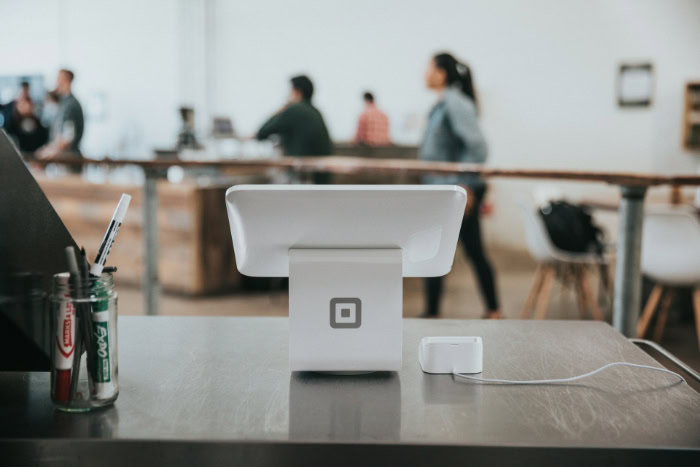
Not every business operates behind a traditional retail counter. Modern POS providers design distinct hosting architectures, portable form factors, and industry-focused software layouts to match how different companies serve their customers.
Cloud-Based vs. On-Premise Systems
POS software generally runs in one of two ways: through cloud-based servers or on-premise servers. Cloud-based platforms host software and store transaction data on remote servers managed by the vendor, accessible through any supported browser or app with an internet connection.
They require minimal upfront hardware, allow managers to view live reports from anywhere, and receive automatic security patches and feature updates in the background.
On-premise systems, often called legacy setups, store software and databases on local servers housed inside the business itself. Because they require dedicated server hardware, local network wiring, and manual IT maintenance, on-premise platforms carry higher upfront infrastructure costs and usually limit management access to terminals inside the building.
Larger enterprises with strict internal network policies sometimes prefer local hosting, whereas small and mid-sized businesses often favor the lower startup cost and remote flexibility of cloud software.
Mobile POS (mPOS) and Self-Service Kiosks
Mobility has expanded POS functionality well beyond stationary desks. Mobile POS (mPOS) setups pair tablets or smartphones with pocket-sized card readers or built-in Tap-to-Pay apps.
Pop-up boutiques, food trucks, home repair contractors, and trade show vendors use mPOS devices to accept card payments anywhere wireless service reaches. Brick-and-mortar retailers also hand mobile units to floor associates for line-busting, allowing staff to check out waiting shoppers directly in the aisle during busy holiday rushes.
Self-service kiosks shift the checkout interface directly into the customer’s hands. Common in quick-service restaurants, movie theaters, and grocery stores, these large touchscreen stations let buyers browse menus, customize orders, scan barcodes, and pay without waiting for a cashier.
By offloading routine orders to kiosks, businesses shorten wait lines and reassign staff to food preparation or specialized customer assistance.
Industry-Specific Configurations
General checkout screens rarely fit every business model, so many platforms offer tailored industry workflows. Retail setups prioritize SKU variant matrices, enabling a clothing store to track 20 sizes and colors of a single jacket style under one catalog entry, alongside streamlined return, exchange, and store-credit tools.
Food and beverage venues need completely different features on screen. Restaurant POS interfaces include interactive dining room floor plans, split-bill calculators for large groups, and mandatory modifier prompts that remind servers to ask about steak temperatures or food allergies.
Once an order is entered, tickets route straight to a Kitchen Display System (KDS), showing cooks exact preparation times and course priorities on wall-mounted monitors.
Service businesses, such as salons, repair shops, and fitness studios, center their workflows around time rather than physical goods. Their POS platforms integrate appointment calendars directly into the checkout screen, collect upfront booking deposits, and pull up detailed client profiles showing past treatments or vehicle service histories.
Key Business Capabilities and Benefits

Beyond speeding up the checkout line, a connected POS platform acts as an operational command center. Storing sales, stock, customer, and staff records in a single database gives business owners clear visibility into daily performance and eliminates hours of manual data entry.
Inventory Management and Stock Control
Real-time inventory tracking keeps shelves stocked without tying up cash in excess merchandise. A unified dashboard displays exact unit counts across multiple storefronts and storage warehouses, updating automatically with every sale, return, or incoming shipment.
Managers can set minimum thresholds that trigger automated low-stock alerts or generate supplier purchase orders before popular products run out. Continuous stock monitoring also helps reduce shrinkage, making it easier to spot inventory losses caused by theft, damaged goods, or receiving errors during regular audits.
Sales Analytics and Financial Reports
Raw transaction logs turn into practical guidance through built-in reporting tools. Business owners can quickly identify top-selling products, compare profit margins across categories, pinpoint peak shopping hours, and spot seasonal demand shifts compared to previous years.
Financial modules also simplify bookkeeping and tax preparation. Rather than sorting through boxes of paper slips, owners can generate categorized sales tax summaries and export clean audit trails directly into accounting software.
Customer Relationship Management and Loyalty Programs
POS platforms double as lightweight Customer Relationship Management (CRM) systems by tying purchases to individual buyer profiles. With a shopper’s permission, staff can save email addresses, phone numbers, and buying histories to send targeted promotions or product restock notices.
Built-in loyalty programs give those shoppers a clear reason to return. Merchants can issue physical or digital gift cards, manage store credit, and run points-based reward tiers that unlock discounts after a customer hits a set spending milestone, such as earning a $10 reward after spending $200.
Staff Administration and Multi-Channel Commerce
Managing employees becomes simpler when scheduling and checkout live inside the same platform. Staff members clock in and out directly on the terminal, generating accurate shift logs and automatic commission calculations for sales associates.
Role-based access permissions protect sensitive controls, ensuring only managers can approve large discounts, issue cash refunds, or edit pricing.
For businesses selling both in person and online, multi-channel commerce tools connect digital storefronts directly to physical registers. Unified stock counts prevent merchants from selling an item online that was just purchased in store, while supporting flexible fulfillment options like buy-online, pick-up-in-store (BOPIS) and cross-channel returns.
Common Challenges and Practical Solutions
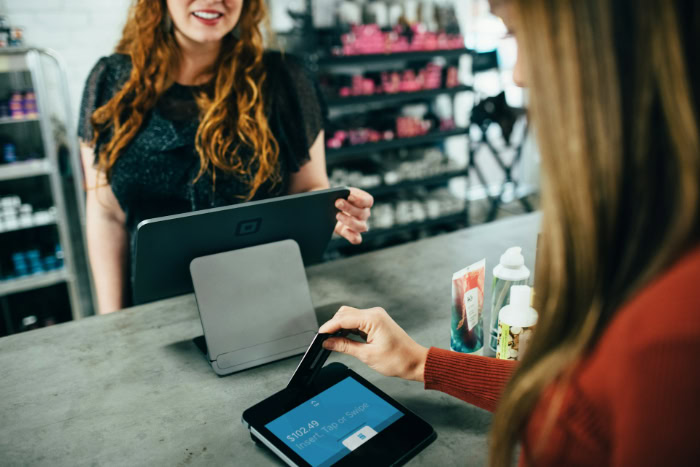
Adopting or upgrading a POS platform brings clear operational advantages, though implementation requires careful planning. Recognizing common technical, financial, and training obstacles ahead of time allows businesses to put practical safeguards in place before launch day.
Cost Structures and Fee Transparency
Budgeting for a POS system involves balancing several separate expenses, including upfront hardware purchases, monthly software tiers, and variable payment processing fees on every card transaction. Without careful review, surprise contract penalties or hidden processing markups can quickly strain operating budgets.
To keep expenses predictable, businesses can start with modular hardware bundles, purchasing only the screens, scanners, and readers required at launch. Comparing straightforward flat-rate processing (such as 2.6% plus $0.10 per transaction) against transparent interchange-plus pricing helps pinpoint actual transaction costs, while scalable subscription plans allow owners to add extra terminals or features only when revenue supports the upgrade.
Internet Downtime and Offline Modes
Cloud-based POS systems depend heavily on stable internet access to sync menus, validate cards, and update inventory. When a local Wi-Fi router drops or a neighborhood fiber outage hits, checkout lines can stall completely and frustrate waiting shoppers.
Modern platforms counter this risk with built-in offline mode capabilities. During an outage, the terminal continues scanning items, calculating totals, and storing encrypted card authorizations locally on the device’s internal memory.
Once the network connection returns, the software automatically uploads and settles the queued transactions without requiring staff to re-enter orders manually. Merchants should still set sensible dollar limits for offline purchases, since declined cards cannot be detected until connectivity resumes.
Data Security and Compliance Standards
Because POS terminals handle sensitive payment credentials every day, they are frequent targets for card skimmers, malware, and data breaches. Weak security practices also leave merchants vulnerable to fraudulent transactions and costly bank chargebacks.
Selecting a platform with managed PCI-DSS (Payment Card Industry Data Security Standard) compliance significantly reduces those risks. Reliable systems combine end-to-end encryption, which scrambles card data the instant it enters the reader, with payment tokenization, which replaces actual card numbers with useless random strings on store servers.
Requiring EMV chip insertion, contactless NFC taps, or biometric verification on mobile wallets adds strong physical protection against counterfeit cards.
Software Compatibility and Staff Readiness
Rolling out a new POS platform can stall if the software refuses to communicate with existing accounting tools or online stores, forcing employees to copy spreadsheets between programs. Even well-connected systems can struggle on launch day if staff find the screen layout confusing and make frequent ringing errors.
Businesses avoid disconnected workflows by choosing platforms that offer pre-built Application Programming Interface (API) integrations for popular bookkeeping, payroll, and e-commerce software. Pairing those technical connections with intuitive touchscreen layouts and short hands-on practice sessions before opening day helps employees build confidence quickly and keeps checkout lines moving smoothly.
Conclusion
A modern Point of Sale system serves as the central nervous system of commerce, connecting customer-facing checkout with daily back-office operations. Rather than functioning as an isolated cash box, an integrated setup links hardware peripherals, payment networks, inventory counts, and staff records into one synchronized workflow.
Knowing how POS architecture, transaction mechanics, hosting models, and operational trade-offs fit together gives business owners a practical foundation for selecting and managing the right platform. With a clear view of security standards, fee structures, offline backups, and software compatibility, companies can choose a setup that supports smooth customer interactions and steady growth.
Frequently Asked Questions
What is the difference between a cash register and a POS system?
A traditional cash register only stores cash and adds up sales totals, whereas a POS system connects payments directly to inventory, reporting, and customer data. Traditional registers operate alone and require manual daily reconciliation. Modern POS platforms automatically deduct sold items from stock, calculate sales taxes, and record digital receipts in one unified workspace.
How long does it take for POS card payments to reach my bank?
Most card payments clear into your merchant bank account within 1 to 2 business days after daily batch settlement. While the customer’s bank authorizes a card within 2 to 3 seconds at checkout, the actual money moves later. Your POS submits approved transactions together at day’s end for final bank deposit.
What happens if my internet goes out during a busy shift?
Many cloud-based POS systems switch to an offline mode that lets you keep ringing up sales without an internet connection. The terminal stores encrypted card details locally in its internal memory and uploads them automatically once Wi-Fi returns. However, businesses should set transaction dollar limits since declined cards cannot be detected offline.
Should I pick a cloud-based or an on-premise POS system?
Small and mid-sized businesses usually benefit most from cloud-based POS systems, while large enterprises with strict IT rules often prefer on-premise setups. Cloud software hosts data remotely, keeping upfront costs low while providing automatic updates and off-site access. On-premise systems store data on local servers, requiring dedicated hardware and manual maintenance.
How do POS systems keep customer credit card numbers safe?
Modern POS systems protect card data using PCI-DSS compliance, end-to-end encryption, and payment tokenization. Encryption scrambles card numbers the instant a chip or wallet is read, while tokenization replaces sensitive digits with random strings on store servers. Using EMV chip readers and biometric wallet verification further blocks counterfeit card fraud.
About the Author: Julio Caesar


