
Windows vs. macOS: Which One Wins?
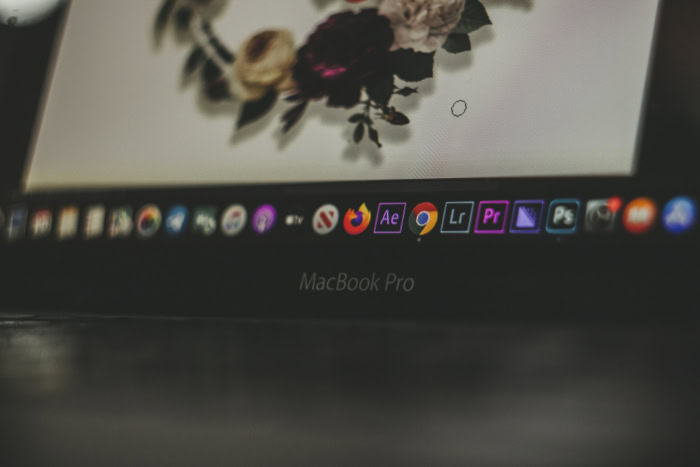
Buying a new computer is a thousand-dollar decision that dictates your productivity for the next half-decade. Choosing between a PC and a Mac is more than picking a brand; it involves selecting the logic through which you interact with your work.
This choice determines how you spend your time and how much effort you waste troubleshooting tools instead of using them. Microsoft builds its foundation on an open environment of modular power and customization.
Apple locks you into a polished, high-performance ecosystem where hardware and software exist in total harmony. One path offers the freedom to build a machine from the ground up, while the other promises a tool that works perfectly the moment you open the lid.
Key Takeaways
- Windows provides a higher ceiling for performance through modular hardware and upgradable components like RAM and dedicated graphics cards.
- macOS offers a higher floor for usability because the hardware and software are designed together for maximum power efficiency and speed.
- Gaming and specialized enterprise software favor Windows due to its massive library of native drivers and support for legacy business applications.
- Apple hardware maintains a significantly higher resale value, often retaining half its original purchase price after three years of ownership.
- Ecosystem synergy acts as a major deciding factor, as iPhones integrate deeply with Mac features like Handoff, Universal Control, and iMessage.
Hardware Diversity and Build Philosophy
The physical machine you choose determines your daily comfort and your ability to expand your capabilities over time. Windows and macOS represent two opposing ideas regarding how a computer should be built and sold.
While one provides a massive catalog of shapes and sizes from dozens of manufacturers, the other maintains strict control over every screw and circuit to ensure a uniform standard.
The Windows Spectrum
The Windows market offers an unmatched range of options tailored to every possible budget and use case. Consumers can choose from three hundred dollar budget laptops for basic schooling, ruggedized machines for construction sites, or high-end liquid-cooled desktops for intensive data processing.
Brands like Dell, HP, Lenovo, and Razer compete by offering unique form factors, such as 2-in-1 tablets with detachable keyboards and laptops with dual screens. This variety ensures that users can find a machine that fits their specific ergonomic needs and financial constraints without being forced into a single design aesthetic.
The Apple Approach
Apple prioritizes a curated lineup that emphasizes premium materials and unified performance. By moving to Apple Silicon, the company has synchronized its software with custom-built processors, resulting in laptops that offer high power efficiency and silent operation.
The MacBook Air and Pro, alongside desktop options like the Mac Studio and iMac, follow a consistent design language characterized by aluminum enclosures and high-resolution Retina displays. This approach limits choice but ensures that every user receives a predictable, high-quality experience where the hardware and software are designed by the same engineering teams.
Component Flexibility
Modularity remains a significant advantage for the Windows ecosystem. Many Windows desktops and some laptops allow users to replace or upgrade individual parts like RAM, storage drives, and graphics cards.
This ability to swap components extends the useful life of the machine and allows for gradual improvements as technology advances. In contrast, modern Macs utilize an integrated architecture where the memory and storage are soldered directly to the chip or motherboard.
While this design improves speed and efficiency, it prevents any future hardware upgrades, forcing buyers to pay for the specifications they might need years down the line at the initial point of purchase.
Input and Interaction
Windows machines lead the way in touch and stylus integration. Many Windows laptops come standard with touchscreens, allowing users to draw, sign documents, or navigate interfaces with a pen.
Microsoft has optimized its interface to handle these inputs, making it a favorite for digital artists and students who prefer handwritten notes. Apple remains firm in its belief that macOS is for traditional inputs, reserving touch technology for the iPad.
Consequently, Mac users rely on the industry-leading Force Touch trackpad and specialized gesture controls. Port selection also differs greatly; Windows machines often include a mix of USB-A, HDMI, and SD card slots, whereas Apple focuses almost exclusively on high-speed Thunderbolt ports that often require adapters for older peripherals.
User Interface and Navigation Logic

Every operating system has its own internal grammar. The way you organize files, switch between apps, and manage your desktop space influences your mental fatigue throughout the workday.
Windows relies on a logic of snapping and pinning, while macOS focuses on fluid transitions and a centralized application dock.
Desktop Management
The Windows Taskbar and Start Menu provide a centralized hub for searching files and launching applications. The Start Menu serves as a customizable grid of shortcuts, while the Taskbar hosts active programs and system notifications in a predictable layout.
On the other side, macOS uses the Dock as its primary launcher and app switcher. Unlike the Taskbar, the Dock expands and shrinks as items are added.
The macOS Menu Bar stays fixed at the top of the screen, changing its options based on which application is currently active, which creates a consistent location for settings regardless of the window size.
Window Organization
Windows 11 introduced Snap Layouts, a feature that allows users to hover over the maximize button and select a precise grid location for their window. This makes it easy to view four applications at once with pixel-perfect alignment. macOS approaches window management through Mission Control, which provides a bird’s-eye view of everything running, and Stage Manager, which groups applications into stacks on the side of the screen.
While macOS excels at moving between full-screen apps with trackpad swipes, Windows is generally considered more efficient for users who need to see multiple windows simultaneously on a single monitor.
File Management Systems
File Explorer and Finder serve the same purpose but operate with different philosophies. Windows File Explorer uses a path-based system that makes it easy to see exactly where a file sits within a drive’s hierarchy.
It offers deep integration with network drives and a robust search bar that can filter by file type or date. macOS Finder focuses more on metadata and visual organization. Features like “Tags” allow users to color-code files across different folders, and “Quick Look” lets users preview the contents of a document or video by simply pressing the spacebar without ever opening an app.
The Learning Curve
Switching between these systems often creates friction due to how they handle system-wide settings. Windows users are accustomed to the Control Panel and the modern Settings app, which offer granular control over hardware drivers and background services. macOS uses System Settings, which mirrors the layout of an iPhone or iPad.
New users often struggle with the location of the “close” and “minimize” buttons, which sit on the left in macOS and the right in Windows. Additionally, the way each system handles keyboard shortcuts requires a period of adjustment, as the Command key on a Mac handles most tasks that the Control key performs on a PC.
Software Compatibility and Specialized Performance

A computer is only as useful as the software it can run reliably. While most web-based tools work identically on both systems, desktop applications often perform differently depending on the underlying architecture.
The choice often comes down to whether you prioritize a broad library of legacy software or a highly optimized suite of creative tools.
The Gaming Divide
Windows is the undisputed leader for gaming. Because of its open nature and support for various hardware configurations, almost every major game is developed first for Windows.
It supports technologies like DirectX 12 and specialized drivers from Nvidia and AMD that are essential for high-frame-rate gaming and virtual reality. While Apple has made strides with its Game Porting Toolkit, the library of AAA titles available natively on macOS remains small.
For anyone who builds a computer specifically for play or high-end 3D rendering, Windows provides the necessary compatibility.
Creative Professionalism
Creative industries have long favored macOS due to its stability and specialized software. Apple develops its own professional tools, such as Final Cut Pro for video editing and Logic Pro for music production, which are optimized to run flawlessly on Mac hardware.
The way macOS handles color management and audio latency is often superior for professionals in photography and sound engineering. While the Adobe Creative Cloud suite runs on both systems, many designers prefer the font rendering and smooth UI scaling of macOS, which often feels more polished during intensive creative tasks.
Business and Enterprise Tools
Microsoft Windows remains the standard in the corporate world. Most large organizations use Active Directory and other Microsoft-centric management tools to secure thousands of computers at once.
While Microsoft Office exists for Mac, the Windows version of Excel remains more powerful, offering advanced data features and shortcut combinations that power users in finance rely on. Additionally, many legacy business applications and proprietary databases were built exclusively for Windows, making it the only viable choice for many administrative and industrial roles.
Development Environments
For software developers, the choice depends on what they are building. macOS is built on a Unix-based foundation, making it a natural environment for web developers and those working on server-side code. It is also the only platform that allows for the development of apps for iPhone, iPad, and Mac.
Windows has countered this advantage with the Windows Subsystem for Linux, which allows developers to run a Linux environment directly inside Windows. This makes Windows a highly versatile machine for cross-platform coding, though macOS remains the preference for those who want a Unix environment without the need for virtualization.
Ecosystem Integration and Cross-Device Continuity

In a world where people move between phones, tablets, and computers, the way an operating system communicates with other devices is a major factor in productivity. A computer that can pick up where your phone left off reduces the friction of daily life.
Mobile Synergy
Apple offers a tightly controlled experience where the iPhone and Mac work as a single unit. Through Handoff, you can start an email on your phone and finish it on your Mac with one click.
AirDrop allows for the instant transfer of large files between devices without using the cloud, and Universal Control lets you use one mouse and keyboard to control a Mac and an iPad simultaneously. Windows uses the Phone Link app to connect with Android and iOS devices.
While it allows you to send texts and see photos from your PC, it lacks the deep, system-level integration found in the Apple ecosystem because Microsoft does not control the mobile hardware.
Cloud Services
OneDrive is baked into the Windows experience, automatically backing up folders like Documents and Desktop to the cloud. This makes it easy to access files across different PCs or through a web browser.
Apple uses iCloud to sync not just files, but also system settings, passwords, and photo libraries. While OneDrive is often viewed as a more robust tool for business collaboration and file versioning, iCloud is designed for invisible synchronization.
It ensures that every Apple device you own feels identical in terms of your personal data and preferences.
Communication Tools
The presence of iMessage and FaceTime on the Mac is a significant draw for users in regions where these services are the standard for communication. Being able to respond to blue-bubble texts from a physical keyboard is a convenience that Windows cannot natively match.
Windows users typically rely on hardware-agnostic platforms like WhatsApp, Slack, or Microsoft Teams. While these tools are more flexible for communicating across different brands of devices, they do not offer the same level of seamless notification handling that Apple provides for its proprietary messaging services.
Smart Home and Peripheral Control
Windows offers extensive support for a wide variety of external hardware. From specialized laboratory equipment to older printers and smart home controllers, Windows drivers are usually the first to be developed. macOS manages external devices through its Home app, which integrates well with HomeKit-enabled smart devices.
However, Mac users often face more challenges with niche peripherals or older hardware that may not have updated drivers for the latest Apple Silicon chips. Windows remains the better choice for environments that require a computer to interface with a diverse array of external sensors and controllers.
Security, Longevity, and Total Cost of Ownership

The true cost of a computer is not just the price tag at the store; it includes the time spent on maintenance, the risk of data loss, and the value of the machine when it is time to upgrade. Understanding the long-term commitment required for each platform helps prevent unexpected expenses.
Security Infrastructure
Windows has historically been the target of more malware and viruses simply because it has the largest user base in the world. Microsoft has responded by building Windows Security into the OS, which provides real-time protection and frequent updates. macOS benefits from a security model called Gatekeeper, which ensures that only verified software can run on the system.
Because Apple controls both the hardware and the software, it can implement “sandboxing” more aggressively, which keeps apps from interfering with the core system. While no OS is perfectly safe, Mac users generally encounter fewer security threats in daily use.
Price vs. Value
The entry price for a Windows laptop can be as low as two hundred dollars, whereas the cheapest Mac usually starts around eight or nine hundred dollars. However, low-end Windows machines often come with “bloatware,” which is pre-installed software from third parties that can slow down the system.
These cheaper machines also tend to have shorter lifespans due to lower-quality plastic builds and slower processors. A Mac represents a higher initial investment, but the build quality and performance consistency often lead to a longer period of use before the machine feels obsolete.
Maintenance and Support
Microsoft delivers updates through Windows Update, which can sometimes be intrusive by forcing restarts at inconvenient times. Because Windows runs on millions of different hardware combinations, these updates occasionally cause compatibility issues.
Apple releases a major version of macOS once a year, and the process is generally more streamlined. If a Mac breaks, the user can take it to an Apple Store for professional support at the Genius Bar.
Windows users must rely on the support of the specific manufacturer, such as Dell or Lenovo, which leads to a varying quality of customer service depending on the brand.
Depreciation and Resale
Macs hold their value significantly better than almost any Windows laptop. A three-year-old MacBook Pro can often be sold for more than half of its original purchase price, whereas a typical Windows laptop may lose sixty to seventy percent of its value in the same timeframe.
This high resale value effectively lowers the total cost of ownership for people who like to upgrade their hardware every few years. For those who plan to run a machine until it stops working entirely, this may not matter, but for the average consumer, the “Mac tax” is often offset by the money recovered during a future sale.
Conclusion
Deciding between these platforms requires weighing the flexibility of Windows against the refined consistency of macOS. Windows remains the superior choice for gamers requiring high-end graphics and corporate professionals who rely on advanced database software.
Students on a strict budget often find Windows hardware more accessible, while creative professionals find the Mac ecosystem more reliable for high-stakes video and audio production. The best system for you often depends on the devices already in your pocket.
An iPhone user gains significant efficiency by choosing a Mac, while an Android user might find the open nature of a PC more compatible with their existing habits. Ultimately, Windows offers the highest potential for power and customization, whereas macOS provides a stable environment where every feature works as intended without the need for manual tuning.
Frequently Asked Questions
Is a Mac really worth the extra money compared to a cheap laptop?
A Mac typically offers a lower total cost of ownership over several years due to its build quality and high resale value. While Windows laptops have a lower entry price, they often suffer from shorter lifespans and pre-installed bloatware. Investing in a Mac ensures a more consistent experience without frequent hardware failures.
Can I play modern games on a MacBook?
Windows remains the better choice for gaming because it supports a wider range of AAA titles and specialized graphics hardware. While Apple Silicon has improved performance, many popular games are still not compatible with macOS. If gaming is your priority, a Windows PC with a dedicated GPU provides the best results.
Which computer is better if I already have an iPhone?
Choosing a Mac provides the most seamless experience for iPhone users through shared features like iMessage, AirDrop, and iCloud. These tools allow you to move files and messages between devices instantly without extra setup. While Windows can connect to an iPhone, it lacks the deep integration that defines the Apple ecosystem.
Do I need to worry about viruses more on Windows than on a Mac?
Windows users face a higher volume of security threats simply because the platform is more widely used globally. Microsoft includes robust built-in security tools, but Apple’s strict control over software installation makes macOS inherently more resistant to malware. Regardless of the choice, safe browsing habits remain the most effective form of protection.
Can I upgrade the parts in my laptop later on?
Most Windows desktops and some laptops allow you to replace RAM or storage, but modern Macs do not permit any hardware upgrades. Apple solders components directly to the motherboard to increase speed and reduce the size of the machine. If you want a computer that grows with you, Windows is the better option.
About the Author: Julio Caesar


