
ATX vs. Micro-ATX: Which One Is Better?

Every desktop computer relies on a motherboard to connect and synchronize its internal hardware. As the primary circuit board, it coordinates data transfer between the processor, graphics card, system memory, and storage drives.
When planning a custom PC, builders frequently choose between two dominant form factors: standard ATX and Micro-ATX (mATX). Full-sized ATX boards provide ample surface area for add-in cards and heavy-duty parts, whereas Micro-ATX boards use a smaller footprint that accommodates more compact cases.
This guide compares both formats across their physical dimensions, expansion options, thermal performance, and overall costs.
Key Takeaways
- Standard ATX boards measure 12 × 9.6 inches (305 × 244 mm) with up to seven expansion slots, whereas Micro-ATX boards measure 9.6 × 9.6 inches (244 × 244 mm) with a maximum of four slots.
- Micro-ATX motherboards fit seamlessly into standard ATX mid-tower cases using shared standoff positions, but full ATX boards cannot fit into compact Micro-ATX mini-towers.
- Choosing Micro-ATX typically saves $30 to $80 on the motherboard and an additional $15 to $40 on the chassis without sacrificing single-GPU gaming performance.
- Thick triple-slot graphics cards can obstruct neighboring PCIe slots on Micro-ATX boards, making full ATX necessary if you plan to install add-in cards like video capture devices or sound cards.
- Full ATX motherboards offer superior support for heavy workstations, providing room for larger VRM heatsinks, up to five M.2 NVMe solid-state drives, and 360 mm liquid cooling radiators.
Physical Dimensions and Chassis Compatibility
Selecting a motherboard begins with understanding physical proportions and how they interact with computer cases. Standard ATX and Micro-ATX establish the foundation for internal hardware, defining both the total size of a build and the spatial layout inside the chassis.
Standard Measurements and Board Layout
Form factor specifications dictate the exact physical footprint of a motherboard. A standard ATX board measures 12 × 9.6 inches (305 × 244 mm), creating a tall rectangular shape.
Micro-ATX boards reduce the vertical dimension, measuring 9.6 × 9.6 inches (244 × 244 mm) to form an even square profile. Because Micro-ATX was developed as a direct derivative of ATX, both formats share standardized mounting points.
The upper and middle mounting holes on a Micro-ATX board align with the exact standoff locations found on a standard ATX board. This shared layout ensures that both types of motherboards align with standard rear input-output openings and expansion slot brackets.
Desktop Footprint and Case Sizes
The choice between these two formats directly dictates the outer dimensions of the computer enclosure. Full-sized ATX motherboards require mid-tower or full-tower cases to fit their elongated height.
These larger enclosures demand substantial clearance, taking up noticeable surface area on a desk or requiring dedicated placement on the floor. Micro-ATX motherboards fit neatly into mini-tower cases, which reduce overall height by several inches.
A mini-tower takes up less surface area, making it ideal for compact office workstations, student dorms, or shared desks. Smaller enclosures also weigh less.
A typical empty Micro-ATX case might weigh 12 lbs (5.4 kg), compared to 20 lbs (9.1 kg) or more for a heavy ATX chassis, simplifying transport and routine maintenance.
Cross-Compatibility Between Boards and Enclosures
Chassis compatibility operates in one direction between these two standards. A Micro-ATX motherboard fits without issue inside a standard ATX mid-tower case because the chassis features the necessary standoff mounting points and rear slot cutouts.
However, an ATX motherboard cannot fit into a Micro-ATX mini-tower. The mini-tower chassis lacks the physical vertical clearance, the lower mounting standoffs, and the necessary rear expansion brackets to support a full 12-inch (305 mm) board.
While mounting a Micro-ATX board inside an ATX case functions properly, it can affect visual aesthetics. In cases with tempered glass side panels, a smaller square board leaves an open, empty area below the bottom edge, exposing backplate metal and unused cable routing cutouts.
Expansion Capacity and Hardware Connectivity
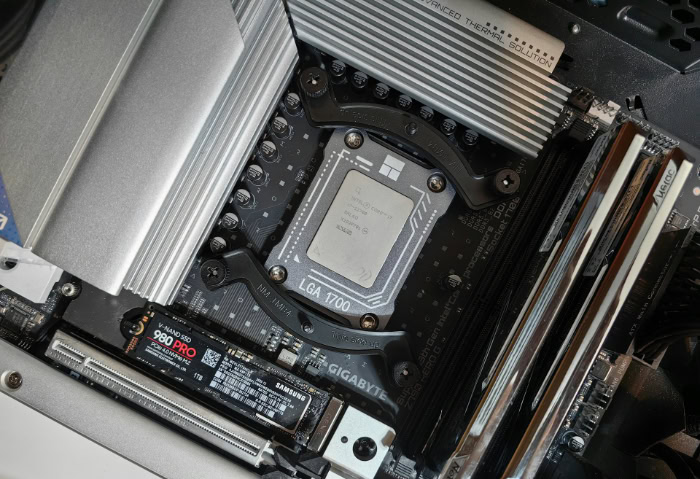
Beyond physical dimensions, a motherboard dictates how many auxiliary components, memory modules, and high-speed storage drives a system can support simultaneously. Evaluating expansion capacity helps builders balance present component needs with future hardware additions.
PCIe Slot Availability and Add-In Cards
The primary functional difference between the two form factors lies in the number of Peripheral Component Interconnect Express (PCIe) expansion slots. A standard ATX motherboard supports up to seven expansion slots along its length, whereas a Micro-ATX motherboard accommodates a maximum of four slots.
Modern graphics cards often occupy two, three, or even four expansion slot widths due to massive cooling assemblies. On a Micro-ATX motherboard, a thick graphics card frequently covers one or two adjacent PCIe slots, leaving only a single usable slot or none at all.
On an ATX motherboard, the additional board height leaves several slots exposed beneath a thick graphics card. This allows builders to install sound cards, video capture cards, high-speed networking adapters, or storage expansion cards without spatial conflict.
System Memory Capacity and RAM Slots
System memory options vary between the two form factors based on price and board design. Standard ATX boards almost universally supply four memory slots, supporting multi-channel memory configurations and large memory pools.
Micro-ATX motherboards appear in both two-slot and four-slot variations. Budget Micro-ATX boards often provide only two slots to reduce costs and save circuit board area, while mid-tier and premium models feature four slots.
Both form factors operate on dual-channel memory architecture, delivering identical memory bandwidth when running two matching memory sticks. However, four-slot boards support greater overall capacity, reaching up to 192GB or 256GB using modern high-density modules, whereas two-slot boards top out at 96GB or 128GB.
Storage Ports for Solid-State Drives
Storage drive installation relies heavily on available surface area on the circuit board. Full-sized ATX motherboards typically accommodate three to five onboard M.2 NVMe solid-state drive slots, frequently supplying integrated metal heatsinks for each drive.
Micro-ATX motherboards typically offer two or three M.2 slots due to restricted board space between the processor socket and expansion slots. Both form factors provide traditional SATA data ports, usually offering four to six ports for standard solid-state and mechanical drives.
When utilizing multiple drives, lane sharing rules come into play. Motherboards rely on PCIe lanes supplied by the central processor and the motherboard chipset.
On smaller boards with fewer physical routing pathways, installing a secondary M.2 drive can automatically disable specific SATA ports or reduce the operating speed of a secondary PCIe slot.
Thermal Behavior and Component Clearance

Cooling performance and component clearance dictate how reliably a computer operates under heavy processing demands. Physical motherboard layout directly influences heat dissipation, internal air circulation, and the maximum size of installed coolers and graphics cards.
Power Delivery Systems and Heat Dissipation
Voltage regulator modules (VRMs) surround the processor socket to convert electrical power from the power supply into stable voltages for the central processing unit. These components generate significant heat during sustained heavy workloads.
The expansive circuit board of a standard ATX motherboard offers ample room for robust VRM layouts and large, finned metal heatsinks. Many high-end ATX designs even incorporate integrated heatpipes to distribute thermal loads evenly.
Micro-ATX motherboards have less physical area around the CPU socket. While capable mid-tier Micro-ATX boards handle modern processors effectively, their VRM heatsinks are frequently smaller.
Under prolonged multi-threaded tasks, such as high-resolution video rendering or 3D rendering, compact VRMs can reach elevated temperatures, which may lead to thermal throttling on high-wattage processors.
Internal Airflow and Operational Temperatures
Chassis dimensions directly influence internal air movement and operating temperatures. Standard ATX mid-tower cases contain a large internal volume of air, allowing heat from the graphics card and processor to disperse before being exhausted.
These enclosures commonly accommodate six to nine cooling fans, establishing distinct intake and exhaust air pathways. Micro-ATX mini-towers offer less internal air volume and typically fit three to five fans.
In a compact case, power supply cables and storage wires occupy a greater proportion of the interior space. If cables are not tied down tightly, they can obstruct intake fans and create pockets of stagnant, warm air around critical components.
Physical Space for Large Graphics Cards and Heatsinks
Hardware clearance requires careful planning when working with smaller computer cases. High-end modern graphics cards frequently measure 12 inches (305 mm) to 14 inches (356 mm) in length and feature triple-slot cooling designs.
In an ATX mid-tower, these graphics cards install easily with room to spare for front intake fans. In a Micro-ATX mini-tower, an extra-long graphics card can extend entirely across the chassis, pressing against front fans or blocking access to internal storage cages.
Processor cooling faces similar constraints. Full-sized ATX enclosures readily accommodate tall CPU air coolers standing over 160 mm in height and support large 360 mm liquid cooling radiators along the top or front panels.
Micro-ATX cases often limit air cooler height and typically restrict liquid cooling radiators to 240 mm or 280 mm sizes.
Cost Comparison and Financial Value
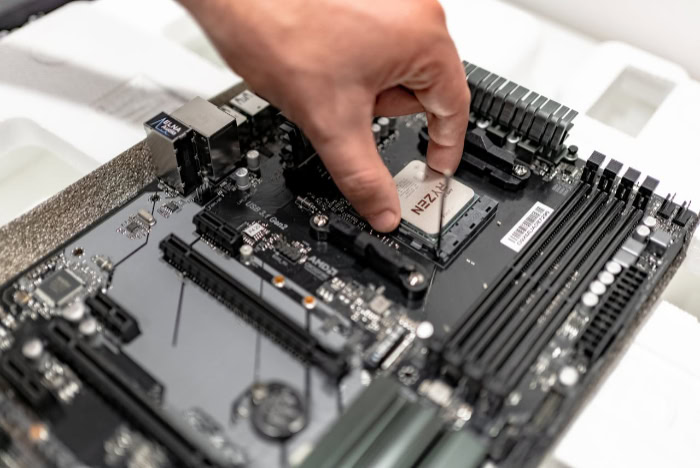
Financial considerations often influence motherboard selection as much as technical capabilities. Evaluating board production costs, component pricing, and overall case expenses shows which platform delivers the greatest value for a given budget.
Average Price Differences for Motherboards
Retail pricing consistently favors Micro-ATX when comparing motherboards with identical chipsets and similar feature sets. A Micro-ATX motherboard typically costs $30 to $80 less than its full-sized ATX equivalent.
This price disparity stems from manufacturing efficiency. The smaller circuit board uses less fiberglass, fewer copper trace layers, and fewer physical solder points.
Manufacturers also save on material costs by omitting extra PCIe slots, secondary heatsinks, and surplus audio circuits. Chipset distribution reflects these economic differences.
Micro-ATX dominates entry-level and mainstream chipset tiers, such as Intel B760 or AMD B650, where cost efficiency matters most. Enthusiast chipsets designed for extreme overclocking, such as Intel Z790 or AMD X670E, appear primarily on premium ATX boards.
Total System Expenses and Enclosure Costs
Choosing a form factor influences the broader budget of an entire computer build. Micro-ATX mini-tower enclosures are frequently less expensive than comparable ATX mid-towers, often saving builders an additional $15 to $40.
Unlike ultra-compact Mini-ITX systems, which require expensive small-form-factor power supplies and custom low-profile coolers, Micro-ATX components use standard desktop hardware. Builders can install standard ATX power supplies and regular CPU coolers without paying a premium for miniaturization.
Saving money on the motherboard and case allows builders to reallocate funds toward primary performance components, such as upgrading to a faster graphics card, a higher-tier processor, or additional solid-state storage.
Price-to-Feature Ratios for Everyday Builds
Assessing the true value of a motherboard requires evaluating how many onboard features a user will actually utilize. High-end ATX motherboards often carry premium features that remain unused by typical computer owners, including seven expansion slots, specialized liquid cooling pump headers, and physical onboard power buttons.
For everyday computing, paying extra for these unused capabilities reduces overall financial efficiency. Micro-ATX motherboards concentrate spending on essential hardware connections, delivering solid price-to-performance value.
Furthermore, both form factors maintain healthy resale appeal on the secondary market, though mainstream buyers frequently seek out affordable Micro-ATX boards for budget-friendly system upgrades.
Selection Guidelines by User Profile
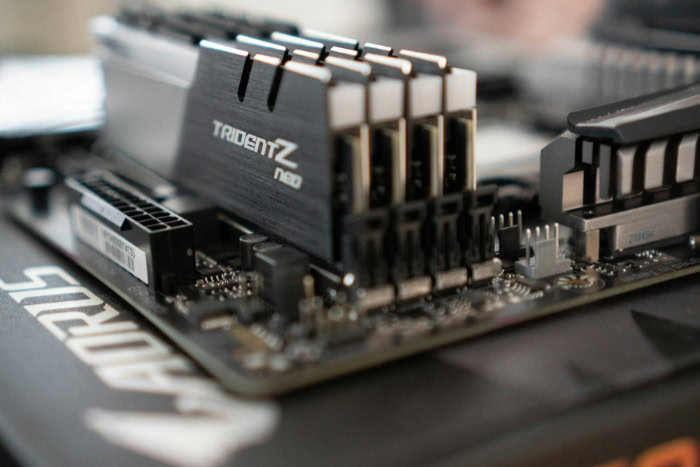
Matching a motherboard form factor to individual computing habits ensures that a system meets performance expectations without wasting space or money. User requirements vary considerably between gaming, media production, and general office productivity.
Recommendations for Mainstream Gamers
Mainstream gaming configurations operate exceptionally well on Micro-ATX motherboards. Contemporary video games rely entirely on a single powerful graphics card rather than multiple linked cards, rendering additional PCIe expansion slots unnecessary for most gaming builds.
A quality Micro-ATX board supplies the necessary PCIe 4.0 or PCIe 5.0 slot for the graphics card, four memory slots for high-speed RAM, and two M.2 slots for gaming storage drives. However, gamers who intend to install flagship, ultra-thick graphics cards or build custom liquid cooling loops benefit from standard ATX boards.
The extra space in an ATX case maximizes airflow across heavy graphics hardware and allows unobstructed placement of radiator fans and reservoir mounts.
Requirements for Content Creators and Workstations
Content creation and professional workstation duties demand the extensive expandability provided by full-sized ATX motherboards. Video editors, 3D animators, and audio engineers frequently require specialized add-in expansion cards.
An ATX board provides the necessary slot spacing to install a graphics card alongside a dedicated video capture card, a 10Gbps Ethernet adapter, and an M.2 expansion card. Workstations also require heavy memory pools and abundant fast storage.
Full-sized ATX boards reliably provide four memory slots capable of handling 128GB to 256GB of memory, along with four or five onboard M.2 NVMe slots for dedicated scratch disks, project files, and operating systems. Standard ATX offers the physical space and bandwidth routing required to keep these demanding production rigs running smoothly.
Options for Compact Workspaces and Minimalist Desks
Users with restricted workspace benefit significantly from the compact footprint of Micro-ATX systems. In student dorms, home offices, and minimalist desk setups, a mini-tower case preserves valuable desktop surface area while keeping the computer off dusty carpets.
Micro-ATX provides a practical middle ground compared to ultra-compact Mini-ITX builds. While Mini-ITX cases are smaller, they require tight cable routing, expensive specialized parts, and intricate assembly processes that challenge first-time builders.
Micro-ATX enclosures use standard components and provide generous room for hands and tools during assembly. A dedicated Micro-ATX case also provides clean visual proportions, filling the interior neatly without the awkward empty gaps found when installing smaller boards into oversized cases.
Conclusion
Choosing between standard ATX and Micro-ATX centers on balancing physical footprint, expansion potential, and component budget. Full-sized ATX motherboards provide the highest ceiling for hardware expansion, offering up to seven PCIe slots, generous M.2 drive capacity, and robust VRM cooling capable of handling sustained multi-threaded workloads.
Conversely, Micro-ATX delivers remarkable space efficiency and superior cost value, saving builders money on both the board and chassis while easily accommodating mainstream single-graphics-card setups. Rather than overspending on unused expansion slots or crowding a compact desk with a massive tower, the most effective approach aligns the motherboard form factor with physical workspace limits and actual hardware requirements.
Frequently Asked Questions
Can a Micro-ATX motherboard fit into a normal ATX case?
Yes, a Micro-ATX motherboard easily fits into a standard ATX computer case. Because Micro-ATX uses the exact same upper standoff mounting holes and rear bracket positions as standard ATX, installation requires no modifications. You simply secure the smaller board into the matching screw holes, though the bottom of the enclosure will have empty space.
Does choosing a Micro-ATX motherboard hurt gaming performance?
No, a Micro-ATX motherboard will not reduce gaming performance compared to an ATX model with the same chipset and processor. Motherboards do not generate frame rates directly; they route data between components. As long as your board has a full-speed PCIe slot for your graphics card and proper cooling, games run identically on both formats.
Do Micro-ATX motherboards run hotter than standard ATX boards?
Micro-ATX motherboards can run slightly warmer under heavy computing loads, but proper case ventilation prevents overheating. Because smaller boards have less surface area, their voltage regulator heatsinks are often more compact than those on ATX boards. However, pairing a Micro-ATX board with a quality case and adequate airflow keeps temperatures completely safe during normal operation.
Why are Micro-ATX motherboards cheaper than regular ATX boards?
Micro-ATX motherboards cost less primarily because they use smaller physical circuit boards and fewer internal hardware components. Manufacturing a smaller board requires less fiberglass, copper, and solder. Additionally, manufacturers omit extra PCIe slots, secondary heatsinks, and extra expansion controllers, which lowers overall production expenses while preserving essential functions for mainstream desktop computers.
Can I use a regular power supply with a Micro-ATX motherboard?
Yes, Micro-ATX motherboards use standard full-sized ATX power supplies and conventional motherboard power connectors. Unlike ultra-compact Mini-ITX cases that often require specialized small-form-factor power supplies, most Micro-ATX cases comfortably fit standard power units. You only need to verify that your chosen computer chassis provides enough physical clearance for the power supply unit and its cables.
About the Author: Julio Caesar


