
Dell vs. HP: Which Laptop Brand Wins?

Dell and HP stand as two dominant personal computer manufacturers, supplying millions of portable systems to households and corporate offices every year. Both companies recently overhauled their laptop naming structures, retiring several familiar series while introducing updated hardware tiers built around modern processors and artificial intelligence capabilities.
Comparing both brands side by side helps buyers avoid overspending on unnecessary specifications or settling for subpar build quality across home, academic, and professional environments. Evaluating entry-level notebooks, premium ultrabooks, gaming rigs, and enterprise fleets reveals distinct engineering priorities between the two rivals.
A direct look at chassis materials, display clarity, thermal efficiency, processor options, customization flexibility, pricing patterns, and after-sales warranty support highlights which manufacturer delivers better value for specific daily workloads.
Key Takeaways
- Both manufacturers overhauled their consumer catalogs: HP replaced Pavilion, Envy, and Spectre with the unified OmniBook 3, OmniBook 5, OmniBook 7, OmniBook X, and OmniBook Ultra series, while Dell retired Inspiron and Latitude in favor of simplified Dell, Dell Plus, and Dell Pro lines alongside the revived Dell XPS flagship.
- HP leads in mainstream display value by offering 2K and 3K OLED touchscreens at lower price tiers across the OmniBook 5 and OmniBook Ultra Flip lines, whereas Dell XPS 14 and XPS 16 laptops prioritize machined aluminum unibody rigidity and minimalist edge-to-edge aesthetics.
- Dell phased out the budget G-Series to consolidate all gaming notebooks under Alienware, making the Alienware 16 Aurora its mainstream entry point, while HP merged OMEN into the HyperX OMEN 15, HyperX OMEN 16, and HyperX OMEN Max 16 series and kept HP Victus for budget gaming.
- Enterprise buyers get superior internal serviceability from Dell Pro and HP EliteBook 8 systems, which retain replaceable memory modules, unlike consumer ultrabooks that permanently solder 16GB to 64GB of LPDDR5X RAM to the motherboard.
- Both brands include a standard 12-month limited hardware warranty on consumer machines, but Dell ProSupport and Premium Support Plus provide more consistent next-business-day on-site technician dispatch than comparable HP Care Pack tiers.
Product Lineup Overview by Category
Selecting the right portable computer starts with matching current model names to legacy product families. Between 2025 and 2026, both Dell and HP retired several decades-old sub-brands to organize their consumer, commercial, and gaming catalogs around numbered tiers and neural processing readiness.
Entry-Level Laptops for Basic Tasks
For decades, everyday shoppers compared the Dell Inspiron and HP Pavilion series for affordable home computing. Both companies have retired those classic names in favor of simplified branding.
Dell now groups its entry-level and mainstream notebooks under the base Dell and Dell Plus names, such as the Dell 14, Dell 16, and Dell 14 Plus. HP consolidated its Pavilion lineup into the HP OmniBook 3 and HP OmniBook 5 series, sold alongside basic HP 14 and HP 15 budget machines.
While older Inspiron and Pavilion inventory still appears at third-party retailers, current models under the updated names handle web browsing, document editing, video streaming, and schoolwork effortlessly, typically selling between $450 and $800 with 16GB of RAM and 512GB solid-state drives.
Premium Ultrabooks and Two-in-One Devices
At the top of the consumer catalog, the Dell XPS line goes head-to-head against the successors to the HP Spectre and HP Envy families. After briefly retiring the XPS label in 2025, Dell revived the Dell XPS brand in 2026 with the redesigned XPS 14 and XPS 16, measuring as thin as 14.6 mm and weighing around 3 lbs (1.36 kg).
HP replaced the Envy and Spectre lines with the HP OmniBook 7, HP OmniBook X, and flagship HP OmniBook Ultra series. Dell focuses its XPS engineering on ultra-thin clamshell laptops, relegating 360-degree convertible hinges to the mid-tier Dell 14 Plus 2-in-1.
Conversely, HP embraces flexible two-in-one form factors at the flagship level, equipping the HP OmniBook Ultra Flip 14 with a reinforced 360-degree hinge and magnetic rechargeable stylus support.
Dedicated Systems for Video Games
Both manufacturers restructured their gaming divisions to separate casual players from competitive enthusiasts. Dell discontinued its budget G-Series laptops, folding all gaming hardware under the Alienware umbrella.
The Alienware 16 Aurora and Alienware 16X Aurora now serve mainstream buyers previously targeted by the G-Series, while luxury Alienware Area-51 configurations cater to high-budget enthusiasts. HP took a dual-brand path: in 2026, it merged its flagship OMEN division with its peripheral subsidiary to launch the HyperX OMEN 15, HyperX OMEN 16, and HyperX OMEN Max 16, while retaining the HP Victus 15 and Victus 16 for entry-level shoppers.
HP Victus undercuts Alienware Aurora on starting price, whereas Alienware and HyperX OMEN Max rigs compete directly at the high end with up to 300W of combined processor and graphics power.
Professional Laptops for Office Environments
Corporate information technology departments traditionally chose between Dell Latitude and HP EliteBook fleets. Dell retired the Latitude name to launch the Dell Pro family, organized into the cost-effective Dell Pro 3, mainstream Dell Pro 5, slim aluminum Dell Pro 7, and magnesium-alloy Dell Pro 14 Premium, alongside Dell Pro Max and Precision mobile workstations.
HP streamlined its commercial portfolio into the budget-friendly HP ProBook 4, enterprise HP EliteBook 6 and EliteBook 8, executive HP EliteBook X and EliteBook Ultra, and heavy-duty HP ZBook workstations. Both lineups emphasize centralized fleet management through Intel vPro and AMD PRO processors.
HP differentiates its office machines with HP Wolf Security for Business hardware-enforced micro-virtualization, while Dell counters with off-host BIOS verification and SafeID credential storage.
Physical Build and Ergonomic Design
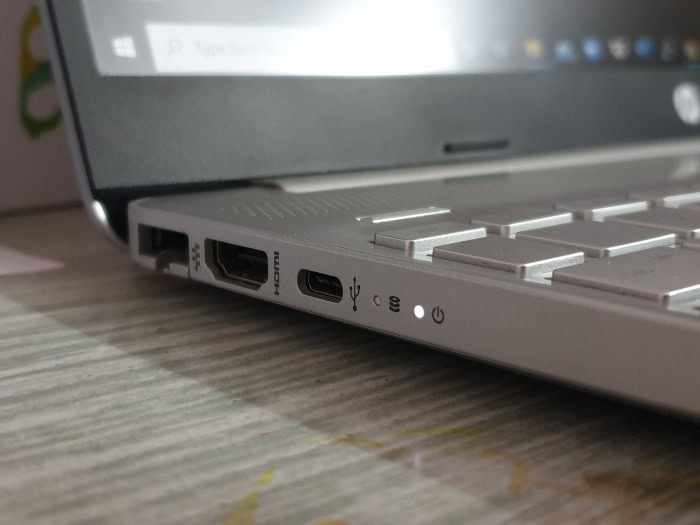
Exterior construction and input ergonomics determine how well a portable computer survives daily commuting and long workdays. Both manufacturers use distinct material combinations across price brackets, trading off structural rigidity against weight and repair accessibility.
Exterior Materials and Structural Durability
Material quality scales directly with price across both brands. Entry-level Dell 15 and HP OmniBook 3 notebooks rely on polycarbonate plastic shells that show minor keyboard deck flex under firm typing pressure.
Stepping up to mid-range Dell Plus and HP OmniBook 5 or OmniBook 7 models introduces stamped aluminum top lids and palm rests. At the flagship level, the Dell XPS 14 and XPS 16 use CNC-machined recycled aluminum unibodies paired with Gorilla Glass palm rests for exceptional torsional stiffness.
Executive business models like the Dell Pro 14 Premium and HP EliteBook Ultra use ultralight magnesium and recycled aluminum chassis weighing between 2.4 lbs (1.09 kg) and 2.7 lbs (1.22 kg). Both companies subject their Dell Pro and HP EliteBook lines to MIL-STD-810H military durability testing against transit drops, vibration, humidity, and hinge wear.
Keyboard Comfort and Trackpad Usability
Typing ergonomics represent one of the clearest differentiators between the two manufacturers. HP OmniBook and EliteBook keyboards consistently earn praise for their well-spaced, slightly contoured keycaps, quiet bottoming action, and generous 1.5 mm switch travel depth, which prevent finger fatigue during multi-hour writing sessions.
Dell equips its mainstream Dell and commercial Dell Pro notebooks with comfortable, spill-resistant chiclet keyboards featuring 1.35 mm to 1.4 mm switch travel. However, the flagship Dell XPS series uses a polarizing zero-lattice keyboard with flat, edge-to-edge keycaps and a capacitive touch function row that lacks physical separation between buttons.
Below the spacebar, both brands outfit their premium laptops with ultra-smooth glass haptic touchpads, while budget and mid-range models utilize reliable mechanical mylar precision trackpads with integrated click corners.
Screen Quality and Display Clarity
Display configurations across both catalogs start with basic panels and scale up to vibrant organic light-emitting diode screens. Entry-level Dell and HP laptops come with 1920×1200 IPS anti-glare screens rated at 300 nits of brightness and 60Hz refresh rates, which work well indoors but struggle against bright window glare.
HP democratizes OLED upgrades aggressively, offering 2K and 3K 120Hz OLED panels with 400 nits SDR brightness, 500 nits HDR peak output, and 100% DCI-P3 color coverage starting on mid-tier OmniBook 5 and OmniBook X systems. Dell restricts its 3.2K tandem OLED options primarily to upper-tier XPS and Dell Pro Premium configurations, though Dell provides excellent 500-nit low-power IPS displays with superior anti-reflective matte coatings across its business fleet.
Hardware Performance and Operational Efficiency
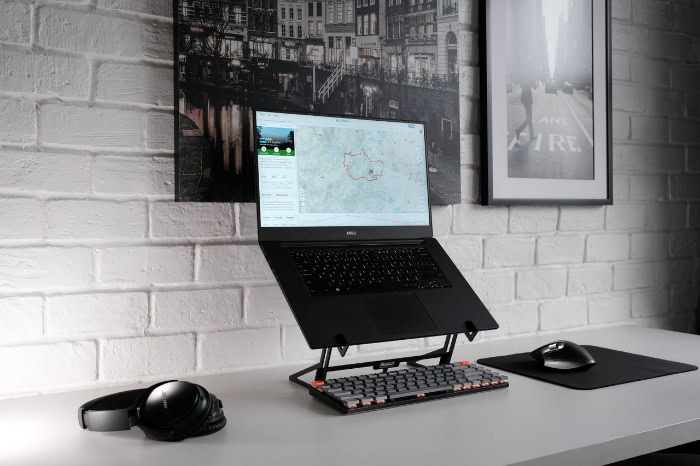
Internal silicon choices dictate how smoothly a system handles multitasking, local artificial intelligence processing, and unplugged travel. Both Dell and HP configure their lineups with processors from three major chipmakers, pairing them with varying battery capacities and cooling layouts.
Processor and Graphics Options
Shoppers can configure both Dell and HP laptops with current-generation silicon from Intel, AMD, and Qualcomm. Across mainstream and premium tiers, both brands offer Intel Core Ultra Series 2 and Series 3 (Panther Lake) processors, AMD Ryzen AI 300 and Ryzen AI 400 series processors, and ARM-based Qualcomm Snapdragon X Plus and Snapdragon X Elite chips.
Every modern chip in these families includes a dedicated neural processing unit delivering 40 to 55 TOPS for local Copilot+ tasks. Integrated graphics such as Intel Arc, AMD Radeon 800M, and Qualcomm Adreno easily handle 4K media streaming and light photo editing.
For 3D modeling, video production, and gaming, Alienware, Dell Pro Max, HP Victus, HyperX OMEN, and HP ZBook models offer dedicated NVIDIA GeForce RTX 5050 through RTX 5090 Laptop GPUs.
Battery Life and Energy Consumption
Unplugged runtime has improved dramatically across both brands thanks to die-shrunk processors and compact motherboard layouts. Configured with Snapdragon X Elite or low-power Intel Core Ultra chips and FHD+ IPS displays, the Dell XPS 14 and HP OmniBook X consistently deliver 14 to 18 hours of wireless web browsing and over 20 hours of local video playback.
Opting for high-resolution 3K OLED touchscreens reduces battery life by roughly 25% to 30% on both brands, bringing real unplugged endurance closer to 9 to 11 hours. Both companies include fast-charging circuitry, known as Dell ExpressCharge and HP Fast Charge, capable of refilling a depleted battery to 50% capacity in 30 minutes via compact 65W to 100W USB-C power adapters weighing under 0.6 lbs (0.27 kg).
Thermal Management and System Noise
Keeping high-wattage processors cool inside sub-16 mm enclosures requires careful airflow engineering. Both brands pull cool air through perforated bottom grilles and exhaust heat through concealed hinge vents or side fins.
In 2026, Dell reduced the mainboard footprint inside its Dell Pro 7 series by 31% to install larger dual fans, boosting internal airflow by 50% and cutting peak fan noise by 31%. During routine web browsing and spreadsheet work, consumer and business laptops from both manufacturers run silently below 28 dBA.
Under sustained gaming or video rendering loads, HP HyperX OMEN Tempest Cooling Pro and Alienware Cryo-Tech vapor chambers ramp fan speeds up to 48 to 54 dBA, trading audible fan roar for stable clock speeds without thermal throttling.
Purchase Costs and Software Experience

Sticker prices rarely tell the full story when shopping from major PC vendors. Long-term ownership value depends on promotional pricing cycles, post-purchase component upgradeability, and the amount of preloaded software bundled with the operating system.
Value for Money Across Price Ranges
In the sub-$600 budget segment, HP routinely delivers stronger hardware specifications per dollar than Dell. An HP OmniBook 3 or HP 15 on sale frequently includes a 6-core AMD Ryzen processor, 16GB of RAM, and a 512GB SSD at a price where Dell base configurations still ship with 8GB of memory.
In the mid-range $700 to $1,200 bracket, the Dell 14 Plus and HP OmniBook 5 offer nearly identical component value. Above $1,400, Dell charges a noticeable price premium for its XPS and Dell Pro 14 Premium designs compared to similarly equipped HP OmniBook Ultra models.
Neither brand should be purchased at full list price, as both Dell and HP run rotating promotional sales that slash $200 to $500 off retail configurations every few weeks.
Factory Customization and Hardware Upgrades
Ordering directly from either manufacturer’s website allows buyers to tailor processors, memory, storage, and display panels before assembly. HP generally provides more flexible build-to-order options on consumer OmniBook and commercial EliteBook pages, letting buyers upgrade from an IPS screen to an OLED panel without forcing an expensive processor jump.
For post-purchase upgrades, thin ultrabooks from both companies, including Dell XPS, Dell Plus, and HP OmniBook models, permanently solder LPDDR5X RAM to the system board, leaving only the M.2 2280 SSD slot accessible. Users who want upgradeable memory must buy Dell Pro, HP ProBook, HP EliteBook 8, Alienware, or HyperX OMEN laptops, which feature two accessible DDR5 SO-DIMM slots or replaceable CAMM2 modules beneath the bottom cover.
Pre-Installed Software and Utility Applications
Out of the box, both manufacturers bundle proprietary maintenance utilities alongside third-party trialware on consumer Windows 11 installations. Dell preloads Dell SupportAssist to scan for BIOS updates, driver patches, and hardware faults.
While functional, SupportAssist runs multiple background remediation services that can slow down initial startup times. HP installs HP Support Assistant, the unified HP App, and HP AI Companion (a local generative artificial intelligence assistant for summarizing files and adjusting settings on neural-equipped laptops).
On gaming machines, HP’s OMEN Gaming Hub includes aggressive promotional banners compared to Dell’s cleaner Alienware Command Center. Consumer notebooks from both brands ship with McAfee antivirus trials that generate pop-up alerts until removed, whereas commercial Dell Pro and HP EliteBook systems arrive with clean, bloatware-free operating system images.
Customer Support and Long-Term Maintenance

Even well-built portable computers can suffer from battery degradation, cracked panels, or motherboard faults over several years of service. Warranty terms, technician dispatch speed, and spare part availability separate consumer-grade support from enterprise-level coverage.
Standard Warranties and Protection Plans
Every consumer laptop purchased from Dell or HP includes a standard 12-month limited hardware warranty that covers manufacturing defects through mail-in depot repair or replacement parts. Commercial Dell Pro and HP EliteBook configurations sold through business channels often carry 12-month to 36-month base warranties.
Both companies heavily market extended service plans at checkout. Dell offers Dell Care Plus for consumers and ProSupport Plus for businesses, which can extend coverage up to 48 months and add Accidental Damage Service for liquid spills, cracked screens, and drops.
HP counters with HP Care Pack protection plans, offering up to 36 months of extended hardware coverage, accidental damage protection, and one-time battery replacement options.
Technical Assistance and Repair Availability
Both companies provide 24/7 technical support through automated web chat, phone hotlines, diagnostic software, and active user forums. Standard mail-in depot repairs for base warranty holders typically take 7 to 12 business days from the moment the laptop is boxed and shipped.
When buyers pay for upgraded warranty tiers, Dell pulls ahead in service execution. Dell Premium Support and ProSupport include next-business-day on-site repair, dispatching a certified technician to your home or office with replacement parts within 24 to 48 hours of completing remote telephone diagnostics.
While HP offers next-business-day on-site Care Packs for EliteBook and select OmniBook systems, technician availability is more heavily concentrated around major metropolitan business hubs.
Overall Device Lifespan and Reliability Record
Component reliability is virtually tied between the two rivals because both manufacturers source processors, solid-state drives, wireless cards, and display panels from the same global suppliers. Expected operational lifespan depends on chassis tier rather than brand badge.
Entry-level plastic notebooks like the base Dell 15 and HP 15 typically last three to four years of daily household use before plastic hinge mounts or battery cells degrade. All-metal Dell XPS, Dell Pro, HP OmniBook Ultra, and HP EliteBook machines routinely remain in active service for five to seven years, requiring only a routine internal fan cleaning and a replacement battery around year four.
Both Dell and HP publish comprehensive, step-by-step illustrated service manuals online for every model and print scannable QR codes inside the chassis to simplify ordering official replacement parts.
Conclusion
Choosing between Dell and HP comes down to matching specific model tiers against your daily workload and budget. Dell excels in structural rigidity, minimalist industrial design, enterprise thermal engineering, and rapid on-site warranty dispatch through its XPS, Alienware, and Dell Pro families.
Its main trade-offs include higher retail prices on flagship configurations, polarizing flat keyboards on the XPS line, and heavy background processes tied to SupportAssist. HP wins on price-to-performance ratio, comfortable 1.5 mm travel keyboards, widespread availability of vibrant 2K and 3K OLED displays at mid-range prices, and versatile 360-degree convertible designs across its unified OmniBook catalog, trading off slightly softer chassis rigidity on budget models and more promotional software clutter in its gaming utilities.
- Students and Budget Home Users: Choose the HP OmniBook 3 or HP OmniBook 5 for the best sub-$800 processor specs, comfortable typing, and optional OLED screens.
- Corporate and Hybrid Office Workers: Choose the Dell Pro 7 for quiet cooling and industry-leading next-business-day on-site support, or the HP EliteBook 8 and EliteBook X for class-leading keyboard comfort and HP Wolf Security.
- Creative Professionals and Ultrabook Buyers: Choose the Dell XPS 14 or XPS 16 for a rigid CNC-machined aluminum clamshell, or the HP OmniBook Ultra Flip 14 if you need a 360-degree touchscreen with pen input.
- Video Game Enthusiasts: Choose the HP Victus 16 for entry-level value, or compare the Alienware 16X Aurora and HyperX OMEN Max 16 for high-wattage RTX 50-series performance.
Frequently Asked Questions
Which company offers better customer support and warranty repairs?
Dell provides faster and more reliable on-site repair service than HP for buyers who purchase upgraded coverage. While both brands include a basic 12-month mail-in warranty with consumer machines, Dell ProSupport and Premium Support Plus dispatch technicians directly to your home or office on the next business day after remote troubleshooting.
What happened to Dell Inspiron and HP Pavilion laptops?
Both manufacturers retired those legacy names during their 2025 and 2026 catalog overhauls to simplify shopping. Dell replaced the Inspiron series with the streamlined Dell and Dell Plus lines, while HP phased out Pavilion, Envy, and Spectre in favor of the unified HP OmniBook 3, OmniBook 5, OmniBook 7, OmniBook X, and OmniBook Ultra tiers.
Which laptop brand lasts longer, Dell or HP?
Hardware lifespan depends on the specific product tier rather than the brand logo on the lid. Entry-level plastic notebooks from both companies typically last three to four years, whereas machined aluminum and magnesium models like the Dell XPS, Dell Pro, HP OmniBook Ultra, and HP EliteBook reliably run for five to seven years.
Can you upgrade the RAM on modern Dell and HP laptops?
Memory upgradeability is restricted to business and gaming laptops across both manufacturers. Thin consumer ultrabooks like the Dell XPS, Dell Plus, and HP OmniBook series permanently solder 16GB to 64GB of LPDDR5X RAM to the motherboard, whereas Dell Pro, HP EliteBook 8, Alienware, and HyperX OMEN systems provide replaceable memory modules.
Is Dell or HP better for college students on a budget?
HP generally delivers stronger hardware value for students spending under $800. Models like the HP OmniBook 5 and HP OmniBook 3 frequently include AMD Ryzen AI processors, 16GB of memory, and optional 2K OLED displays at lower retail prices than comparably priced Dell 14 and Dell 16 configurations.
About the Author: Julio Caesar


