
RAM vs. ROM: What’s the Real Difference?
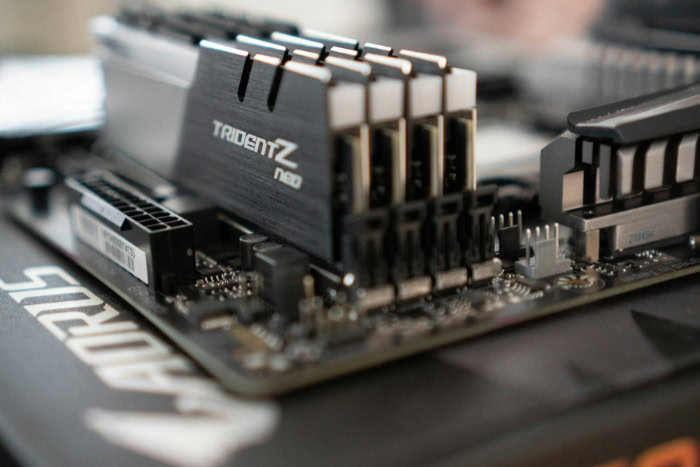
Every time you buy a smartphone or laptop, spec sheets bombard you with numbers labeled RAM and ROM that directly dictate speed and price. Misinterpreting these figures often leads to overpaying for unnecessary hardware or suffering through a sluggish machine that freezes under normal daily use.
Computers rely on distinct internal memory architectures to juggle active tasks and protect foundational operational code. While marketing materials frequently conflate temporary workspace with permanent capacity, the hardware behind these abbreviations serves radically different functions.
Key Takeaways
- RAM serves as the processor’s temporary, high-speed workspace; it is volatile memory, which means all unsaved work and open program data are wiped clean whenever the computer loses power.
- ROM is non-volatile memory that retains its contents permanently without electricity, storing the foundational firmware (such as BIOS or UEFI) required to start the hardware and load the operating system.
- Smartphone spec sheets that advertise “128GB ROM” or “256GB ROM” are using marketing shorthand for rewritable flash storage, not true read-only firmware chips, which typically hold only 16MB to 64MB.
- RAM capacity dictates how many applications or browser tabs your system can run concurrently without slowdowns, whereas internal storage capacity dictates the total volume of apps, games, photos, and files you can save permanently.
- While desktop computers and select business laptops feature modular slots for memory expansion, smartphones and modern ultrathin laptops solder memory directly to the logic board, making post-purchase upgrades impossible.
Fundamentals of Random Access Memory (RAM)
Every modern computer and smartphone relies on rapid temporary storage to handle active tasks smoothly. Random Access Memory serves as this immediate workspace, operating directly alongside the central processor to keep active programs responsive and accessible.
Definition and Operational Purpose
The term “random access” describes how the memory controller retrieves data from the hardware. Unlike older sequential media such as magnetic tapes, where the system had to fast-forward or rewind through physical tracks to reach a specific block, Random Access Memory can jump to any storage location in the same amount of time regardless of physical address.
Its primary function within hardware architecture is acting as the central processing unit’s immediate workspace. When a user launches a web browser, edits a document, or starts a video call, the operating system copies the relevant code and assets from slower long-term drives directly into system memory.
The processor can then read instructions and write immediate calculations in fractions of a microsecond, preventing the entire computer from stalling while waiting for data.
Volatility and Power Dependence
Random Access Memory is volatile, meaning it depends entirely on a steady electrical charge to retain its contents. The microscopic electronic circuits that store individual bits of information must remain powered to preserve their binary state of ones and zeros.
Once the system shuts down, restarts, or loses power during an unexpected blackout, every bit of stored data immediately vanishes. This power dependence explains why unsaved work disappears if a laptop battery dies abruptly.
While volatility prevents memory chips from serving as permanent storage, it allows the cells to switch states millions of times per second without physical degradation.
Structural Variants: SRAM and DRAM
System memory splits into two primary physical categories: Dynamic RAM (DRAM) and Static RAM (SRAM). Dynamic RAM forms the bulk of system memory in computers and phones, such as 8GB or 16GB modules.
Each DRAM cell consists of a single transistor paired with a tiny capacitor. Because capacitors naturally leak electrical charge over time, DRAM requires thousands of electrical refresh cycles every second to keep data intact.
Modern iterations follow synchronized DDR (Double Data Rate) standards, such as DDR4 and DDR5, which transfer data on both the rising and falling edges of the clock signal.
Static RAM takes a different engineering approach. Instead of capacitors that leak charge, SRAM relies on a multi-transistor flip-flop circuit per cell.
This structure retains its data continuously without refresh cycles as long as power flows. SRAM achieves far higher speeds than DRAM, but its complex layout occupies significantly more physical chip area and costs much more to produce.
Consequently, manufacturers reserve SRAM for small, ultra-fast processor caches (such as L1, L2, and L3 caches) built directly into the central processing unit die, while utilizing DRAM for standard main memory modules.
Fundamentals of Read-Only Memory (ROM)

While a computer needs flexible memory to run everyday software, it also requires fixed, unalterable code simply to switch on. Read-Only Memory provides this foundation, retaining essential low-level programming that ensures the machine can start reliably every time power is applied.
Definition and Hardware Function
Read-Only Memory earns its name from its traditional inability to be rewritten during standard hardware operations. Once written during the manufacturing process or through dedicated utility tools, the data remains fixed and cannot be modified by standard software applications.
Its fundamental role is system initialization. When a user presses the power button, the processor cannot immediately interact with complex operating systems or hard drives because it does not yet know how to communicate with them.
ROM chips hold the foundational instructions, historically known as the BIOS (Basic Input/Output System) and modernly implemented as UEFI (Unified Extensible Firmware Interface). This firmware tells the processor how to detect connected components, run diagnostic routines, and locate the boot drive.
Non-Volatility and Permanent Data Retention
Unlike system memory, Read-Only Memory is non-volatile. The physical arrangement of its internal circuitry preserves binary patterns indefinitely, requiring zero electrical power to maintain its stored instructions.
This persistence shields vital device code from sudden power cuts, system crashes, and accidental software deletion. If the foundational instructions were stored on standard volatile chips or editable hard partitions without protection, a single power flicker or malicious script could render the entire motherboard incapable of starting.
Structural Variants: PROM, EPROM, and EEPROM
The evolution of permanent memory spans three progressive hardware architectures: Programmable ROM (PROM), Erasable Programmable ROM (EPROM), and Electrically Erasable Programmable ROM (EEPROM). Early PROM chips shipped from factories with blank microscopic fuses.
A developer or hardware manufacturer used a specialized programmer to blow specific fuses permanently, embedding code that could never be modified or rewritten again.
To eliminate the waste of discarding chips after coding errors, engineers created EPROM. These chips featured a distinctive quartz crystal window directly above the silicon die.
Exposing this window to intense ultraviolet light for 20 to 30 minutes dissipated trapped electrical charges, completely resetting the memory cells so new code could be written.
EEPROM improved on this concept by allowing erasure via controlled electrical signals rather than ultraviolet light. Technicians and automated software could update specific portions of the chip without removing it from the motherboard.
Modern flash memory, which powers modern system firmware chips and non-volatile storage, evolved directly from EEPROM design principles.
Direct Technical Comparison and Performance Metrics

Evaluating memory technologies requires looking at the tradeoffs between raw throughput, write flexibility, and manufacturing expense. When placed side by side, volatile operational memory and non-volatile firmware storage display vastly divergent performance profiles tailored to their distinct operational roles.
Read and Write Speeds
The speed difference between system memory and permanent firmware chips is vast. Modern DRAM operates with access latencies measured in mere nanoseconds, typically between 10 and 15 nanoseconds.
Because the memory controller links directly to the processor via dedicated, high-speed multi-channel buses, system memory delivers massive bandwidth that routinely exceeds 50 gigabytes per second in modern DDR5 configurations.
Read-Only Memory, by contrast, operates at significantly slower access cycles. Reading instructions from a serial flash ROM chip can take hundreds of nanoseconds, and its serial connection provides narrow bandwidth compared to the broad data pathways of system memory.
However, since the system only reads from ROM during initial startup routines, this slower access speed never hinders active software performance.
Data Modification and Erasure Capabilities
System memory is engineered for endless, high-frequency revision. A single DRAM cell can endure trillions of read and write cycles without degrading, flipping its electrical state millions of times per second as programs execute calculations and clear buffers.
Updating a firmware ROM chip is deliberately slow and constrained. Modifying an EEPROM or flash-based chip requires a process known as firmware flashing, where entire blocks of memory must be erased electrically using higher voltages before new data is written.
This procedure takes seconds or minutes rather than nanoseconds, carries a finite write endurance of several thousand cycles, and carries risks if interrupted by a sudden power failure.
Capacity Parameters and Cost Efficiency
Capacity differences between these two memory types reflect their intended uses. Modern desktop computers and laptops commonly carry 8GB, 16GB, 32GB, or even 64GB of RAM to hold massive operating systems, web browser tabs, and gaming textures simultaneously.
Traditional ROM and modern UEFI firmware chips, needing only enough space for basic startup instructions, typically measure between 16MB and 64MB in capacity.
Manufacturing economics dictate this divide. Building high-density, low-latency DRAM modules requires advanced silicon fabrication processes and multi-layered circuit boards, making system RAM expensive on a per-chip basis.
Even so, because DRAM is manufactured at massive worldwide volume, its cost per gigabyte remains relatively affordable compared to specialized high-speed SRAM caches. Dedicated ROM chips remain extremely cheap as individual hardware components because their capacity requirements are tiny, allowing manufacturers to include them on motherboards for pennies.
Integration in System Architecture and the Execution Cycle

A computer cannot function through either memory technology alone. Instead, hardware designers orchestrate a continuous handoff between permanent firmware, volatile system memory, and mass storage drives throughout every phase of device operation.
The System Startup Sequence and Firmware Execution
The computing cycle begins the instant an electrical signal triggers the motherboard. Because the main memory is empty and volatile, the processor looks at a hardcoded memory address wired directly to the ROM chip.
Here, the processor executes the bootstrap loader, an initial sequence of machine code designed to wake up the system.
The firmware immediately initiates the Power-On Self-Test (POST). During this test, the firmware verifies that essential hardware components, including the processor, cooling fans, graphics chip, and memory sticks, are functioning correctly.
Once the test passes, the firmware initializes input devices, identifies bootable storage drives, and hands execution control over to the operating system bootloader.
Active Program Workspace and Processor Interfacing
Once the operating system initializes, the role of primary operational memory begins. The operating system kernel, system services, and any applications launched by the user are copied from secondary storage drives (such as solid-state drives) into system RAM.
From this point onward, the central processor conducts rapid fetch-decode-execute cycles with system memory. When the processor requires instructions, it queries its internal SRAM cache registers first; if the data is not present, it fetches the information from the system DRAM over the high-speed system bus.
Processing results are written back to RAM temporarily before being written permanently to mass storage drives when a user saves a file.
Memory Overflow and Storage Drive Delegation
When a user opens too many demanding programs simultaneously, the physical capacity of system memory can become saturated. To prevent running out of workspace and crashing active software, the operating system invokes a mechanism known as virtual memory.
Under this protocol, the operating system creates a temporary paging file or swap space on the secondary solid-state drive or hard drive. Inactive data blocks are transferred out of physical RAM and saved to the storage drive, freeing volatile memory for active tasks.
However, even modern solid-state drives are hundreds of times slower than physical RAM chips, causing noticeable latency, interface stuttering, and storage drive thrashing whenever the system swaps data back and forth.
Commercial Terminology and Device Purchase Considerations

Browsing retail product listings requires separating technical engineering terms from commercial marketing shorthand. Confusion between volatile memory and long-term storage frequently leads shoppers to buy hardware configurations that fail to meet their everyday needs.
Smartphone Specifications: Clarification of the “ROM” Label
Smartphone manufacturers and retailers frequently list device specifications using pairings like “8GB RAM / 128GB ROM” or “12GB RAM / 256GB ROM.” In an engineering context, this usage of the term “ROM” is technically inaccurate.
The large storage partition advertised as “ROM” is actually rewritable NAND flash storage, packaged as Universal Flash Storage (UFS) or embedded MultiMediaCard (eMMC) modules. While this flash storage is non-volatile, it is fully rewritable by the user and operating system, functioning as a smartphone’s internal solid-state drive.
True Read-Only Memory inside a phone is a tiny internal chip dedicated solely to low-level bootloader routines, rarely exceeding a few megabytes in size and never advertised to consumers.
Multitasking Capability vs. File Archive Space
Recognizing the functional distinction between these numbers helps consumers choose the right device balance. A phone or computer’s RAM capacity determines its ability to handle concurrent tasks.
Having 16GB of RAM allows a user to run 30 browser tabs, stream music, and switch between productivity apps without experiencing program reloads or system lag.
Conversely, the storage capacity, mislabeled as “ROM” on mobile spec sheets, represents the file archive. A 256GB storage drive dictates how many 4K video files, offline playlists, mobile games, and high-resolution photographs a user can store permanently.
Adding more storage space allows you to install larger applications, but it will not improve multitasking speed if the system lacks sufficient RAM to run those applications concurrently.
Hardware Upgradeability Across Consumer Devices
Physical upgrade options differ dramatically depending on the form factor of the device. Standard desktop computers and many business-class laptops feature modular SO-DIMM or DIMM memory slots.
In these systems, an owner can purchase aftermarket RAM modules, remove the computer’s casing, and increase system memory from 8GB to 32GB or 64GB as their computing needs grow.
In contrast, smartphones, tablets, and many ultrathin laptops solder memory chips directly onto the main logic board or integrate them within a unified memory architecture on the processor package. In these sealed designs, neither volatile system memory nor internal flash storage can be upgraded after purchase.
Buyers must select appropriate capacities at the checkout counter, factoring in both immediate operating requirements and future software demands over the lifespan of the machine.
Conclusion
System performance and stability depend on a strict division of labor between volatile working memory and permanent startup storage. Random Access Memory delivers the high-speed throughput and multi-gigabyte capacity required to juggle running operating systems, browser tabs, and complex software.
Because RAM requires continuous electrical power to hold its state, it functions strictly as a temporary workspace, wiping clean whenever the device powers down.
Read-Only Memory and its flash-based derivatives serve the opposite operational need. Operating at slower speeds with capacities measured in mere megabytes, ROM provides permanent, non-volatile preservation for foundational startup code.
Without these protected instructions, a processor would have no way to activate system hardware or load an operating system upon boot.
Rather than competing with one another, these two memory formats work in tandem. Permanent firmware brings the machine to life and hands execution over to fast operational memory, creating a balanced architecture that pairs immutable security at startup with rapid flexibility during daily use.
Frequently Asked Questions
Can a computer turn on and run without RAM?
No, a computer cannot boot or run without installed RAM. During the initial startup sequence, the system firmware checks for physical memory before loading the operating system. If the computer detects missing or faulty memory sticks, the motherboard halts the startup process immediately and alerts you through warning beeps, flashing diagnostic lights, or an error screen.
Does adding more RAM make your device faster?
Adding more RAM only makes your device faster if you currently run out of memory during daily tasks. Extra memory prevents the system from slowing down by eliminating the need to move active data onto slower storage drives. However, if your regular software habits never max out your existing capacity, extra memory leaves overall processing speed unchanged.
Why do phone brands call internal storage ROM?
Smartphone companies use the term ROM as marketing shorthand for permanent, non-volatile internal storage. While true ROM cannot be rewritten during normal use, phone makers adopted the label to distinguish rewritable flash storage from volatile system memory. This flash storage holds your operating system, installed apps, and personal media files without losing data when the phone powers off.
Can I upgrade the RAM in my computer or phone?
You can usually upgrade RAM in desktop computers and select laptops, but smartphone memory cannot be upgraded. Desktops and traditional laptops use modular slots that let you snap in higher-capacity memory sticks. Conversely, smartphones, tablets, and lightweight modern laptops permanently solder memory directly onto the logic board, requiring you to choose your desired memory capacity at purchase.
What happens to my data in RAM when my computer turns off?
All data stored in RAM disappears completely the moment power is cut. Because system memory is volatile, its circuits rely on continuous electricity to hold binary information. Any files, browser tabs, or unsaved documents not written to your permanent hard drive or solid-state drive are lost permanently when the electrical charge stops flowing.
About the Author: Julio Caesar


