
Samsung Pay vs. Apple Pay: Which Is Safer?

Paying with cash or physical plastic is no longer necessary as smartphones carry our financial credentials. The choice of mobile wallet dictates how securely and quickly you complete everyday purchases.
Apple Pay and Samsung Wallet (Samsung Pay) lead the industry as the primary OEM payment solutions, locking users into their respective hardware ecosystems while offering distinct approaches to transactions. While both replace physical cards, their unique hardware integrations, security protocols, and extra features shape the user experience differently.
Key Takeaways
- Both wallets use hardware-level security, with Apple relying on its isolated Secure Enclave chip and Samsung using its multi-layered Knox defense platform to prevent data tampering.
- Instead of storing actual credit card numbers, both platforms utilize secure tokenization to replace card details with unique, single-use device account numbers during transactions.
- Samsung has phased out its legacy Magnetic Secure Transmission (MST) technology in modern devices, meaning newer Galaxy phones now rely entirely on standard NFC terminals just like Apple devices.
- Apple Watch and Samsung Galaxy Watch users can complete contactless payments independently, allowing transactions even when the paired smartphone is offline or left at home.
- Apple provides a native peer-to-peer transfer solution called Apple Cash through the Messages app, whereas Samsung Wallet requires users to rely on third-party applications like Venmo or PayPal.
Device Compatibility and Platform Ecosystems
Mobile wallets rely heavily on the hardware in which they are embedded. Before selecting a digital payment solution, users must consider the specific devices they own, as both major platforms enforce strict parameters regarding hardware compatibility.
Apple Ecosystem Integration
Apple Pay is deeply tied to the Apple hardware ecosystem. It operates exclusively on iOS, watchOS, and macOS devices, meaning you cannot use it on Android or Windows platforms.
The primary advantage of this closed system is the smooth synchronization across devices. Once a credit or debit card is added to your iPhone, it can be quickly authorized for use on an iPad, Apple Watch, or Mac computer.
This allows for a consistent payment experience when shopping on a phone, browsing a website on a laptop, or paying at a physical store with a watch.
Samsung Hardware Requirements
Samsung Wallet (Samsung Pay) limits its hardware requirements to Samsung Galaxy smartphones and Galaxy smartwatches. Unlike generic Google Wallet services, which run on almost any Android device, Samsung Wallet is not cross-compatible with non-Samsung Android hardware.
If you switch from a Galaxy phone to a different Android brand, you lose access to your saved Samsung Wallet credentials and must transition to an alternative service.
Smartwatch Compatibility and Independence
Smartwatches provide a convenient way to pay on the go without retrieving a phone. Apple Watch users can use Apple Pay completely independently of their iPhone.
The watch stores the necessary secure tokens locally, allowing you to make payments during outdoor runs or errands even if your phone is left at home or turned off. Samsung Galaxy Watches offer a similar level of independence.
Once set up through the wearable companion app, the watch can execute transactions at contactless terminals without requiring an active Bluetooth connection to your Galaxy phone.
Security Architecture and Privacy Protocols

Security is a primary concern for anyone storing payment cards on a personal device. Both systems employ sophisticated protection layers to ensure that sensitive financial data remains safe from unauthorized access during storage and transactions.
Hardware-Level Protection
Apple secures payment data using a dedicated physical chip inside its devices called the Secure Enclave. This hardware-isolated coprocessor is completely separate from the main processor, running its own microkernel to manage cryptographic credentials and biometric data.
It ensures that sensitive data never leaves the device or gets exposed to the main operating system. Samsung utilizes a defense-grade security architecture known as Knox.
Knox is built directly into the processor and operates on a multi-layered structure that spans from the hardware up to the software application layer. It continuously monitors the device for tamper attempts and malicious software, blocking access to payment data if it detects that the operating system has been compromised.
Tokenization and Encryption Standards
Neither service transmits or stores actual credit or debit card numbers on the device or on corporate servers. Instead, they use tokenization to process payments.
When you add a card, the system generates a unique Device Account Number, or token, which replaces your actual card number. During a transaction, this token is transmitted alongside a one-time dynamic security code.
If a bad actor intercepts the transmission, the data is useless because the token cannot be linked back to your physical card and the dynamic code expires immediately.
Biometric Verification
To complete a transaction, both platforms require biometric authentication to prove ownership of the device. Apple devices utilize Face ID, which maps facial features using a dot projector and infrared camera, or Touch ID, which scans fingerprints.
Samsung devices rely on Ultrasonic Fingerprint Scanners on their flagship phones, alongside traditional PIN verification. These biometric systems ensure that even if someone steals your unlocked phone, they cannot make purchases without your direct physical authentication.
Transaction Technology and Merchant Acceptance

How widely a mobile wallet is accepted at the register determines its overall utility. The technology behind these transactions has matured, bringing near-universal checkout capabilities to both platforms at modern retail locations.
Near Field Communication (NFC)
Near Field Communication is the standard technology for contactless payments. Both Apple Pay and Samsung Wallet use NFC to transmit payment tokens to contactless point-of-sale terminals.
To pay, you simply hold your device near the reader. Because NFC is standard on almost all modern checkout terminals globally, both services are accepted at millions of retail locations, grocery stores, and restaurants.
Legacy Magnetic Secure Transmission (MST)
Historically, Samsung held a distinct advantage due to its proprietary Magnetic Secure Transmission technology. MST allowed Galaxy phones to mimic the magnetic stripe on a traditional credit card, enabling payments at older card readers that did not support NFC.
This made Samsung’s payment solution usable almost anywhere a credit card could be swiped. However, as contactless infrastructure became standard, Samsung began phasing out MST hardware.
Newer Galaxy models no longer include MST, making modern Samsung devices reliant on NFC, much like Apple devices.
Online and In-App Checkout Support
When making purchases digitally, merchant support varies between the two options. Apple Pay has wide integration across mobile websites and third-party apps.
Users frequently see a dedicated Apple Pay button during checkout, allowing them to purchase items instantly with a biometric scan and avoiding the need to manually enter shipping addresses or billing details. Samsung Wallet also offers online and in-app checkout integrations, but its presence is less widespread compared to Apple’s solution.
Users of Samsung Wallet are more likely to encounter traditional form-filling fields or have to rely on broader options like Google Pay for web purchases.
User Interface and Checkout Efficiency
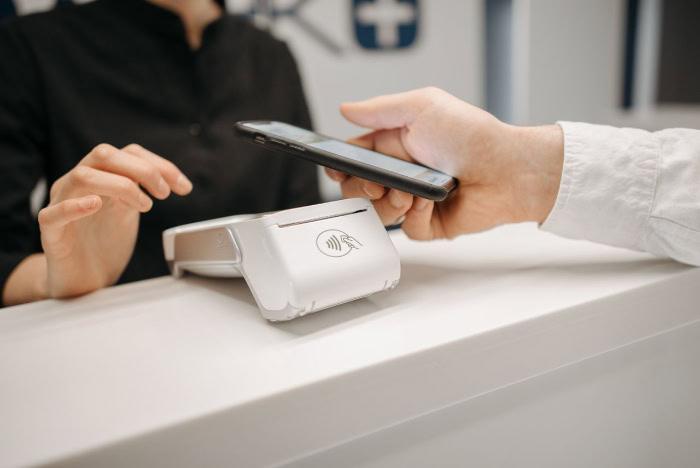
The speed and simplicity of pulling up a card at the register directly impacts the user experience. Both systems offer quick shortcuts designed to make physical checkout as seamless as possible.
Access Shortcuts and Launch Speed
Apple Pay utilizes a physical button gesture to launch its interface. A user double-clicks the side button on an iPhone or Apple Watch to bring up their default card immediately, even if the screen is off.
Samsung Wallet uses a software-based gesture. Users swipe up from the bottom of the screen, which can be done from the lock screen, home screen, or even when the display is completely off.
Both methods are fast, but Apple’s physical button press can feel more secure to some, while Samsung’s swipe gesture is highly intuitive for single-handed use.
Card Selection and Navigation
Once the wallet is launched, selecting a non-default card requires only a few taps. Apple’s interface displays a stacked deck of cards; tapping the stack expands them, allowing you to swipe through and select a different card.
Samsung’s interface presents cards in a horizontal carousel, where users swipe left or right to switch cards before authenticating. Both platforms store receipt histories directly inside the app, though the level of detail depends on the issuing bank’s integration.
Offline Usability
Both wallets function when there is no active internet connection, which is helpful in underground parking garages or remote areas. Because the security tokens are stored locally on the secure hardware of the device, you can make transactions offline.
However, there are limits. While Apple Pay handles several consecutive offline payments without issue, Samsung Wallet also caps the number of consecutive offline token transactions.
Once you reach this limit, you must connect to cellular data or Wi-Fi to refresh the tokens before making another payment.
Digital Wallet Capabilities and Integration

Beyond standard credit and debit cards, modern mobile wallets aim to replace your entire physical wallet. This includes incorporating transit cards, loyalty programs, state identification, and digital passes.
Transit and Loyalty Cards
Apple Pay offers an Express Transit mode, which allows commuters to pass through transit barriers by tapping their iPhone or Apple Watch without waking the device or authenticating with face or fingerprint scans. It also integrates loyalty cards, which can automatically appear on the screen when you are near a participating merchant.
Samsung Wallet provides similar transit capabilities, allowing users to pay for fares with a quick tap. Its loyalty card integration is also robust, letting users import existing barcodes or membership numbers directly into the app for easy scanning at checkout.
Government Identification and Smart Keys
Both platforms are expanding their support for digital driver’s licenses and state IDs, though availability depends heavily on local government adoption. Apple Wallet allows users in participating states to add their ID to their phone, which can be scanned at airport security checkpoints.
It also supports smart home entry credentials and digital vehicle credentials, allowing users to unlock their cars or homes with their phone. Samsung Wallet matches these capabilities, offering support for select automotive brands, digital home locks, and digital state IDs as local authorities roll out support for the technology.
Peer-to-Peer Transactions
For sending money to friends or family, Apple offers a native solution called Apple Cash. Integrated directly into the Messages app, Apple Cash allows users to send and receive money as easily as sending a text message.
The funds are stored on a digital card in the wallet and can be spent or transferred to a bank account. Samsung Wallet does not have an equivalent, proprietary peer-to-peer system.
Instead, Samsung users must rely on third-party applications, such as Venmo, PayPal, or Cash App, to handle direct transfers, which requires switching between different apps.
Conclusion
Apple Pay and Samsung Wallet offer highly secure, streamlined mobile payment systems, but they are built on structurally different philosophies. Apple Pay focuses on deep, closed integration across iOS, watchOS, and macOS, providing a uniform experience across all personal Apple devices.
It excels in online checkout integration and native peer-to-peer transfers via Apple Cash. Samsung Wallet is locked strictly to Galaxy hardware and smartwatches, but it offers a highly intuitive swiping gesture to access cards and provides strong security through its Knox platform.
Your choice between these two platforms is determined by your smartphone ecosystem. Because Apple Pay does not run on Android and Samsung Wallet does not run on iOS, you will naturally adopt the wallet that aligns with your primary mobile device.
Fortunately, both platforms deliver defense-grade tokenization, reliable NFC terminal acceptance, and biometric authentication, ensuring you receive a premium and secure payment experience regardless of the hardware brand you carry.
Frequently Asked Questions
Can I use Apple Pay on a Samsung phone?
No, Apple Pay is strictly locked to Apple devices like iPhones and Apple Watches. Samsung phones run on the Android operating system, which does not support Apple’s proprietary payment software. If you use a Galaxy device, you must rely on Samsung Wallet or Google Wallet for your contactless transactions.
Does Samsung Wallet still work at older card readers without tap-to-pay?
Most newer Samsung phones do not support older magnetic stripe readers because Samsung phased out its legacy MST technology. While older Galaxy models could mimic a physical card swipe, modern Samsung devices rely entirely on NFC contactless terminals. If a store does not accept tap-to-pay, your modern Samsung phone will not work there.
Do I need an internet connection to pay with my phone?
No, you can make contactless payments with both Apple Pay and Samsung Wallet without an active internet connection. Your device stores secure payment tokens locally in its hardware, allowing you to complete transactions offline. However, Samsung Wallet limits consecutive offline purchases, eventually requiring a network connection to refresh your security tokens.
Can I send money directly to a friend using Samsung Wallet?
No, Samsung Wallet does not feature a native peer-to-peer payment service like Apple Cash. To send money directly to a friend from a Samsung device, you must download and use third-party apps such as Venmo, PayPal, or Cash App. Apple users, by contrast, can send money natively through the Messages app.
Are my actual credit card numbers stored on my device?
No, neither Apple nor Samsung stores your actual credit card numbers on your device or their corporate servers. Both systems use tokenization, which replaces your real card number with a randomized device account number. During transactions, only this safe token and a one-time dynamic security code are shared with the merchant.
About the Author: Julio Caesar


