
What Is HDMI 2.1? Better Quality for All Media
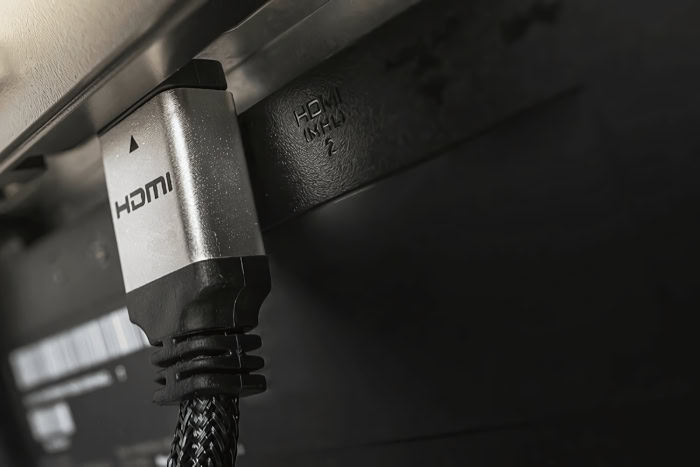
Hooking a modern gaming console or media player to a high-end television with an outdated cable means throwing away the premium performance you paid for. Without the right connection, your expensive display cannot deliver the ultra-smooth frames or high-fidelity audio it was designed to produce.
HDMI 2.1 addresses these bottlenecks by dramatically expanding the pipe through which data flows.
Key Takeaways
- HDMI 2.1 dramatically expands data bandwidth from 18 Gbps to 48 Gbps, eliminating the need for lossy signal compression on modern screens.
- The specification supports native video formats up to 4K at 120Hz and 8K at 60Hz, with maximum capabilities reaching up to 10K resolution.
- Next-generation gaming features like Variable Refresh Rate (VRR) and Auto Low Latency Mode (ALLM) synchronize display updates and eliminate input lag automatically.
- Enhanced Audio Return Channel (eARC) increases audio transmission speeds to 37 Mbps, passing uncompressed spatial formats like Dolby Atmos directly to external sound systems.
- Flexible licensing rules allow displays to carry the HDMI 2.1 label without supporting all capabilities, making detailed specification reviews necessary before purchasing.
Technical Foundations and Performance Upgrades
To support modern, high-resolution displays, hardware interfaces must carry massive amounts of data in real time. The physical framework of video transmission relies on copper wiring capacity, and older specifications simply cannot keep pace with the needs of modern media.
HDMI 2.1 upgrades this physical baseline, re-engineering the transmission architecture to accommodate much higher volumes of digital information.
Bandwidth Expansion
Bandwidth represents the maximum volume of data that a transmission cable can carry per second. When displays output higher resolutions, faster refresh rates, and deeper color profiles, the overall data load expands significantly.
If the cable lacks the necessary capacity, the signal must be compressed, which can degrade image quality.
HDMI 2.0 capped data transmission at 18 gigabits per second (Gbps). In contrast, HDMI 2.1 increases this maximum capacity to 48 Gbps.
This nearly threefold improvement allows the interface to transmit raw, uncompressed video files. Devices can pass rich color depths, such as 10-bit or 12-bit color, without relying on color-reducing compression techniques.
Resolution and Refresh Rate Support
The expanded bandwidth enables displays to render images with higher detail and smoother motion. HDMI 2.1 natively supports 4K resolution at a 120Hz refresh rate and 8K resolution at 60Hz.
A 120Hz refresh rate means the display redraws the screen 120 times per second, cutting motion blur and making fast-paced action appear incredibly fluid.
Beyond these standard consumer formats, the specification supports maximum resolutions up to 10K. To achieve these extreme resolutions, the standard employs Display Stream Compression (DSC 1.2a).
This visually lossless compression technology fits ultra-high-resolution video packets within the 48 Gbps limit without creating visible artifacts or degrading the image.
Visual Quality and Playback Enhancements

Image quality relies on more than just the number of pixels on a screen. True-to-life color, deep contrast, and seamless transitions between video sources are equally important for an immersive viewing experience.
HDMI 2.1 introduces dedicated protocols that actively optimize color depth and eliminate common display delays during playback.
Dynamic HDR Support
High Dynamic Range (HDR) enhances the contrast ratio between the darkest shadows and the brightest highlights of an image. Static HDR formats apply a single contrast and brightness profile across an entire movie or broadcast, which can lead to scenes that are either too dark or overly bright.
Dynamic HDR improves upon this by utilizing metadata to optimize contrast, brightness, and color depth on a frame-by-frame or scene-by-scene basis. This constant adjustment ensures that a dark, candlelit room displays rich shadow detail, while a subsequent shot of a bright outdoor environment remains vibrant without washing out the colors.
Quick Media Switching
When a display switches between content with different frame rates, such as moving from a 24 frames-per-second movie to a 60 frames-per-second system menu, users often experience a brief black screen. This delay, sometimes lasting several seconds, occurs because the display must re-synchronize its timing with the source device.
Quick Media Switching (QMS) eliminates this temporary blackout. By using the underlying technology of variable refresh rates, QMS instantly adjusts the display’s output rate to match the incoming video signal.
The transition happens instantly, preventing the screen from going blank when video formats change.
Next-Generation Gaming Features

Interactive media presents unique challenges for display hardware because the rendering of frames is highly unpredictable. Unlike movies, which play at a constant speed, video games demand real-time responses and experience constant fluctuations in visual complexity.
HDMI 2.1 introduces three dedicated features designed specifically to optimize gaming performance and reduce display delay.
Variable Refresh Rate
Screen tearing and stuttering occur when a graphics processor outputs frames at a speed that does not match the fixed refresh rate of a television. If a game’s frame rate dips during a complex scene, the display might render parts of two different frames simultaneously, causing a horizontal tear across the screen.
Variable Refresh Rate (VRR) solves this problem by dynamic synchronization. The television continuously adjusts its refresh rate in real time to match the exact output of the connected console or PC.
This alignment keeps gameplay smooth, even when a game’s performance fluctuates during intense sequences.
Auto Low Latency Mode
Many modern televisions employ heavy image processing, such as motion smoothing and detail enhancement, to improve cable broadcasts. While beneficial for films, this processing introduces significant delay between a player pressing a button on a controller and seeing the action on screen.
Auto Low Latency Mode (ALLM) automates the solution by allowing a console or PC to send a signal directly to the display. Upon receiving this signal, the television automatically disables its background processing and switches to its lowest latency setting, typically referred to as Game Mode.
Once the user closes the game and switches to a streaming app, the television returns to its standard picture processing without manual intervention.
Quick Frame Transport
While ALLM reduces the television’s internal processing delay, another source of latency exists in the time it takes to transmit a completed frame from the graphics card to the display panel. Quick Frame Transport (QFT) addresses this specific bottleneck.
QFT accelerates the transmission speed of individual video frames. Even if the game is running at a lower frame rate, QFT pushes each finished frame through the cable at a much higher speed.
This rapid transmission reduces the overall latency of the pipeline, providing faster visual responses to player inputs.
Advanced Audio Capabilities
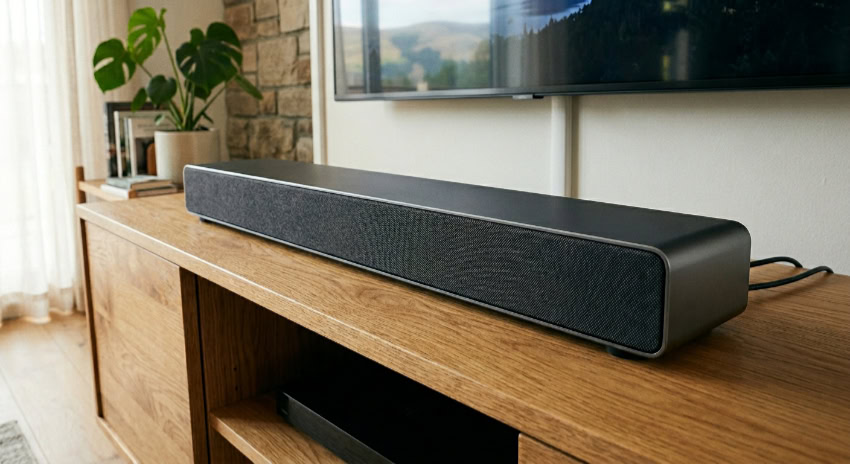
A premium viewing experience requires high-fidelity audio to match high-resolution visuals. Standard connections often compress audio signals to fit them through limited channels, which degrades the sound quality of surround-sound setups.
HDMI 2.1 updates the audio pathway to support uncompressed, multi-channel sound formats directly from a television to an external audio receiver.
Enhanced Audio Return Channel
The original Audio Return Channel (ARC) allowed televisions to send audio back to a soundbar or receiver, but it operated with a very limited bandwidth of around 1 megabit per second. This bottleneck meant that ARC could only transmit stereo sound or compressed 5.1 surround sound.
Enhanced Audio Return Channel (eARC) increases this audio bandwidth to approximately 37 megabits per second. This dramatic expansion allows the transmission of uncompressed 5.1 and 7.1 audio signals, as well as high-bitrate spatial audio.
The audio signal travels from the television back to the sound processor without any loss in quality.
High-Bitrate Audio Format Compatibility
Thanks to the expanded bandwidth of eARC, HDMI 2.1 provides native compatibility with advanced, lossless audio formats. These formats include Dolby Atmos (delivered via Dolby TrueHD) and DTS:X (delivered via DTS-HD Master Audio).
These object-based audio technologies map sounds to specific coordinates in a three-dimensional space rather than binding them to fixed speaker channels. With eARC, home theater systems can reproduce these complex audio environments perfectly, delivering theatre-quality sound without compression artifacts.
Hardware, Cables, and Compatibility Requirements

Upgrading to a modern standard requires careful consideration of the physical connections and licensing policies. To utilize these high-bandwidth features, users must ensure their cabling matches the hardware requirements and understand how the market labels these certified devices.
Ultra High Speed HDMI Cable Requirements
Achieving a 48 Gbps data rate requires more than just an updated port; it demands a cable specifically designed to handle that volume of traffic. Older high-speed cables are physically incapable of carrying this amount of data without signal loss or interference.
The newer specification introduces the Ultra High Speed HDMI cable. These cables are built to strict specifications and include advanced shielding to minimize electromagnetic interference (EMI) with nearby wireless networks, routers, and devices.
Using these certified cables is necessary to prevent screen flickering, signal dropouts, and audio cutouts at high resolutions.
Backward Compatibility
Despite the significant physical upgrades, the physical shape of the connector remains identical to previous generations. This design choice ensures complete backward compatibility with older devices.
You can plug an older gaming console or Blu-ray player into an HDMI 2.1 television, or connect a new device to an older screen using a standard cable. The devices will communicate during setup and automatically run at the highest capabilities supported by both pieces of hardware, preventing compatibility errors.
HDMI 2.1 Labeling and Certification
Identifying true HDMI 2.1 devices in the retail market can be challenging due to official licensing guidelines. The HDMI Licensing Administrator allows manufacturers to label a product as HDMI 2.1 even if it only supports a single feature of the standard, such as ALLM, while lacking the full 48 Gbps bandwidth or VRR support.
Because of this policy, some televisions or monitors are marketed as HDMI 2.1 but only feature HDMI 2.0 speeds. Consumers must look past the broad labeling on the box and carefully review the detailed product specifications to verify that a specific device supports the actual features and bandwidth they require.
Conclusion
The update to HDMI 2.1 represents a massive leap for home entertainment technology, resolving previous hardware limits that choked video and audio delivery. By tripling available bandwidth, the standard enables smooth transmission of 4K at 120Hz, dynamic contrast adjustments, and lossless multi-channel sound formats.
This integration helps ensure next-generation gaming systems and high-end media players can perform at their designated limits. As displays continue to advance, this unified connection standard serves as the reliable pipeline required to sync ultra-high-definition sources with modern screen capabilities, ensuring your entire system performs in harmony.
Frequently Asked Questions
Do I need a new cable to use HDMI 2.1 features?
Yes, you need an Ultra High Speed HDMI cable to use the full 48 Gbps features of HDMI 2.1. While older cables physically fit into the new ports, they lack the necessary shielding and capacity to transmit ultra-high-definition signals like 4K at 120Hz. Upgrading your cable is necessary to prevent signal dropouts.
Will an HDMI 2.1 cable work with my older TV?
Yes, HDMI 2.1 cables are fully backward compatible with older televisions and source devices. The cable will physically fit your existing ports and automatically transmit the highest signal format that your older hardware can support. You do not need to worry about compatibility errors when upgrading your cables.
Does my TV support HDMI 2.1 just because the box says so?
Not necessarily, because licensing guidelines allow manufacturers to use the HDMI 2.1 label even if a device only supports one minor feature of the standard. A television might lack the actual 48 Gbps bandwidth or gaming capabilities while still using the label. You must review the detailed specification list to verify actual performance.
What is the benefit of eARC in HDMI 2.1?
The primary benefit of eARC is its ability to transmit uncompressed, high-bitrate audio from your television directly to an external sound system. It utilizes the expanded bandwidth of HDMI 2.1 to send advanced spatial formats like Dolby Atmos without any signal compression. This ensures you receive cinema-quality audio in your home theater setup.
Why does my screen turn black for a few seconds when switching videos?
Your screen goes black because the display is adjusting its refresh rate and timing to match the incoming video signal. HDMI 2.1 solves this frustrating delay using Quick Media Switching, which instantly matches the output rate of your content. This feature completely eliminates the temporary blackout when switching formats or apps.
About the Author: Julio Caesar


