What Is Thunderbolt 5? Explained

Modern laptops and desktops feature identical oval ports, yet plugging in a cable yields wildly different results. Some ports merely charge a phone or move photos slowly, while others drive multiple screens and transfer massive files in seconds.
Thunderbolt 5 arrives as the newest high-performance connectivity standard, pushing the familiar USB-C shape to unprecedented limits.
Inside the compact connector, Thunderbolt 5 delivers major leaps in data speed, display support, and charging power. Comparing its capabilities against older Thunderbolt and USB versions clarifies the real differences hidden behind matching sockets, while practical drawbacks like steep dock prices and cable restrictions highlight where the technology falls short.
Balancing those breakthroughs against everyday compromises makes it clear who actually needs the upgrade.
Key Takeaways
- Doubled baseline and boosted video speeds: Thunderbolt 5 uses PAM-3 signaling inside a standard USB-C port to deliver 80 Gbps of two-way bandwidth, and its Bandwidth Boost mode shifts up to 120 Gbps toward displays to run dual 8K monitors or triple 4K screens at 144Hz.
- Up to 240W single-cable laptop charging: With a mandatory 140W baseline and support for up to 240W through USB Power Delivery 3.1, a single certified dock cable can power heavy gaming laptops and mobile workstations without a separate charging brick.
- Guaranteed specs over standard USB4: Unlike standard USB4 ports that allow optional 20 Gbps or 40 Gbps limits, every Thunderbolt 5 port guarantees full 80 Gbps speeds, 64 Gbps PCIe throughput for external SSDs and eGPUs, and full backward compatibility with Thunderbolt 4, Thunderbolt 3, and USB-C gear.
- Strict cable limits and hardware bottlenecks: Passive Thunderbolt 5 cables only maintain peak speeds up to 3.3 feet (1 meter), while older docks, uncertified cords, or processor display limits will still cap an entire setup at the slowest component’s capabilities.
- Worth the cost mainly for power users: Because Thunderbolt 5 docks often cost $300 or more, everyday users running office apps and one or two 4K monitors save money with Thunderbolt 4, whereas 8K video editors and workstation users gain immediate speed benefits.
Overview and Key Features of Thunderbolt 5
Thunderbolt 5 represents a major step forward in how computers move data, drive screens, and receive electrical power over a single wire. Built to handle demanding modern accessories without changing how ports look, it packs significantly higher capacity into a familiar physical slot.
Definition and Connector Design
Developed by Intel, Thunderbolt 5 is a strictly certified hardware standard built around the reversible, oval USB-C connector found on nearly all modern laptops and tablets. Because it uses the exact same physical plug shape as earlier versions, users do not need to learn a new cable style or worry about plugging a connector in upside down.
The secret behind this extra speed lies in an upgraded signaling method called PAM-3, or Pulse Amplitude Modulation with three-level signaling. Earlier Thunderbolt generations relied on two-level signaling, sending data using simple high and low electrical pulses.
By adding a middle level, PAM-3 transmits three distinct signal states in every cycle. That change pushes far more information through the same physical wires without requiring a larger port.
Data Speed and Bandwidth Boost
Out of the box, Thunderbolt 5 provides 80 Gbps of two-way data speed, doubling the 40 Gbps ceiling of Thunderbolt 4. Equal capacity flows in both directions at the same time, meaning a computer can send and receive massive files simultaneously without slowing down.
When a desk setup demands heavy visual output, a smart feature called Bandwidth Boost shifts gears automatically. Instead of splitting lanes evenly, Bandwidth Boost allocates up to 120 Gbps in one direction toward connected monitors while keeping 40 Gbps available for incoming data.
That dynamic adjustment gives high-resolution screens extra breathing room whenever graphics workloads spike.
Display Support and Visual Output
Expanded bandwidth unlocks screen configurations that older ports simply could not support. Through a single connection, a compatible computer can power dual 8K monitors, triple 4K monitors running at 144Hz, or a single ultra-fast gaming display pushing up to 540Hz for smooth motion.
Thunderbolt 5 also integrates DisplayPort 2.1 directly into its specification. That built-in video protocol supports sharper color depth, higher native resolutions, and faster refresh rates over one connection, helping creative professionals and gamers get crisp visuals without extra video cables.
High-Wattage Power Delivery
Charging capabilities take an equally big jump under the updated standard. Thunderbolt 5 sets a mandatory 140W minimum baseline for high-power PC charging, up from the 100W baseline of earlier versions.
Using the USB Power Delivery 3.1 protocol, certified cables and hardware can scale all the way up to 240W. That added electrical capacity gives power-hungry devices enough energy to run at full speed while keeping their batteries charged.
Comparison with Thunderbolt 4 and USB Standards

Understanding how Thunderbolt 5 differs from existing ports helps make sense of identical-looking sockets on newer computers. While the connectors share the same shape, the speeds, power limits, and certification rules inside them vary considerably.
Thunderbolt 5 versus Thunderbolt 4
Moving from Thunderbolt 4 to Thunderbolt 5 doubles performance across nearly every major specification. Base data speed jumps from 40 Gbps to 80 Gbps, while video-heavy connections can climb to 120 Gbps with Bandwidth Boost.
| Specification | Thunderbolt 4 | Thunderbolt 5 |
|---|---|---|
| Base Two-Way Bandwidth | 40 Gbps | 80 Gbps |
| Maximum Video Bandwidth | 40 Gbps | 120 Gbps |
| PCIe Data Speed | 32 Gbps | 64 Gbps |
| Charging Baseline / Maximum | 100W required / 140W max | 140W required / 240W max |
| Display Support | Dual 4K at 60Hz | Triple 4K at 144Hz or dual 8K |
Internal data lanes for accessories also receive a major upgrade. PCIe data speed, which handles fast external storage drives and graphics enclosures, doubles from 32 Gbps to 64 Gbps.
Power delivery rises from a 100W baseline to 140W, with ceiling support expanding from 140W to 240W. On the display side, users move from dual 4K screens at 60Hz to triple 4K monitors at 144Hz or dual 8K setups.
Thunderbolt 5 versus USB4 and Standard USB-C
A common source of confusion is mixing up USB-C with the technology running behind it. USB-C only describes the physical, oval shape of the plug and socket.
Two laptops can feature identical USB-C ports while delivering completely different speeds and charging limits.
Mandatory certification sets Thunderbolt 5 apart from standard USB4. Every device carrying the Thunderbolt 5 name must pass strict Intel testing to guarantee full 80 Gbps speeds, PCIe support, and high-wattage charging.
By contrast, USB4 allows manufacturers to pick from optional speed tiers, meaning some USB4 ports cap out at 20 Gbps or 40 Gbps and may skip advanced display or power features altogether.
Compatibility Across Older Hardware
Upgrading to a computer with Thunderbolt 5 does not force you to throw away existing accessories. The standard is fully backward compatible with Thunderbolt 4, Thunderbolt 3, USB4, and everyday USB-C peripherals such as flash drives, keyboards, and phone chargers.
When you plug an older accessory into a Thunderbolt 5 port, the connection automatically adjusts to match the older device’s maximum speed. Your existing monitors, hubs, and external drives continue working reliably without requiring extra adapters.
Primary Benefits and Practical Applications

High-speed specifications only matter when they improve daily work and play. Thunderbolt 5 focuses on removing desk clutter and eliminating slowdowns for users who push their computers hard.
Single-Cable Desk Simplicity for Power-Hungry Laptops
Large gaming laptops and mobile workstations typically come with bulky, proprietary power bricks because older USB-C ports could not supply enough electricity. With up to 240W available through USB Power Delivery 3.1, a single Thunderbolt 5 dock cable can finally keep even heavy-duty laptops charged under full load.
Instead of plugging in a separate power cord alongside display cables and USB hubs, users can leave their heavy charger inside a travel bag. One wire running from a desktop dock handles electricity, multiple monitors, wired networking, and desk accessories at once.
Creative Media Production and Large File Transfers
Video editors, photographers, and designers regularly move dozens or hundreds of gigabytes of 8K video footage and RAW image libraries between cameras, computers, and external drives. Doubled 80 Gbps bandwidth and 64 Gbps PCIe throughput slash wait times when copying massive projects to fast external solid-state drives (SSDs).
Just as important, that extra headroom prevents bottlenecks during active work. Creators can edit high-resolution timelines directly off external storage while driving multiple color-accurate displays, without experiencing dropped frames or sluggish file transfers.
Workstation Expansion and PC Game Performance
Desktop-style expansion becomes far more viable on portable computers thanks to the jump to 64 Gbps PCIe bandwidth. External graphics cards (eGPUs), which previously lost noticeable performance over narrower connections, gain much more breathing room to feed data between the laptop processor and the external graphics chip.
Multi-drive RAID storage arrays and ultra-fast 10GbE wired network adapters also run closer to their full potential. For PC gamers, combining external graphics support with high-refresh-rate monitors lets a slim laptop power smooth, high-frame-rate gaming sessions at a home desk.
Limitations, Costs, and Technical Challenges

Despite impressive capabilities on paper, adopting Thunderbolt 5 comes with practical hurdles. Steep pricing, strict cable physics, and uneven hardware support mean the standard is not yet an effortless fit for every desk.
High Hardware Costs and Narrow Device Selection
Early-generation Thunderbolt 5 docking stations carry a hefty price tag, frequently costing $300 or more, with flagship workstation models climbing past $499. Certified cables and high-speed external enclosures also cost noticeably more than Thunderbolt 4 equivalents.
Computer selection remains concentrated at the top of the market as well. Because Thunderbolt 5 controllers require extra space, power, and cooling, the ports appear mainly on flagship creator laptops, thick gaming machines, and high-end workstations rather than thin, budget-friendly ultrabooks.
Cable Length Restrictions
Pushing 80 Gbps to 120 Gbps through thin copper wires creates strict physical limits. Standard passive Thunderbolt 5 cables only maintain full top speeds at lengths up to roughly 3.3 feet (1 meter).
Stretching a connection across a wide desk requires specialized active cables, which contain tiny signal-boosting chips inside the connectors. Those active cables are thicker, stiffer, and substantially more expensive than short passive cords.
The Weakest-Link Bottleneck
Every connection is only as fast as its slowest component. Plugging a Thunderbolt 5 laptop into an older Thunderbolt 4 dock, or using an uncertified USB-C cable from a drawer, immediately drops the entire setup down to the older part’s lower speed and power limits.
A computer’s internal graphics processor also sets hard limits on display output. Even if a Thunderbolt 5 dock advertises support for triple 4K monitors, a laptop whose processor only supports two external screens will still cap out at two monitors.
Port Confusion and Brand Differences
Because Thunderbolt 5 shares the exact same oval plug as basic charging ports, spotting the right socket at a glance can be frustrating without clear labels printed next to the port. Plugging a dock into a lookalike standard USB-C port on the same laptop often results in slow speeds or missing displays.
Brand ecosystems add another layer of complexity. Thunderbolt is an Intel-managed trademark, so many AMD-powered laptops rely on USB4 ports instead of certified Thunderbolt 5.
While USB4 shares similar underlying technology, features and maximum speeds vary by manufacturer rather than following one guaranteed rulebook.
Buyer Evaluation and Hardware Readiness
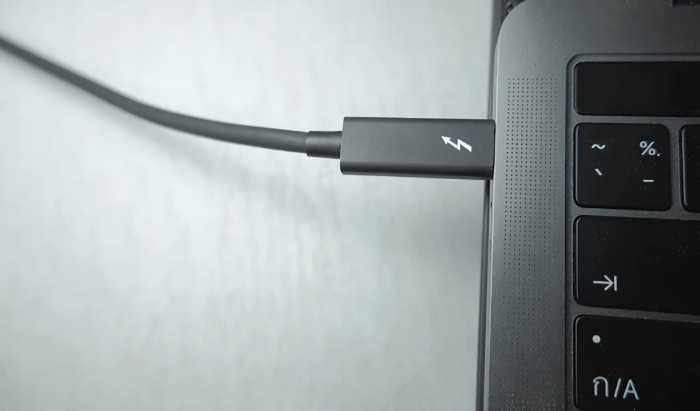
Deciding whether to spend extra on Thunderbolt 5 hardware depends heavily on your daily workload and the computer sitting on your desk. Checking both your actual needs and your machine’s internal limits prevents expensive compatibility surprises.
Needs Assessment: Thunderbolt 4 versus Thunderbolt 5
Everyday users who handle office documents, web browsing, video calls, and one or two 4K monitors rarely saturate a 40 Gbps connection. For those workloads, Thunderbolt 4 docks and accessories offer far better value while delivering the same single-cable convenience.
Power users, by contrast, see immediate returns from Thunderbolt 5. Anyone editing multi-stream 8K video, transferring massive files to PCIe Gen 4 external SSDs, running triple 4K screens at 144Hz, or charging a heavy workstation laptop through one cord will benefit directly from the upgrade.
Pre-Purchase Hardware Checklist
Before ordering a Thunderbolt 5 dock, monitor, or cable, walk through four verification steps to make sure every piece works together as expected:
- Check your computer’s port specifications in the manufacturer’s manual or product sheet to confirm at least one port explicitly lists Thunderbolt 5 support.
- Verify your processor’s maximum external display limit, ensuring your laptop or desktop chip can natively drive the exact number and resolution of monitors you plan to connect.
- Confirm the power wattage your laptop requires under heavy load, then check that your chosen dock outputs at least that amount, up to 140W or 240W.
- Look for the official Thunderbolt 5 lightning-bolt logo on every cable and accessory package, and measure your desk distance so you know whether you need a passive cord up to 3.3 feet (1 meter) or a longer active cable.
Conclusion
Thunderbolt 5 marks a substantial upgrade in desktop and laptop connectivity, packing 80 Gbps two-way speeds, 120 Gbps video boost, up to 240W charging, and multi-8K display support into the familiar USB-C shape. By delivering high-speed PCIe data lanes and DisplayPort 2.1 through one standardized port, it turns a single cable into a complete link for power, monitors, and storage.
Even with those capabilities, moving to the newest standard makes sense only when your hardware and daily workload actually hit older limits. Creative professionals transferring massive video files, PC gamers using external graphics enclosures, and workstation users powering heavy laptops gain clear advantages right away.
For office work, web browsing, and dual 4K screens, Thunderbolt 4 remains the more practical and cost-effective choice.
Frequently Asked Questions
Do I need new accessories if I buy a Thunderbolt 5 laptop?
No, your existing Thunderbolt 4, Thunderbolt 3, USB4, and standard USB-C accessories will continue working without adapters. Thunderbolt 5 is fully backward compatible with older hardware. However, plugging in an older dock, drive, or cable automatically caps the connection at that older device’s maximum speed and charging limit.
Is Thunderbolt 5 the same thing as a USB-C or USB4 port?
No, USB-C is only the physical oval port shape, whereas Thunderbolt 5 is a strictly certified technology running inside it. Unlike standard USB4 ports, which allow computer makers to include slower 20 Gbps or 40 Gbps tiers, every Thunderbolt 5 port guarantees full 80 Gbps speeds, PCIe data lanes, and high-wattage charging.
Can a single Thunderbolt 5 cable really charge a heavy gaming laptop?
Yes, Thunderbolt 5 supports up to 240W of electrical power through one cable, which is enough for many large gaming laptops and mobile workstations. It sets a mandatory 140W charging baseline and uses USB Power Delivery 3.1 to reach 240W. Your laptop, dock, and cable must all support that wattage to skip the bulky power brick.
How long can a Thunderbolt 5 cable be before it loses speed?
Standard passive Thunderbolt 5 cables only reach full 80 Gbps and 120 Gbps speeds at lengths up to 3.3 feet (1 meter). Longer desk runs require specialized active cables, which contain signal-boosting chips inside the plugs. Those active cables maintain top performance over greater distances, though they are noticeably thicker and more expensive.
Is Thunderbolt 5 worth paying extra for right now?
Thunderbolt 5 is worth the extra cost only if you regularly transfer huge files, drive three 4K monitors at 144Hz, or charge a heavy workstation through one cord. Because Thunderbolt 5 docks often cost $300 or more, everyday users browsing the web or running two 4K screens get much better value from Thunderbolt 4.
About the Author: Julio Caesar