
Coaxial vs. HDMI Cable: Which One Should You Use?

Sorting through a tangle of wires behind an entertainment center often causes confusion for homeowners setting up a television or internet router. Thick, round coaxial lines and flat, multi-pin HDMI cords both carry entertainment signals, yet they serve completely different roles in modern consumer electronics.
Coaxial wiring brings broadband internet and broadcast television feeds from utility networks into the living room, whereas HDMI connections transfer high-definition video and audio directly between local media players, gaming consoles, and displays. Building a reliable media setup requires evaluating internal design differences, audio-video performance capabilities, and physical installation limits.
Matching each cord to the proper port also involves standard device setups and active signal conversion options when bridging older broadcast gear with current monitors.
Key Takeaways
- Coaxial cables transmit modulated Radio Frequency (RF) signals over distances of 100 to 300 feet (30.5 to 91.4 meters) without major loss, making them ideal for bringing outdoor antenna, satellite, and broadband internet feeds into the home.
- Modern HDMI 2.1 cables support up to 48 Gbps of uncompressed digital bandwidth, enabling 4K resolution at 120Hz, 8K video, and object-based spatial audio formats like Dolby Atmos over short runs under 25 feet (7.6 meters).
- Standard passive HDMI cords begin losing signal integrity past 15 to 25 feet (4.6 to 7.6 meters) and can break internally if bent sharply inside walls, whereas rigid coaxial lines feature threaded F-type connectors that withstand tight pulls.
- Connecting a coaxial wall outlet to an HDMI-only monitor or projector requires an active digital tuner box or RF demodulator, because a simple physical adapter cannot translate modulated analog waves into digital video packets.
- Existing in-wall coaxial wiring can be converted into a high-speed wired home network using Multimedia over Coax (MoCA) adapters, delivering gigabit internet speeds to streaming devices and gaming consoles without running new Ethernet lines.
Overview and Primary Functions of Each Cable
Home entertainment and internet setups rely on specialized wiring to move information from outdoor utility lines to living room screens. Coaxial and HDMI cables handle very different stages of media delivery, defined by their internal construction and how they process data.
Design and Traditional Purpose of Coaxial Cables
A coaxial cable is built around four concentric layers that protect signals from outside interference. At the center sits a solid copper or copper-clad steel wire that carries the electrical signal.
Surrounding that core is a layer of plastic foam called a dielectric insulator, which maintains precise spacing between the center wire and the outer shielding. Woven metal mesh and aluminum foil wrap around the insulator to block electromagnetic interference from household appliances or nearby power lines, all encased in a tough plastic outer jacket.
For decades, service providers have relied on coaxial lines such as RG-6 and RG-59 to distribute cable television channels, connect rooftop radio antennas, and deliver high-speed broadband internet to home modems.
Architecture and Modern Media Role of HDMI Cables
High-Definition Multimedia Interface (HDMI) cables use a completely different internal layout designed for high-speed digital electronics. Instead of a single central core, a standard HDMI cord contains 19 individual pins connected to twisted pairs of fine copper wire.
Each internal wire group has a dedicated job, such as carrying red, green, and blue video data, synchronizing clock signals, or managing device communication protocols like Consumer Electronics Control (CEC). Since its introduction in the early 2000s, HDMI has replaced bulky component and composite wiring to become the universal standard for local media connections.
Almost every modern television, computer monitor, Blu-ray player, streaming stick, and gaming console uses an HDMI port as its primary audio-video link.
Signal Transmission: Radio Frequency vs. Uncompressed Digital Data
The fundamental difference between the two wiring types lies in how they move information from one point to another. Coaxial cables carry modulated Radio Frequency (RF) signals, where audio, video, or internet data are combined and encoded onto electromagnetic carrier waves across multiple frequency channels.
Receiving equipment must tune into a specific frequency and demodulate the wave to extract the picture or data stream. Conversely, HDMI cables transmit raw, uncompressed digital video and audio packets directly from a source processor to a display.
Because the signal requires no modulation or compression over the cord, an HDMI link preserves exact pixel accuracy and timing without needing a tuner on the receiving end.
Audio and Video Performance Comparison
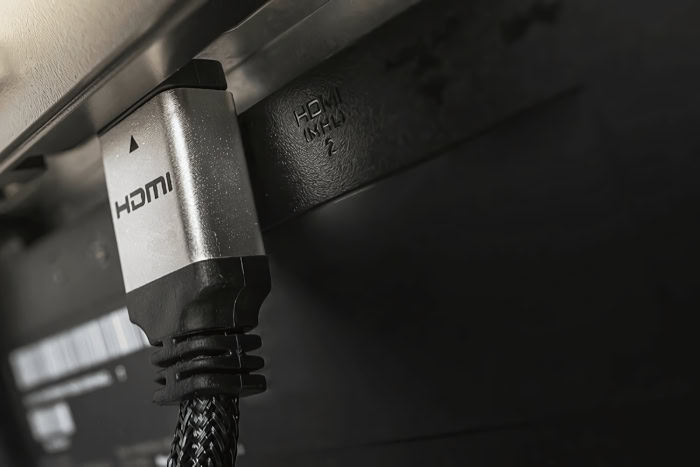
Picture sharpness and sound clarity depend heavily on how much data a wire can carry at once. Comparing resolution limits, audio channels, and total bandwidth shows why each connection fits specific hardware roles.
Resolution Standards and Refresh Rate Capabilities
Standard video distribution over coaxial lines is constrained by radio channel bandwidth and broadcast compression. Traditional analog coaxial feeds top out at standard definition, or 480i, while digital cable and over-the-air broadcasts use heavy compression to fit 720p or 1080i high-definition signals into a 6 MHz frequency slice.
While modern ATSC 3.0 broadcast standards allow compressed 4K feeds over antenna coax, the signal still undergoes noticeable video compression before reaching the screen. In contrast, HDMI connections carry pristine, uncompressed digital video at much higher frame rates.
Earlier HDMI 1.4 cords easily handle Full HD 1080p at 60Hz, HDMI 2.0 supports 4K resolution at 60Hz, and modern HDMI 2.1 cables deliver uncompressed 4K video at 120Hz or 8K resolution at 60Hz for smooth gaming and cinema playback.
Audio Format Support from Stereo to Surround Sound
Audio performance shows an equally wide gap between the two interfaces. When used for standard RF television broadcasts or specialized Sony/Philips Digital Interface (S/PDIF) digital audio links, coaxial cables have limited capacity.
A digital coaxial audio cable can transmit uncompressed stereo Linear PCM sound or compressed 5.1 surround sound formats like standard Dolby Digital and DTS, but it lacks the bandwidth for lossless multi-channel audio. Modern HDMI cables support up to 32 channels of uncompressed digital audio alongside the video feed.
With Enhanced Audio Return Channel (eARC) technology built into HDMI 2.1 ports, a single cord can send high-bitrate, object-based spatial audio formats such as Dolby TrueHD, Dolby Atmos, and DTS:X directly from a television to a soundbar or AV receiver.
Total Data Bandwidth and Transmission Speed
Raw transmission speed explains why HDMI handles uncompressed media while coaxial relies on data compression. A single digital television channel traveling over an RG-6 coaxial cable typically carries between 19 Mbps and 38 Mbps of compressed video and audio data.
Even when dozens of channels are bundled together for broadband internet using DOCSIS 3.1 technology, total shared downstream throughput over a home coaxial line generally ranges from 1 Gbps to 10 Gbps. By comparison, HDMI operates at massive speeds dedicated entirely to a single media stream.
Standard HDMI 1.4 offers 10.2 Gbps of bandwidth, HDMI 2.0 increases capacity to 18 Gbps, and Ultra High Speed HDMI 2.1 cables reach 48 Gbps to handle uncompressed high-frame-rate video and High Dynamic Range (HDR) metadata simultaneously.
Physical Characteristics and Installation Requirements

Beyond digital bandwidth, the physical build of a cable determines where and how it can be installed inside a building. Connector locking mechanisms, signal loss over distance, and bending tolerances all factor into routing wires through walls or behind furniture.
Connector Styles and Durability
Coaxial cables are built for secure, semi-permanent installations that resist accidental unplugging. Consumer television and internet lines use threaded F-type connectors that screw directly onto matching metal ports, creating a tight mechanical bond.
Professional video and radio setups often use Bayonet Neill-Concelman (BNC) coaxial connectors, which lock into place with a quick quarter-turn twist. On the other hand, standard Type-A HDMI connectors use a friction-fit design where a metal shroud housing 19 delicate contact pins slides into a port without a locking mechanism.
While convenient for quick swaps behind a television, heavy HDMI cords can easily slip loose or bend their port pins if pulled downward by gravity or bumped during cleaning.
Maximum Usable Distance and Signal Degradation
Signal attenuation, or the gradual loss of signal strength over distance, affects these two wiring types very differently. Thanks to thick copper cores and heavy insulation, RG-6 coaxial cables can carry RF signals across long runs of 100 to 300 feet (30.5 to 91.4 meters) or more before experiencing severe signal drop.
Utility companies and installers routinely route coaxial lines from street pedestals to attics and down into basements without needing powered boosters. Passive copper HDMI cables, however, struggle over long distances because high-frequency digital packets degrade rapidly.
Most standard passive HDMI cords become unreliable past 15 to 25 feet (4.6 to 7.6 meters), resulting in screen flickering, digital snow, or complete blackouts unless installers switch to active fiber-optic HDMI cables or powered signal extenders.
Cable Flexibility and In-Wall Pathway Management
Pulling wires through wall studs, floor joists, and tight conduits requires careful attention to physical durability. Coaxial cables feature a thick, rigid profile that resists crushing, pinching, and abrasion when dragged across rough wood or masonry during construction.
Even if bent firmly around a corner, the single center conductor inside a coaxial line rarely snaps. Standard HDMI cables are often thinner and more flexible depending on their gauge, yet their internal bundle of 19 tiny wires is much more fragile.
Pulling an HDMI cord too hard through a narrow wall conduit or forcing it into a sharp 90-degree bend behind a flush-mounted television can break the microscopic internal solder joints, permanently ruining the cable.
Standard Home Media Equipment Setups

Most modern living rooms use both coaxial and HDMI cables together rather than picking one over the other. Tracing the signal path from outside walls to displays and speakers illustrates how each cord handles its part of the entertainment chain.
Cable Box and Satellite Receiver Connections
Pay-television setups rely on a two-step wiring path that pairs both cable types. A coaxial line runs from the exterior utility box or satellite dish through the wall and screws into the RF input port on the back of a provider’s set-top box.
That receiver tunes into the selected channel, decrypts the provider’s security encoding, and converts the compressed broadcast into raw digital video and audio. From there, an HDMI cable connects the receiver’s output port to the television display.
Many homeowners mistakenly try to skip the set-top box by screwing a cable provider’s coaxial wire directly into the back of a smart television, which fails because encrypted cable and satellite feeds cannot be decoded without the provider’s dedicated hardware.
Over-the-Air Antenna Integration for Smart TVs
Free over-the-air broadcast television is the primary scenario where a coaxial cable connects directly to a modern display. Mounted on a roof or placed near a window, an indoor or outdoor digital antenna captures local broadcast waves and sends them down a coaxial line.
When screwed directly into the threaded antenna input on a television, the display uses its built-in Advanced Television Systems Committee (ATSC) tuner to decode the unencrypted local channels. If a household uses an external digital video recorder (DVR) or a standalone ATSC 3.0 tuner box to record live broadcasts, the antenna’s coaxial wire plugs into that external tuner first, and an HDMI cord carries the decoded picture to the television.
Soundbar and AV Receiver Audio Pass-Through
Connecting external speakers to a television highlights how HDMI has simplified home audio wiring. Older home theater receivers and soundbars often rely on an orange-tipped RCA coaxial S/PDIF cable to carry digital audio from the television to the sound system.
While reliable for basic 5.1 surround sound, a coaxial audio link requires a separate cable and cannot sync volume controls between remotes. Modern soundbars and AV receivers use HDMI Audio Return Channel (ARC) or eARC ports to handle everything over a single cord.
Plugging an HDMI cable between the television’s eARC port and the sound system transmits uncompressed spatial audio while allowing the television remote to control speaker volume and power automatically.
Signal Conversion and Compatibility Solutions

Upgrading one piece of home theater gear often leaves homeowners with mismatched ports between old wiring and new electronics. Bridging the gap between coaxial lines and HDMI ports requires specialized hardware that actively translates signals rather than just changing plug shapes.
The Distinction Between Passive Adapters and Active Modulators
Shoppers looking to connect a coaxial wire to an HDMI port often search for a cheap, single-piece plug adapter, only to find that no such passive connector exists. A passive adapter simply reroutes electrical pins from one plug shape to another, such as converting DisplayPort to HDMI or DVI to HDMI.
Because coaxial cables carry modulated analog or RF waveforms and HDMI ports expect uncompressed digital data packets, physically splicing the wires together produces nothing at all. Translating between the two formats requires a powered active converter box containing a dedicated demodulator, analog-to-digital converter, and video scaler chip that actively decodes the radio frequency and rebuilds it into a valid HDMI signal.
Standalone Tuner Boxes for Legacy Television Sets
Computer monitors, video projectors, and commercial tuner-free displays lack the threaded coaxial port and internal tuner needed to watch over-the-air antenna broadcasts. Conversely, vintage televisions with only a coaxial input cannot accept modern HDMI streaming sticks without an RF modulator.
To watch antenna television on an HDMI-only projector or monitor, users must install a standalone digital converter box. The antenna’s coaxial cable screws into the converter box, which tunes the channels and outputs an HDMI signal to the screen.
When selecting a standalone tuner, buyers should check for 1080p or 4K upscaling capabilities, Dolby Digital audio pass-through, an easy-to-read electronic program guide, and USB ports for recording live shows.
Multimedia Over Coax (MoCA) Network Adapters
Even when a household switches completely from traditional cable television to internet streaming, existing in-wall coaxial lines remain highly useful. Multimedia over Coax Alliance (MoCA) network adapters turn unused coaxial television wiring into a fast, low-latency Ethernet backbone.
By connecting one MoCA adapter to the home router and plugging a second adapter into a coaxial wall outlet in a distant bedroom or office, data travels through the walls over the coaxial copper core. Modern MoCA 2.5 adapters deliver up to 2.5 Gbps of network bandwidth, providing rock-solid internet connections to smart televisions, streaming boxes, and gaming consoles that then output video to displays via HDMI.
Conclusion
Coaxial and HDMI cables rarely compete for the same job in a modern home; instead, they work as partners across different stages of media delivery. Coaxial wiring excels at long-distance durability, bringing broadband internet, satellite feeds, and over-the-air antenna broadcasts from the outside world into the house without losing signal strength.
Once those signals reach a modem, set-top receiver, or tuner, HDMI takes over to deliver uncompressed high-definition video and multi-channel surround sound across the short distance to televisions and soundbars.
Selecting the right cord comes down to three practical factors: device ports, run length, and media format. Use RG-6 coaxial cables with threaded F-type connectors for antennas, cable modems, and in-wall runs stretching up to 300 feet (91.4 meters).
Choose certified High Speed or Ultra High Speed HDMI cables for local links under 25 feet (7.6 meters) where 4K or 8K resolution, high refresh rates, and spatial audio matter most. Matching each cable to its intended role ensures every screen and speaker in the home performs at its full potential.
Frequently Asked Questions
Can I use a simple plug adapter to connect a coaxial cable to an HDMI port?
No, a simple physical plug adapter cannot connect a coaxial cable directly to an HDMI port. Coaxial lines carry modulated radio frequency signals, whereas HDMI ports require uncompressed digital video and audio packets. Bridging the two requires a powered converter box or digital tuner that actively decodes the signal and converts it into an HDMI stream.
Does an HDMI cable give you a better picture than a coaxial cable?
Yes, an HDMI cable delivers a much sharper and smoother picture than a coaxial connection. Coaxial television feeds are heavily compressed and usually max out at 720p or 1080i resolution. Modern HDMI 2.1 cables carry up to 48 Gbps of uncompressed digital data, supporting crystal-clear 4K and 8K video at refresh rates up to 120Hz.
How far can you run an HDMI cable compared to a coaxial cable?
Coaxial cables can run much farther than standard HDMI cords without losing signal quality. A typical RG-6 coaxial line reliably carries signals across 100 to 300 feet (30.5 to 91.4 meters) inside walls or outdoors. Standard passive copper HDMI cables begin dropping video signals after just 15 to 25 feet (4.6 to 7.6 meters) without an active booster.
Why will my cable TV coax wire not work when plugged straight into my smart TV?
Encrypted cable television signals cannot be decoded by a smart TV’s internal tuner on its own. Pay-television providers scramble their coaxial feeds, requiring you to connect the wall wire to a rental cable box first. The cable box unlocks the channels and sends the decoded picture to your television over an HDMI cord.
Should I use HDMI or digital coaxial for my soundbar connection?
You should use an HDMI ARC or eARC connection over a digital coaxial audio cable whenever possible. Digital coaxial cables are limited to stereo sound and compressed 5.1 surround audio. An HDMI eARC link supports uncompressed multi-channel spatial audio like Dolby Atmos and lets you adjust the soundbar volume using your regular television remote.
About the Author: Julio Caesar


