
Is the iPad Pro Worth It? Pros, Cons, and Costs

The iPad Pro represents the peak of modern tablet engineering, yet its steep price turns a simple hardware upgrade into a major financial investment. As mobile processors rival desktop computers and detachable keyboards mimic clamshell notebooks, the boundary between tablets and personal laptops continues to blur.
Prospective buyers face a central question: does Apple’s flagship slate deliver enough practical utility to justify its premium cost over standard laptops or mid-range tablets? Answering that question requires weighing the M5 hardware specifications against the everyday constraints of iPadOS 27. A complete evaluation also demands calculating the total cost of ownership with essential accessories, comparing alternatives like the iPad Air and MacBook Air, and identifying which user profiles actually benefit from pro-level tablet power.
Key Takeaways
- Unmatched Display and Chipset: The M5 iPad Pro pairs a 120Hz Tandem OLED Ultra Retina XDR display with desktop-class silicon, delivering visual clarity and rendering speeds that outperform most ultraportable laptops.
- Software Remains the Primary Bottleneck: Despite windowing improvements in iPadOS 26 and iPadOS 27, the operating system still lacks full desktop software parity for coding, complex spreadsheets, and advanced file management.
- High True Cost of Ownership: Starting at $1,199 for the 11-inch model and $1,499 for the 13-inch version, a complete laptop-style setup with a Magic Keyboard ($299 to $349) and Apple Pencil Pro ($129) easily exceeds $1,600.
- The iPad Air Suits Most Buyers: For general productivity, note-taking, and media consumption, the M4 iPad Air delivers roughly 85% of the flagship experience for hundreds of dollars less.
- Built for Specialized Creatives: Visual artists, illustrators, and mobile video editors gain the highest return on investment by actively utilizing the low-latency stylus input and color-accurate HDR panel.
Premium Hardware Specifications and Unique Features
Apple designs the iPad Pro to showcase its most advanced component engineering, packing display technology and silicon architecture into a chassis thinner than many smartphones. Evaluating the tablet starts with looking at what separates its physical build from standard consumer slates.
The Ultra Retina XDR Display and High Refresh Rates
The centerpiece of the iPad Pro is its Ultra Retina XDR display, which uses a tandem OLED architecture that stacks two organic light-emitting diode panels together. By combining the light output of two layers, the screen achieves 1,000 nits of full-screen brightness for standard and high dynamic range content, alongside 1,600 nits of peak HDR brightness.
Unlike traditional liquid crystal displays or older mini-LED screens, tandem OLED controls illumination at the individual pixel level, producing true blacks, a 2 million-to-1 contrast ratio, and zero blooming around bright text on dark backgrounds.
Alongside contrast and brightness, the display features ProMotion technology, which dynamically adjusts the refresh rate between 10Hz and 120Hz based on on-screen movement. Scrolling through long documents, panning across high-resolution canvases, and sketching with the Apple Pencil Pro feel instantaneous.
Compared to the 60Hz panels found on standard tablets, the 120Hz refresh rate eliminates motion blur and reduces visible latency between the stylus tip and the digital ink.
Apple Silicon Performance and Graphic Capabilities
Inside the chassis sits the M5 chip, built on advanced fabrication architecture that brings workstation-grade speed to a fanless tablet. Configurations with 256GB or 512GB of storage include a 9-core CPU and 12GB of unified memory, while the 1TB and 2TB models step up to a 10-core CPU and 16GB of RAM.
Both variants incorporate a 10-core GPU with hardware-accelerated ray tracing and dedicated Neural Accelerators inside each core, boosting artificial intelligence processing speeds up to 3.5 times faster than the previous M4 generation.
In demanding creative workloads, the M5 processor handles multi-stream 4K ProRes video rendering, complex 3D modeling in apps like ZBrush and Shapr3D, and console-tier gaming without dropped frames. Because the tablet relies on passive cooling through its aluminum enclosure and copper heat spreaders, sustained heavy loads can cause the processor to throttle slightly to manage surface temperatures.
Even so, power efficiency remains strong, routinely delivering 10 hours of active web browsing or video playback on a single charge.
Device Design, Audio Quality, and Port Selection
Physical portability is one of the tablet’s most striking attributes. The 11-inch model measures 0.21 inches (5.3 mm) thin and weighs 0.98 lbs (0.44 kg), while the expansive 13-inch version trims the profile down to 0.20 inches (5.1 mm) and weighs 1.28 lbs (0.58 kg).
Despite the remarkably thin aluminum frame, the internal structural ribs keep the body rigid during everyday transport in a backpack.
Audio output is driven by a four-speaker sound system that automatically adjusts high and mid frequencies depending on how the device is held, producing wide stereo separation and noticeable bass for a slate of its thickness. Four studio-quality microphones handle voice capture and noise reduction during video calls on the 12MP Center Stage camera, which sits along the long horizontal edge.
At the base, a single Thunderbolt / USB 4 port supports data transfers up to 40 Gbps, high-speed external storage arrays, and external monitor output at up to 6K resolution or 120Hz refresh rates.
iPadOS Capabilities and System Constraints
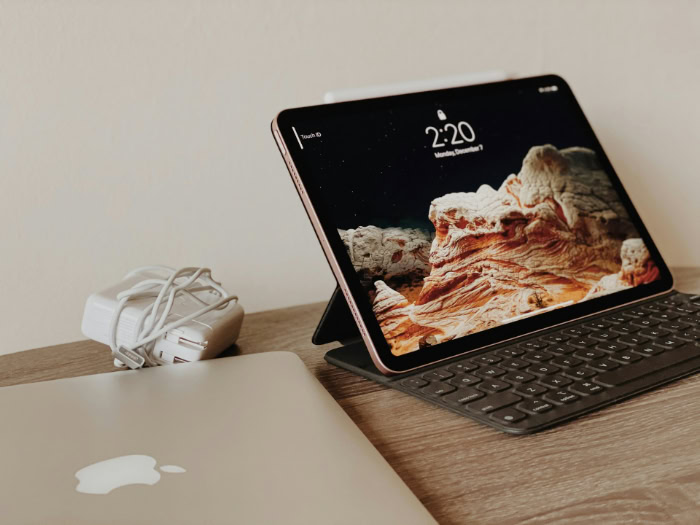
While the internal hardware rivals modern laptops, the daily user experience is governed by iPadOS. Recent software generations have introduced desktop-inspired features, yet fundamental architectural differences still separate Apple’s tablet software from macOS.
Window Controls and Stage Manager Functionality
With the introduction of the Liquid Glass interface in iPadOS 26 and subsequent refinements in iPadOS 27, Apple overhauled how the iPad handles multiple applications. Users can resize app windows freely, summon a persistent top menu bar, and use traffic-light window controls to minimize or tile applications.
Tiling an app to the left or right edge immediately reveals the Home Screen to select a second app with a single tap, smoothing out side-by-side workflows.
For power users, Stage Manager groups multiple overlapping windows into distinct workspaces along the side of the screen and extends the workspace to an external monitor. While running up to four apps on the tablet and four more on an external display works well with a trackpad and mouse, touch-only users frequently encounter friction.
Accidental window resizing, aggressive screen borders, and the lack of unlimited window placement still make heavy multitasking feel more constrained than on a traditional desktop operating system.
File System Navigation and External Drive Support
File management centers on the Files app, which gained customizable folder icons, dockable folders, and a dedicated Preview app for PDF markup in recent updates. Connecting an external NVMe SSD, SD card reader, or network server via the Thunderbolt port allows creators to offload camera footage and open project files directly from external media.
Background task APIs also allow large file transfers and video exports to continue while switching between apps.
Despite these upgrades, the Files app lacks the transparency and reliability of Mac Finder or Windows Explorer. Users cannot easily inspect hidden system directories, format drives with advanced partitioning schemes, or monitor detailed transfer speeds during multi-gigabyte backups.
Furthermore, many tablet applications still require importing files into their own isolated app storage rather than editing files directly in place on an external drive, creating duplicate files that quickly consume internal storage.
Software Limitations: Mobile Applications vs. Desktop Programs
The most significant barrier to replacing a computer with an iPad Pro lies in third-party software parity. Touch-first creative applications built specifically for the platform, such as Procreate, Logic Pro for iPad, and Final Cut Pro for iPad, offer responsive interfaces that take full advantage of multi-touch gestures and stylus input.
Working on illustrations or mixing multi-track audio feels natural and fast.
Conversely, traditional office and technical software often arrives as a scaled-up mobile version. Microsoft Excel on iPadOS lacks support for complex VBA macros and advanced pivot table tools that financial analysts rely on daily.
Adobe Photoshop on the iPad omits several deep retouching filters and batch-processing actions found on the desktop version. Additionally, software engineers cannot natively compile desktop code, run local Docker containers, or use full desktop integrated development environments without remoting into a separate server.
Total Financial Investment and Accessory Costs

Evaluating the value proposition of the iPad Pro requires looking beyond the advertised base price. Once storage upgrades and essential productivity accessories enter the equation, the total expenditure climbs into premium laptop territory.
Base Model Prices and Storage Upgrades
Following Apple’s price adjustments, the 11-inch iPad Pro starts at $1,199 with 256GB of storage and Wi-Fi connectivity, while the 13-inch model begins at $1,499. Moving up the storage ladder adds considerable cost: upgrading to 512GB adds $200, 1TB adds $600, and the top 2TB configuration adds $1,000 to the base price.
Adding 5G cellular capabilities with the C1X modem requires an extra $200 across all tiers.
Buyers interested in the glare-reducing nano-texture glass face an additional pricing hurdle. While the nano-texture etching itself is a $100 add-on, Apple restricts the option exclusively to the 1TB and 2TB configurations.
As a result, the least expensive way to get an iPad Pro with nano-texture glass is $1,899 for the 11-inch model or $2,199 for the 13-inch version.
Key Add-Ons: The Magic Keyboard and Apple Pencil
Out of the box, the iPad Pro is strictly a glass slate. Transforming it into a laptop alternative or a digital drawing studio requires purchasing first-party accessories sold separately.
The redesigned Magic Keyboard, which adds an aluminum palm rest, a haptic glass trackpad, a 14-button function row, and a pass-through USB-C charging port, costs $299 for the 11-inch model and $349 for the 13-inch model.
For creative workflows and handwritten notes, the Apple Pencil Pro adds another $129, bringing squeeze gestures, barrel roll detection, and haptic feedback. Combining a base 256GB 13-inch iPad Pro ($1,499) with its Magic Keyboard ($349) and Apple Pencil Pro ($129) brings the pre-tax total to $1,977.
That figure surpasses the starting price of a 13-inch or 15-inch MacBook Air and competes directly with entry-level MacBook Pro configurations.
Device Longevity and Hardware Durability
One factor that softens the high upfront cost is the extended usable lifespan of Apple’s flagship tablets. Because the M-series processors hold a massive performance surplus over what mobile apps demand, an iPad Pro rarely feels sluggish after three or four years of ownership.
Apple consistently provides major iPadOS feature updates for five to seven years after release, followed by additional years of security patches.
Pro-tier iPads also retain strong resale and trade-in values on the secondary market, typically holding 45% to 55% of their original value after three years if kept in good cosmetic condition. When amortized over a five-year ownership cycle, the annual cost of the hardware becomes much more reasonable for professionals who use the device daily.
Comparison with Alternative Devices

Before committing to the flagship model, buyers should weigh the iPad Pro against overlapping products within Apple’s own lineup, as well as previous-generation hardware.
iPad Pro vs. iPad Air: Technical Contrast
The M4 iPad Air is the closest competitor to the iPad Pro, available in the same 11-inch ($749) and 13-inch ($949) screen sizes and compatible with both the Apple Pencil Pro and Magic Keyboard. However, the Air makes calculated hardware trade-offs to hit its lower price point.
It uses a standard 60Hz Liquid Retina LCD screen instead of the 120Hz Tandem OLED panel, relies on a top-button Touch ID sensor rather than Face ID, features a two-speaker audio setup instead of four speakers, and provides a slower USB-C port rather than Thunderbolt.
For the vast majority of students and office workers, the M4 chip inside the iPad Air is virtually indistinguishable from the M5 in daily responsiveness. Unless a buyer specifically demands the 120Hz refresh rate, HDR OLED contrast, or Thunderbolt transfer speeds, the iPad Air represents a far more sensible financial choice.
iPad Pro vs. MacBook: Tablet Convenience vs. Traditional Laptop Utility
Comparing the iPad Pro with a Magic Keyboard against a MacBook Air highlights a fundamental difference in physical ergonomics and input philosophy. Because all the computer components of the iPad sit behind the screen, a docked iPad Pro is top-heavy and has a narrower hinge adjustment range, making it less stable when balanced on a lap during a commute or flight.
A MacBook Air offers a wider keyboard deck, a larger trackpad, and roughly 15 to 18 hours of battery life compared to the iPad’s 10 hours.
Conversely, a MacBook cannot detach from its keyboard to become a lightweight reading slate, nor does it support direct stylus input for drawing or annotating PDFs on the screen. Buyers whose tasks revolve around typing, spreadsheets, and multi-window web apps will achieve higher productivity per dollar on a MacBook Air, whereas tactile thinkers and illustrators will prefer the modular versatility of the iPad Pro.
Previous-Generation and Certified Refurbished Models
Because tablet hardware has matured rapidly, generational leaps between adjacent models yield diminishing returns for everyday users. The previous-generation M4 iPad Pro features the exact same industrial design, Tandem OLED display, compatibility with the Apple Pencil Pro, and aluminum Magic Keyboard as the M5 model.
Outside of heavy local AI processing and Wi-Fi 7 connectivity, most users will not notice the processor difference.
Even older M2 iPad Pro units available through Apple’s Certified Refurbished store or reputable third-party retailers still offer 120Hz ProMotion displays, Face ID, and desktop-class processors at discounts of 30% to 45% off current retail prices. Opting for a previous-generation flagship is an effective way to secure premium display and audio hardware while avoiding the steep retail markup.
Ideal User Profiles and Recommendations

Determining if the iPad Pro justifies its price tag depends entirely on how closely a buyer’s daily routine aligns with the tablet’s unique hardware strengths.
Visual Artists and Media Creators
For professional illustrators, concept artists, tattoo designers, and photo retouchers, the iPad Pro is an industry-standard tool. Combining the zero-gap Tandem OLED display with the pressure sensitivity and barrel-roll precision of the Apple Pencil Pro creates a drawing experience that rivals dedicated desktop pen displays from Wacom.
Furthermore, Reference Mode on the Ultra Retina XDR display allows video colorists and photographers to evaluate HDR footage and color grading with strict adherence to industry color standards on set. For these creators, the tablet is a direct business investment that easily pays for itself.
Mobile Professionals and Frequent Travelers
Executives, consultants, and field professionals who spend their days moving between client meetings and airport lounges benefit from the tablet’s modularity and instant-on convenience. With built-in 5G cellular connectivity, travelers can work securely from anywhere without tethering to a phone hotspot or trusting public Wi-Fi networks.
Detaching the tablet from the Magic Keyboard makes reviewing contracts, signing documents, and delivering client presentations effortless. However, professionals who travel without a secondary laptop must ensure their company’s internal web portals and enterprise software function properly within mobile Safari and iPadOS apps.
Everyday Consumers and Casual Tablet Users
For casual users whose tablet habits consist of streaming video on Netflix, browsing the web, managing personal email, and scrolling through social media, the M5 iPad Pro is massive hardware overkill. While the OLED screen and four speakers make movies look and sound spectacular, spending over $1,199 for media consumption leaves the vast majority of the processor and Thunderbolt capabilities completely unused.
Everyday consumers are much better served by the entry-level iPad, the OLED iPad mini, or the iPad Air, keeping hundreds of dollars in their pockets without sacrificing day-to-day enjoyment.
Conclusion
The iPad Pro stands as a triumph of hardware miniaturization, pairing the brightest, most responsive OLED screen on the market with the extraordinary speed of the M5 processor. Yet that hardware excellence sits alongside clear software boundaries and a steep financial barrier.
Even with the improved windowing and file tools in iPadOS 27, the operating system still prioritizes touch simplicity over the unrestricted flexibility of a desktop computer, and outfitting the slate with a keyboard and stylus pushes the total price past many capable laptops. Consequently, the iPad Pro is a specialized powerhouse that easily justifies its premium cost for digital artists, media creators, and stylus-driven workflows, but remains an expensive, compromised laptop replacement for general office productivity.
Frequently Asked Questions
Can the iPad Pro completely replace a laptop for daily work?
The iPad Pro can replace a laptop for writing, email, web research, and media editing, but it falls short for specialized desktop workflows. Tasks involving software development, complex macro-enabled spreadsheets, or heavy local file management remain much faster and more reliable on a MacBook or Windows computer running a desktop operating system.
Is the 11-inch or 13-inch iPad Pro better for most people?
The 11-inch iPad Pro is the better choice for most users because it balances screen space with comfortable one-handed portability and costs $300 less. The 13-inch model is best reserved for digital illustrators, video editors, and frequent split-screen users who prioritize a larger workspace and plan to keep the tablet docked on a desk.
Do you really need the nano-texture glass on the iPad Pro?
Most buyers do not need the nano-texture glass upgrade unless they regularly work under bright studio lights or direct outdoor sunlight. Because Apple restricts the $100 matte coating to the expensive 1TB and 2TB storage tiers, choosing it forces a minimum spend of $1,899 on the 11-inch model, which is unnecessary for indoor use.
Is an older M4 or M2 iPad Pro still worth buying over a new one?
Buying a refurbished M4 or M2 iPad Pro is one of the smartest ways to get flagship tablet features while saving hundreds of dollars. The M4 model shares the same Tandem OLED screen and thin chassis as the M5 version, delivering nearly identical daily performance for drawing, note-taking, and media consumption at a lower price.
How long does an iPad Pro typically last before needing an upgrade?
An iPad Pro typically lasts between five and seven years thanks to its desktop-class M-series processor and Apple’s long software update cycle. Even after several years of heavy use, the hardware remains fast enough for modern applications, and the battery is usually the only component that may require servicing to keep the tablet running smoothly.
About the Author: Julio Caesar


