
Are ASUS Laptops Good? Pros, Cons & Top Models

ASUS ranks among the world’s top computer manufacturers, delivering strong value and cutting-edge hardware across a massive catalog. Overall, ASUS laptops are very good, though build quality and reliability vary significantly by model tier.
Buying a portable computer represents a major financial investment, so shoppers must look past the exterior logo and evaluate individual product lines before spending their money. A cheap plastic notebook and an aluminum workstation share the same badge yet offer completely different ownership experiences.
Evaluating the full ASUS lineup requires looking closely at each sub-brand, core hardware strengths, physical durability, and everyday ownership drawbacks. Comparing these machines against major rivals like Lenovo, Dell, HP, and Apple also helps buyers select the right configuration for their budget and daily workload.
Key Takeaways
- Stick to midrange and premium lines: ASUS builds excellent laptops in the $700 to $1,300 range, such as the Zenbook, Vivobook S, TUF Gaming, ROG, and ProArt series, while sub-$400 entry-level models suffer from flimsy plastic bodies and dim screens.
- Best-in-class OLED displays for the price: ASUS leads the market by fitting vibrant, color-accurate OLED panels into mainstream midrange laptops rather than restricting them to expensive flagship machines.
- Choose 16GB of RAM or more at checkout: Many slim Zenbook and ROG laptops use soldered memory that cannot be upgraded later, making a 16GB or 32GB upfront configuration essential for a four to six year lifespan.
- Replace heavy pre-installed software if needed: Built-in utilities like Armoury Crate and MyASUS can consume background system resources, but users can easily swap them out for lightweight open-source tools like G-Helper.
- Buy from reputable third-party retailers: Because ASUS direct mail-in warranty service frequently draws complaints for slow turnarounds and disputed claims, purchasing through retailers like Best Buy, Costco, or Amazon provides easier returns and more reliable protection plans.
Overview of the ASUS Product Lineup
ASUS produces dozens of laptop configurations each year, dividing its catalog into distinct sub-brands tailored to specific budgets and workloads. Knowing the difference between these product families prevents buyers from overpaying for unnecessary hardware or settling for an underpowered machine.
Vivobook and Zenbook Series for Daily Tasks
The Vivobook series serves as the mainstream, budget-to-midrange line designed for students, families, and casual home use. Standard Vivobook models typically cost between $400 and $800, offering dependable processors and spacious screens inside plastic or hybrid chassis.
Stepping up to the Vivobook S line brings slimmer metal lids, brighter OLED displays, and faster processors that handle heavy web browsing and office spreadsheets with ease.
The Zenbook series represents the sleek, ultra-portable premium line built for commuters, remote workers, and office professionals. Priced primarily between $850 and $1,600, Zenbooks feature all-metal enclosures, high-resolution OLED touchscreens, and multi-day battery life.
Most 14-inch Zenbook models weigh under 3 lbs (1.36 kg), making them effortless to carry in a backpack without sacrificing processor speed or port selection.
ROG and TUF Series for PC Gamers
The TUF (The Ultimate Force) Gaming series targets value-focused players who want reliable graphics performance at a lower cost. Priced mostly between $750 and $1,300, TUF laptops pair midrange AMD Ryzen or Intel Core processors with dedicated NVIDIA GeForce RTX graphics cards.
Their thicker chassis meet military-grade durability standards and leave plenty of internal room for dual cooling fans and future memory or storage upgrades.
The ROG (Republic of Gamers) family sits at the top of the gaming catalog, delivering elite performance for enthusiasts and competitive players. Within the ROG lineup, the Strix series focuses on maximum frame rates and aggressive RGB lighting, while the Zephyrus series packs top-tier graphics cards and fast Nebula OLED screens into remarkably thin, precision-milled aluminum bodies that easily double as professional laptops.
ProArt, ExpertBook, and Chromebook Series for Specialized Needs
The ProArt series caters to video editors, photographers, 3D animators, and graphic designers who need color-accurate mobile workstations. Models like the ProArt P16 and convertible PX13 come factory-calibrated for pinpoint color accuracy, pack powerful dedicated graphics cards, and include rugged chassis built to handle filming on location.
For corporate environments, the ExpertBook line provides security-focused, ultra-lightweight notebooks equipped with hardware-level encryption, webcam privacy shields, and IT management tools. At the opposite end of the spectrum, ASUS Chromebooks run Google’s lightweight ChromeOS, offering affordable, virus-resistant laptops for K to 12 students and casual users who work entirely inside a web browser.
Core Brand Strengths and Advantages

ASUS stands out in a crowded PC market by aggressively pushing high-end display technology, bold industrial engineering, and strong hardware value down into mainstream price brackets.
OLED Display Quality at Accessible Price Points
Most laptop manufacturers reserve organic light-emitting diode (OLED) screens for flagship machines costing $1,500 or more. ASUS leads the industry by placing vibrant Lumina OLED panels into midrange Vivobook and Zenbook models starting around $700.
Unlike traditional liquid crystal displays (LCDs) that rely on a single backlight, OLED panels illuminate each pixel individually.
Everyday users immediately notice the visual benefits during work and entertainment. Individual pixel control produces true, ink-like black levels, infinite contrast ratios, and rich, cinema-grade colors when streaming movies.
In addition, these panels feature fast 0.2-millisecond response times that eliminate motion blur while scrolling and emit up to 70% less harmful blue light than standard LCDs, significantly reducing eye strain during late-night work sessions.
Hardware Innovation and Unique Form Factors
While many competitors recycle identical laptop shells year after year, ASUS frequently experiments with practical new form factors. The Zenbook Duo is a prime example, replacing the traditional lower deck with a second full-sized 14-inch OLED touchscreen underneath a detachable magnetic Bluetooth keyboard.
Mobile workers can unfold the built-in kickstand and run two full screens stacked vertically or side by side, boosting productivity on the go.
Creative machines in the ProArt and Zenbook Pro lines also feature the ASUS DialPad, a physical or virtual rotary ring built into the touchpad that lets users scrub through video timelines or adjust brush sizes in Adobe software. On the materials front, ASUS developed Ceraluminum for its premium Zenbook S series.
By fusing ceramic properties into aluminum through a plasma-electrolytic oxidation process, the chassis stays lighter than conventional metal while resisting scratches, wear, and oily fingerprints.
Competitive Price-to-Performance Ratio
Dollar for dollar, ASUS consistently undercuts major competitors by bundling faster processors, larger solid-state drives (SSDs), or higher-resolution screens at the exact same price tier. Where a rival brand might sell an $850 laptop with a basic 1080p LCD screen and a 512GB SSD, an equivalent ASUS Vivobook S or Zenbook often includes a 120Hz OLED display and a 1TB SSD.
The midrange sweet spot between $700 and $1,300 represents the strongest value in the entire ASUS catalog. Buyers shopping within this bracket receive sturdy metal construction, current-generation Intel Core Ultra, AMD Ryzen AI, or Qualcomm Snapdragon processors, and premium displays without paying the steep luxury markup demanded by competing flagship lines.
Build Quality, Hardware Performance, and Lifespan

A laptop’s daily reliability depends heavily on how well its outer shell, cooling system, and battery hold up over years of opening, closing, and commuting.
Chassis Materials, Hinges, and Structural Durability
Physical build quality across the ASUS catalog splits sharply by price tier. Entry-level Vivobooks under $500 rely on polycarbonate plastic bodies that exhibit noticeable keyboard deck flex when pressed firmly.
Once buyers move up to the Vivobook S, Zenbook, ROG Zephyrus, and ProArt families, construction shifts to rigid CNC-milled aluminum, magnesium alloy, or Ceraluminum that feels solid in the hand.
Many ASUS laptops utilize an ErgoLift hinge mechanism, where the bottom edge of the screen drops slightly below the base as the lid opens. Tilting the keyboard deck by two to three degrees creates a more comfortable typing angle and opens a small gap underneath the laptop for better airflow.
While aluminum models have durable hinges, owners of cheaper plastic Vivobooks have historically reported hinge stiffness or cracking around the plastic screw mounts after two or three years of heavy use.
Thermal Management and Fan Noise Under Load
Packing fast processors and graphics cards into thin enclosures generates substantial heat. On thin-and-light Zenbook and Vivobook models, the cooling fans remain whisper-quiet during web browsing, word processing, and video streaming.
Under sustained heavy loads like exporting 4K video or compiling code, the fans spin up noticeably to prevent the processor from slowing down.
In high-performance ROG gaming laptops, ASUS uses advanced cooling architectures, including vapor chambers, ultra-thin copper heatsink fins, tri-fan layouts, and Thermal Grizzly liquid metal compounds applied directly to the processor. These components keep internal temperatures well within safe operating limits during marathon gaming sessions.
However, switching an ROG laptop into its maximum Turbo performance profile produces loud fan noise, making a good pair of headphones helpful during demanding games.
Battery Efficiency and Expected Device Longevity
Modern ASUS laptops deliver strong battery life thanks to power-efficient processors from Intel, AMD, and Qualcomm. Mainstream Zenbook and Vivobook models equipped with Intel Core Ultra, AMD Ryzen AI, or Snapdragon X-series chips routinely last 12 to 18 hours on a single charge during mixed office tasks and video playback.
High-powered ROG gaming laptops draw far more wattage, averaging five to eight hours of light unplugged use and under two hours if gaming on battery power.
A well-maintained midrange or premium ASUS laptop typically lasts four to six years before needing replacement. Because lithium-ion batteries naturally lose capacity over hundreds of charge cycles, ASUS includes a Battery Health Charging tool inside the MyASUS app.
Users who keep their laptop plugged into a desk charger most of the day can cap the maximum charge at 80%, preventing overcharging heat and extending the usable lifespan of the battery pack.
Common Drawbacks and Ownership Challenges
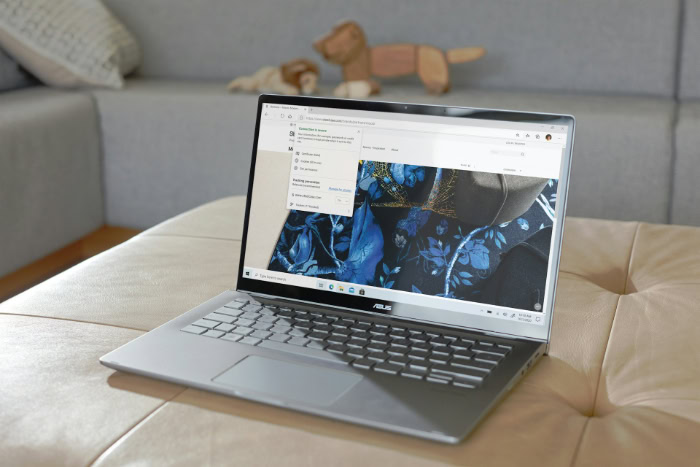
Despite strong hardware engineering, owning an ASUS laptop comes with a few well-documented frustrations regarding pre-installed software, customer service, and budget hardware compromises.
Pre-Installed Software and System Bloatware
Out of the box, ASUS laptops include several proprietary utility programs alongside third-party trial software like McAfee antivirus. The two primary first-party utilities are MyASUS, which handles driver updates, warranty checks, and battery charge limits on consumer laptops, and Armoury Crate, which controls fan curves, power profiles, and RGB lighting on TUF and ROG gaming machines.
While MyASUS is relatively lightweight, many owners and tech reviewers criticize Armoury Crate for running numerous background processes, consuming excess memory, and occasionally failing to apply power settings properly after software updates. Fortunately, users can uninstall third-party antivirus trials right away and use the official ASUS removal tool to strip out Armoury Crate.
Replacing both apps with G-Helper, a free and open-source lightweight utility created by the ASUS user community, provides instant control over fan speeds, GPU modes, and battery limits using minimal system resources.
Customer Service Reputation and Warranty Repairs
Post-purchase customer support and the mail-in Return Merchandise Authorization (RMA) process remain the brand’s biggest weak spots. Across consumer forums and hardware review platforms, ASUS has faced persistent criticism for how its repair centers handle warranty claims.
Common complaints involve slow communication updates, multi-week repair turnarounds, and disputed warranty coverage. In several publicized cases, owners who sent in laptops for minor warranty fixes received inflated repair quotes claiming that tiny cosmetic scratches on the chassis represented customer-induced damage that voided free warranty coverage.
Although ASUS has pledged over the past two years to overhaul its RMA policies and improve technician oversight, direct manufacturer support still trails behind top corporate competitors.
Compromises in Ultra-Budget Models and Upgrade Limits
Shoppers drawn to sub-$400 ASUS laptops during seasonal sales often walk away disappointed. Ultra-budget models like the Vivobook Go series frequently cut corners to hit rock-bottom prices, resulting in dim 250-nit TN or basic LCD screens with washed-out colors, mushy keyboards without backlighting, and slow entry-level processors that stutter when more than 10 browser tabs are open.
These bargain bin machines often tarnish the brand’s reputation among buyers who assume all ASUS laptops perform the same way.
Another widespread limitation involves hardware upgradeability. To make laptops as thin and light as possible, ASUS permanently solders the system memory (RAM) onto the motherboard across almost the entire Zenbook series, Vivobook S line, ProArt P16, and ROG Zephyrus lineup.
While the M.2 SSD storage drive can still be swapped out with a screwdriver, buyers cannot add more RAM down the road. Only thicker models like the TUF Gaming series, ROG Strix line, and select ExpertBooks retain removable SO-DIMM memory slots.
Competitor Comparisons and Smart Purchase Strategies

Comparing ASUS against rival computer makers and following a few simple buying rules ensures you get a reliable laptop without dealing with support headaches.
ASUS Versus Major Windows Rivals: Lenovo, Dell, and HP
Comparing ASUS against Lenovo reveals a classic trade-off between display technology and keyboard ergonomics. ASUS generally delivers superior OLED screens and sleeker metal designs at lower prices, whereas Lenovo offers class-leading typing comfort and legendary structural toughness in its ThinkPad and Legion lines.
Shoppers who type all day often favor Lenovo, while media consumers and creatives usually prefer ASUS.
Against Dell and HP, ASUS consistently wins on raw hardware specifications per dollar. A $1,000 ASUS Zenbook or TUF laptop regularly packs more storage, a faster graphics chip, or a sharper screen than a comparably priced Dell Inspiron, Dell XPS, or HP Pavilion.
However, both Dell and HP maintain much larger corporate support networks in North America and Europe, offering reliable next-business-day on-site technician repairs that ASUS cannot easily match for everyday consumers.
ASUS Versus Apple MacBooks for Everyday Users
The ASUS Zenbook S 14 and Zenbook S 16 compete directly against the Apple MacBook Air 13-inch and 15-inch models. Apple still holds a slight edge in trackpad haptics, speaker richness, and resale value, while matching or slightly beating Intel and AMD Zenbooks in unplugged battery endurance.
However, ASUS wins over everyday users in several practical areas. Zenbook models feature vibrant OLED touchscreens with smooth 120Hz refresh rates, whereas the MacBook Air relies on a standard 60Hz LCD panel without touch support.
Furthermore, ASUS includes a generous array of built-in ports, including full-sized HDMI outputs, traditional USB-A ports, and microSD card readers, sparing users from carrying the external dongles required by MacBooks.
Retailer Selection and Upfront Hardware Configuration
The smartest way to buy an ASUS laptop is through a reputable third-party retailer rather than directly from the ASUS online store. Retailers such as Best Buy, Costco, B&H Photo, Micro Center, and Amazon offer straightforward 15 to 90 day return windows if a new unit arrives with a defective pixel or faulty fan.
Buying an extended protection plan through Best Buy (Geek Squad) or Costco also lets you handle future hardware repairs directly through the store, completely bypassing the ASUS mail-in RMA center.
Before clicking checkout, buyers should verify three upfront hardware specifications:
- Memory (RAM): Select at least 16GB of RAM (or 32GB for video editing and heavy gaming) so permanently soldered memory never becomes a bottleneck down the road.
- Display quality: Confirm the screen specification lists “OLED” or “100% sRGB IPS” with at least 300 nits of brightness to avoid washed-out budget panels.
- Storage drive: Opt for at least a 512GB or 1TB SSD to ensure plenty of room for operating system updates, demanding applications, and personal files.
Conclusion
ASUS laptops are an excellent choice when buyers skip the ultra-budget plastic notebooks and stick to the midrange and premium product tiers. Models within the Vivobook S, Zenbook, TUF Gaming, ROG, and ProArt lines combine class-leading OLED displays, sturdy metal enclosures, and strong processor performance at prices that routinely beat competing brands.
Value seekers, movie watchers, PC gamers, and digital creators benefit the most from what ASUS does best. You get hardware that looks and performs like a luxury machine without paying a flagship tax.
Conversely, buyers who prioritize white-glove manufacturer warranty support, on-site corporate repairs, or easy memory upgrades in thin notebooks may be happier with a Lenovo ThinkPad or a Dell business laptop. By choosing a midrange or premium ASUS series with 16GB of RAM and purchasing through a trusted retail store, you can secure one of the most capable and visually impressive laptops on the market.
Frequently Asked Questions
How long do ASUS laptops usually last?
A well-maintained midrange or premium ASUS laptop typically lasts between four and six years of daily use. Models with aluminum chassis, such as the Zenbook, ROG, and ProArt lines, hold up much better over time than sub-$400 plastic notebooks. Using the built-in MyASUS battery health limit set to 80% also prevents early battery degradation.
What is the difference between ASUS Vivobook and Zenbook?
The ASUS Vivobook is a budget-to-midrange everyday laptop series, while the Zenbook is a thinner, premium ultraportable line. Vivobooks often use plastic or hybrid enclosures to keep prices between $400 and $900 for students and home users. Zenbooks cost more but feature all-metal or Ceraluminum bodies, longer battery life, and standard high-resolution OLED displays.
Are ASUS gaming laptops worth buying?
ASUS TUF and ROG gaming laptops are among the best gaming machines on the market for both budget and enthusiast players. The TUF series delivers dependable 1080p and 1440p frame rates under $1,200, while ROG Zephyrus and Strix models combine top-tier graphics cards, liquid metal cooling, and fast OLED screens in sleek enclosures.
Can you upgrade the RAM on an ASUS laptop?
Memory upgradeability on an ASUS laptop depends entirely on the specific product line and chassis thickness. Ultra-thin models like the Zenbook series and ROG Zephyrus line have RAM permanently soldered to the motherboard, so buyers must pick 16GB or 32GB at purchase. Thicker TUF Gaming, ROG Strix, and ExpertBook laptops usually include accessible SO-DIMM slots.
Should I uninstall Armoury Crate and MyASUS?
Uninstalling Armoury Crate is a smart move for gaming laptop owners who want fewer background processes and lower memory usage. While MyASUS is relatively light and helpful for firmware updates, Armoury Crate often runs heavy background services. Replacing both programs with the free, open-source G-Helper app gives you clean control over fans, power limits, and battery charging.
About the Author: Julio Caesar


