
Is a 144Hz Monitor Worth It? Our Honest Verdict

For years, a 60Hz display was the absolute standard for every computer setup, but the sudden push toward 144Hz monitors has left many buyers wondering if they are missing out. You might be staring at your current screen right now, questioning if a faster refresh rate is a necessary upgrade for your daily workflow, or just a clever marketing tactic designed to drain your wallet.
The jump from standard to high refresh rates completely changes how motion feels on a monitor. Fast-paced games lose their distracting blur, and even scrolling through long documents feels remarkably fluid.
Upgrading is not as simple as plugging in a new cord, though. By moving past the technical jargon and looking at everyday performance, you will soon have the exact knowledge needed to decide if the modern display benchmark actually belongs on your desk.
Key Takeaways
- A 144Hz monitor updates its image every 6.9 milliseconds, cutting the visual gap between frames by more than half compared to a standard 60Hz display.
- You must use a capable connection, like a DisplayPort or modern HDMI 2.0 cable, because older cords completely lack the bandwidth required for high refresh rates.
- Operating systems automatically default to 60Hz out of the box, meaning you must manually change your display settings to activate the 144Hz speed.
- Variable refresh rate technologies like G-Sync and FreeSync are absolutely necessary to prevent visual tearing when your graphics card frame rate drops below 144.
- While competitive gamers gain the most noticeable advantage, non-gamers also benefit from smoother document scrolling and reduced eye strain during long working sessions.
What Is Refresh Rate?
Before buying a new monitor, buyers need a clear picture of how displays actually generate moving images. The terminology thrown around by manufacturers often confuses the speed of the monitor with the speed of the computer itself.
Breaking down the science behind these numbers clarifies why a higher refresh rate changes the visual experience.
Refresh Rate (Hz) vs. Frame Rate (FPS)
Refresh rate, measured in Hertz (Hz), tells you how many times per second the monitor redraws the image on the screen. A 144Hz monitor updates 144 times a second. Frame rate, measured in frames per second (FPS), is the number of images your graphics card produces in that same second.
Ideally, these two metrics work in harmony. If your computer generates 144 frames per second, a 144Hz monitor will display every single one of them.
If the computer only pushes 60 frames per second, the 144Hz monitor can only show those 60 frames, wasting its potential.
The Visual Difference of the Upgrade
A standard 60Hz monitor updates its image every 16.7 milliseconds. Jumping to 144Hz cuts that time down to roughly 6.9 milliseconds per update.
This mathematical shift translates into a massive visual leap. Because the screen draws new information more than twice as fast, the gaps between each frame shrink significantly.
Your eyes perceive this rapid delivery of frames as smooth, continuous motion rather than a series of individual pictures rapidly flashing in sequence.
Impact on Motion Blur and Input Lag
Those smaller gaps between frames directly reduce motion blur. On slower displays, fast-moving objects leave a faint trail or “ghosting” effect because the pixels cannot change states quickly enough.
At 144Hz, the image stays sharp even during rapid camera pans. Furthermore, the faster refresh cycle inherently lowers input lag.
The time it takes for a mouse click or keyboard press to reflect on the screen drops drastically, making the entire system feel incredibly responsive.
Benefits Across Different Use Cases
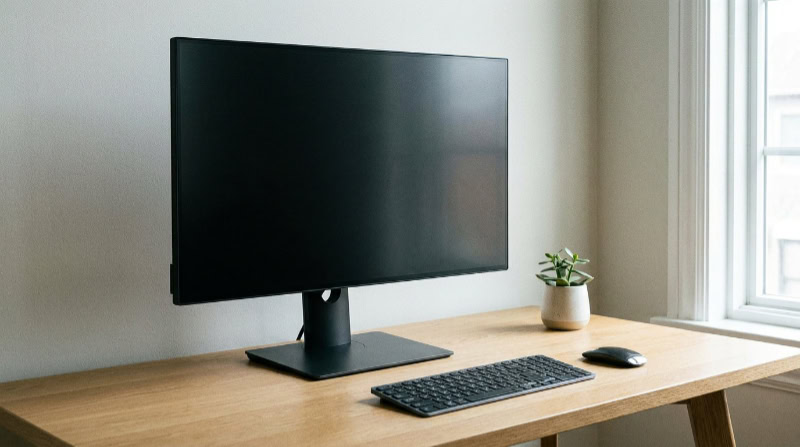
The appeal of a 144Hz display extends far beyond a single specific audience. While gamers were the first to adopt the technology, people using their computers for varied tasks quickly noticed the improvements.
Different applications take advantage of the faster screen updates in unique ways.
Fast-Paced and Competitive Gaming
For competitive gaming, specifically first-person shooters and racing titles, a 144Hz monitor is virtually a necessity today. Games like Counter-Strike or Valorant demand split-second reactions.
When the screen updates 144 times a second, players can track moving targets much easier and react slightly faster than opponents playing on 60Hz screens. The enhanced clarity during rapid movement means enemies stay in sharp focus, giving a tangible advantage during intense moments.
Casual and Immersive Gaming
You do not need to play competitive shooters to appreciate the upgrade. Slower, atmospheric role-playing games also benefit immensely.
Riding a horse through a dense forest or panning the camera across a sprawling city feels much more lifelike without the subtle stuttering of lower refresh rates. The environment retains its detail in motion, creating a deeply engaging visual experience that pulls the player further into the game world.
Everyday Productivity and General Use
Even outside of gaming, 144Hz provides distinct advantages. Non-gamers often notice the change the moment they move their mouse cursor across the desktop.
Scrolling through long text documents or dragging windows around the screen looks buttery smooth. Many users report less eye strain during long work hours because their eyes do not have to work as hard to track text that blurs while scrolling.
Hardware Compatibility and System Requirements

Buying a fast monitor is only half the equation. The display acts as a canvas, and the computer must be strong enough to paint the picture at a rapid pace.
Checking your hardware ensures you can actually utilize the premium features you are paying for.
Assessing CPU and GPU Capabilities
Pushing 144 frames per second requires significant processing power. The graphics card (GPU) shoulders most of the visual workload, but the processor (CPU) must also be fast enough to calculate game logic without causing a bottleneck.
Before buying, users should check performance benchmarks for their specific hardware. If your current computer struggles to reach 60 frames per second in your favorite software, attaching a 144Hz monitor will not magically increase your performance.
The Importance of Variable Refresh Rate (VRR)
Frame rates naturally fluctuate depending on the complexity of the scene being rendered. When the frame rate drops below 144 FPS, it can fall out of sync with the monitor, causing an ugly visual artifact known as screen tearing.
Technologies like NVIDIA G-Sync and AMD FreeSync solve this problem. These variable refresh rate standards force the monitor to synchronize its updates perfectly with the graphics card, ensuring smooth visuals even if the computer temporarily struggles to maintain a high frame rate.
Input Cable and Port Standards
The connection between your computer and the monitor must support the massive amount of data required for high refresh rates. Older HDMI cables or basic DVI connections simply lack the bandwidth.
Users typically need to use a DisplayPort cable or a newer HDMI standard like HDMI 2.0 or 2.1 to achieve the full 144Hz experience. Plugging in an outdated cable will artificially cap the monitor at a lower speed.
Setup Pitfalls and Panel Quality Trade-Offs

Setting up a new monitor requires a bit of attention to detail. Many buyers make simple configuration mistakes or misunderstand the limitations of the specific display technology they purchased.
Knowing what to expect prevents post-purchase disappointment.
The “Default 60Hz” Windows/macOS Configuration Trap
The most common mistake buyers make is plugging in their new 144Hz monitor and assuming it runs at maximum speed automatically. Operating systems like Windows and macOS default to 60Hz for maximum compatibility.
Users must manually navigate into their display settings and select the 144Hz option from a dropdown menu. Without this step, the expensive new monitor operates exactly like the old one.
Display Panel Technologies
The type of panel used in the monitor heavily influences the final image. TN panels are exceptionally fast and cheap but suffer from poor viewing angles and dull colors.
VA panels offer incredible contrast and deep blacks but sometimes struggle with motion smearing in dark scenes. IPS panels strike a balance, delivering excellent color accuracy and fast response times, though they usually cost a bit more and can suffer from a slight glow in the corners of the screen.
Recognizing the Limits of Budget 144Hz Monitors
As high refresh rate technology becomes cheaper, the market has flooded with budget options. While these affordable monitors technically hit the 144Hz mark, manufacturers often cut corners elsewhere.
Buyers might experience uneven backlighting, slower pixel response times that introduce blur, or flimsy monitor stands. A cheap 144Hz monitor might offer speed, but it rarely offers the same overall visual fidelity as a premium model.
The Value Proposition: 144Hz vs. Alternatives

Deciding if the upgrade is worth the money requires comparing 144Hz to the other options on the market. Consumers must weigh the benefits against their personal budgets and their desire for other display features.
Comparing 144Hz to 60Hz/75Hz Displays
The price gap between basic 60Hz or 75Hz office monitors and entry-level 144Hz displays has shrunk significantly. For a relatively small price increase, buyers gain a vastly superior visual experience.
Unless the budget is incredibly tight or the monitor will only be used for basic word processing, the cost-to-benefit ratio heavily favors spending a little extra for the 144Hz upgrade.
Comparing 144Hz to 240Hz and Higher
The leap from 60Hz to 144Hz is jarring and immediately noticeable. However, the jump from 144Hz to 240Hz or 360Hz suffers from the law of diminishing returns.
The reduction in frame times becomes much smaller, making the visual improvement harder to spot for the average person. While professional esports players might demand 240Hz or higher, 144Hz remains the absolute sweet spot for the vast majority of users in terms of price and noticeable performance.
Balancing Refresh Rate with Resolution and Screen Size
Buyers must also consider how refresh rate fits into their overall setup. High refresh rates demand more computer power, and that demand multiplies if you also increase the resolution.
Moving from a 1080p screen to a sharper 1440p (QHD) screen while maintaining 144Hz requires a very powerful graphics card. Shoppers must carefully balance their desire for speed against their preference for larger screen sizes and sharper resolutions to ensure their computer can handle the combined load.
Conclusion
Upgrading to a 144Hz monitor offers an undeniable improvement in visual smoothness, provided you have the right setup. You must ensure your computer possesses enough processing power to generate high frame rates and use a modern cable like DisplayPort to handle the required bandwidth.
Most importantly, you have to manually adjust your operating system settings to fully activate the faster speeds. Gamers and those who spend long hours reading or scrolling on a computer will find the upgrade incredibly rewarding.
Conversely, if you only use your computer for basic tasks like checking email or light web browsing, a standard 60Hz display will still serve you perfectly well without the extra expense.
Frequently Asked Questions
Do I need a special cable to use a 144Hz monitor?
Yes, you need a cable with enough bandwidth to handle the faster image updates. Most users should utilize a DisplayPort cable or a modern HDMI 2.0 connection. Older standards like standard DVI or VGA cables will cap your display at lower refresh rates.
Why is my new 144Hz monitor only running at 60Hz?
Your operating system naturally defaults to 60Hz to ensure basic compatibility with all connected screens. You must right-click your desktop, navigate to the display settings, and manually select the 144Hz option from the advanced menu to unlock the maximum speed of your new monitor.
Does a 144Hz screen actually make you better at gaming?
Yes, upgrading to a faster monitor provides a slight physical advantage by displaying new visual information milliseconds earlier. This rapid update speed makes tracking moving targets much easier and eliminates distracting motion blur. However, the hardware will not automatically fix poor aim or bad strategy.
Can my computer handle a 144Hz monitor?
Your computer can handle the monitor, but you need a powerful graphics card to actually reach 144 frames per second. If your current system struggles to maintain 60 frames in your favorite applications, buying a faster display will not improve your actual performance numbers.
Is there a noticeable difference between 144Hz and 240Hz?
The visual difference between these two speeds is incredibly subtle and much harder for the average person to notice. While the initial jump to 144Hz provides a massive visual improvement, upgrading to 240Hz offers diminishing returns that usually only benefit dedicated professional esports players.
About the Author: Julio Caesar


