
MacBook vs. Windows Laptop for College Students

Choosing a college laptop represents a critical four-year financial and academic investment for incoming students and their parents. From freshman orientation through final capstone projects, a reliable computer serves as a portable lecture hall, research library, and dorm room entertainment center.
Most shoppers quickly narrow their search to two major contenders: Apple’s macOS lineup, anchored by the MacBook Air and MacBook Pro, and Microsoft’s expansive Windows 11 ecosystem, featuring hardware from Dell, Lenovo, HP, Microsoft Surface, and ASUS. Despite passionate arguments from loyal fans on both sides, neither operating system is universally superior for higher education.
Instead, selecting the right machine depends on a student’s academic major, total budget, daily workflow, and existing personal devices.
Key Takeaways
- Match the OS to Your Major: Engineering, finance, and architecture students should prioritize Windows 11 laptops to natively run SolidWorks, AutoCAD, and full-featured Microsoft Excel with Power Pivot, while creative and humanities majors benefit from macOS apps like Final Cut Pro and Logic Pro.
- Weigh Entry-Level Pricing Against Resale Value: Windows laptops start around $300 and Apple’s A18 Pro MacBook Neo starts at $499 with an education discount, whereas the M5 MacBook Air ($1,299 retail) costs more upfront but retains roughly 40% to 50% of its value after four years.
- Choose Convertible Windows Laptops for Stylus Note-Taking: Although Apple introduced a touchscreen on the $2,899 MacBook Pro with PROLED XDR Display, students who want a folding screen and stylus for handwritten math or chemistry notes should buy a convertible Windows laptop under $1,200.
- Factor In Battery Efficiency and Port Selection: Apple Silicon laptops deliver 16 to 24 hours of unplugged battery life and consistent speed on battery power, though MacBook Neo and MacBook Air owners must carry a USB-C hub to connect HDMI cables or USB-A flash drives.
- Upgrade RAM and Storage Early on Macs: Because Apple solders memory and solid-state drives directly to the logic board, MacBook buyers must pay for 16GB to 32GB of RAM at checkout, whereas many Windows laptops allow affordable, do-it-yourself SSD and memory upgrades later.
Academic Requirements and Software Compatibility
Before comparing screen resolution or chassis colors, incoming freshmen should check their university department’s syllabus and hardware syllabus requirements. Academic software compatibility remains the most practical dividing line between macOS and Windows 11 on campus.
STEM, Business, and Finance Majors
Mechanical, civil, and aerospace engineering programs rely heavily on computer-aided design and simulation packages that only run natively on Windows 11. Industry-standard applications such as SolidWorks, Ansys, Autodesk Inventor, and Revit lack native macOS versions, while the Mac version of AutoCAD omits several specialized toolsets found on PC.
Computer science majors often appreciate the Unix-based terminal built into macOS for web and mobile app development, yet Windows 11 accommodates those workflows easily through the Windows Subsystem for Linux.
Students pursuing degrees in accounting, finance, and supply chain management also face major platform differences inside Microsoft Office. While basic word processing and slide creation look identical on both operating systems, Microsoft Excel for Windows is significantly more capable than its Mac counterpart.
The Windows version supports advanced Visual Basic for Applications (VBA) macros, Power Pivot data modeling, sophisticated Power Query connections, and fast Alt-shortcut navigation that finance professors and Wall Street recruiters expect students to use. Furthermore, Microsoft Access, a relational database tool still taught in many undergraduate business information systems courses, is strictly exclusive to Windows.
Liberal Arts, Humanities, and Creative Fields
Students majoring in film production, graphic design, music composition, and photography have long gravitated toward macOS. Apple’s M5, M5 Pro, M5 Max, and M6 processors feature dedicated media engines that accelerate video encoding and high-resolution photo editing in the Adobe Creative Cloud suite.
Choosing a Mac also unlocks Apple’s professional creative applications, including Final Cut Pro for video editing and Logic Pro for audio production, which are available through a heavily discounted education software bundle.
For liberal arts, humanities, social sciences, and pre-law students, daily coursework revolves around writing essays, reading PDFs, managing citations in Zotero, and using browser-based learning platforms like Canvas or Blackboard. Both macOS and Windows 11 handle general education workloads effortlessly, allowing non-technical majors to choose a laptop based on ergonomics, battery life, and price rather than mandatory software.
Virtual Machines and Cloud Workarounds
When a student brings a MacBook into a Windows-centric degree program, running required class software requires a technical workaround. Since Apple transitioned to custom ARM-based silicon, Mac users can no longer dual-boot Windows natively via Boot Camp.
Instead, students must purchase virtualization software such as Parallels Desktop, which runs the ARM version of Windows 11 inside a virtual window, or connect to university-hosted virtual desktop infrastructure over campus Wi-Fi.
While virtualization works well for basic business applications, it introduces hidden financial and performance costs. A student subscription to Parallels Desktop costs roughly $50 to $100 per year, and users still need a valid Windows 11 license.
Running two operating systems simultaneously also divides the laptop’s processor cores and memory, meaning a MacBook with 8GB or 16GB of RAM can quickly slow down or drain its battery when rendering 3D models inside a virtual machine.
Price Range, Student Discounts, and Financial Value

College tuition and housing already stretch family budgets, making upfront hardware pricing and four-year ownership value critical considerations for students.
Entry-Level Costs vs. Premium Tiers
The Windows ecosystem spans every conceivable price bracket, starting with $300 budget machines for basic web browsing and scaling past $2,000 for mobile workstations. Historically, Apple refused to compete below the $999 mark, but the March 2026 release of the 13-inch MacBook Neo changed the entry-level equation.
Powered by an A18 Pro chip with 8GB of RAM and a 256GB SSD, the MacBook Neo retails for $599, giving liberal arts students an affordable path into macOS.
Stepping up to Apple’s mainstream M5 MacBook Air requires a steeper investment of $1,299 for the 13-inch model or $1,499 for the 15-inch model, though both include 16GB of unified memory and a 512GB SSD as standard equipment. Meanwhile, the 14-inch and 16-inch MacBook Pro lines range from roughly $1,999 for the base M6 configuration to $2,899 and up for the flagship MacBook Pro with PROLED XDR Display.
To match the aluminum chassis, high-resolution display, glass trackpad, and processing speed of a base M5 MacBook Air on the Windows side, shoppers generally need to spend between $900 and $1,200 on premium lines like the Dell XPS, Lenovo Yoga, ASUS Zenbook, or Microsoft Surface Laptop.
Education Promotions and Seasonal Bundles
Both platforms offer substantial savings for verified college students and faculty, though the promotional structures differ. Apple’s Education Store provides a year-round discount of $100 on the MacBook Neo (bringing it down to $499) and $100 to $200 off MacBook Air and MacBook Pro models.
From July through September, Apple sweetens its back-to-school offer by bundling a $150 to $200 Apple gift card or a pair of AirPods with eligible laptop purchases.
Windows manufacturers compete with much deeper percentage markdowns and frequent flash sales. Dell, Lenovo, HP, and ASUS offer 5% to 15% student discounts through verification portals like ID.me or UNiDAYS, which frequently stack with seasonal clearance sales.
Because PC makers refresh their lineups constantly, savvy shoppers at Best Buy, Costco, or manufacturer websites can routinely find $1,300 Windows laptops marked down to $850 during late summer and Black Friday sales.
Depreciation and Post-Graduation Resale Value
Looking solely at the initial receipt hides the true four-year cost of ownership. MacBooks maintain the highest resale value in the consumer electronics market due to Apple’s controlled pricing, durable metal construction, and multi-year macOS support.
A well-maintained $1,299 MacBook Air typically sells for $500 to $650 on the secondhand market or through trade-in programs after four years of undergraduate use, recovering nearly half of its initial purchase price.
Consumer-grade Windows laptops depreciate much faster because manufacturers flood retailers with discounted updates every few months. Aside from rugged business lines like the Lenovo ThinkPad or top-tier gaming laptops, a $1,000 Windows notebook often fetches only $200 to $300 after four years.
When calculating total cost of ownership from freshman orientation to graduation day, a MacBook’s strong trade-in return often narrows or eliminates its upfront price premium.
Form Factor, Battery Life, and Campus Portability

A college laptop spends its life being shoved into a crowded backpack, balanced on tiny lecture hall desks, and used in campus coffee shops where wall outlets are scarce.
All-Day Battery Performance and Power Efficiency
Apple Silicon continues to set the standard for mobile power efficiency and unplugged performance. The MacBook Neo delivers up to 16 hours of battery life, the M5 MacBook Air lasts up to 18 hours, and the 14-inch and 16-inch MacBook Pro models reach up to 24 hours on a single charge.
Equally important, Apple laptops deliver identical processor and graphics speed whether plugged into a wall outlet or running on battery power.
Windows laptops have closed the efficiency gap significantly thanks to Qualcomm Snapdragon X series processors, alongside recent Intel Core Ultra and AMD Ryzen AI chips. Many ARM-based Windows machines and modern x86 ultrabooks easily last 14 to 20 hours during light web browsing and document editing.
However, Windows laptops with high-wattage processors or dedicated graphics cards still throttle their speed on battery power and can drain in four to six hours under heavy workloads, forcing students to pack bulky power bricks for long days on campus.
Traditional Clamshells vs. Convertible Touchscreens
For years, Apple refused to put touchscreens on any Mac, forcing students who wanted digital ink to buy an iPad alongside their laptop. In late October 2026, Apple finally broke tradition by launching the MacBook Pro with PROLED XDR Display, its first touchscreen laptop featuring a 2,000-nit tandem OLED screen and M5 Pro or M5 Max chips.
While a milestone for creative professionals, its $2,899 starting price puts it out of reach for most undergraduates, and its traditional clamshell hinge does not fold flat for handwriting. Meanwhile, the student-focused MacBook Neo, MacBook Air, and base M6 MacBook Pro remain strictly non-touchscreen laptops.
Windows dominates the versatile convertible and detachable laptop market across all budgets. Lines like the Lenovo Yoga, HP OmniBook Flip, and Microsoft Surface Pro allow students to fold the keyboard 360 degrees behind the screen or detach it entirely.
Using an active digital stylus in apps like Microsoft OneNote, students in calculus, organic chemistry, physics, and economics can handwrite complex equations, sketch molecular diagrams, and annotate lecture PDFs directly on their primary computer screen without buying a second tablet.
Weight, External Ports, and Adapter Requirements
Thin-and-light laptops on both platforms are remarkably easy to carry across a sprawling campus. Both the 13-inch MacBook Neo and 13-inch MacBook Air weigh 2.7 lbs (1.22 kg), while the redesigned 14-inch MacBook Pro with PROLED XDR Display weighs 3.0 lbs (1.36 kg) and the standard 14-inch M6 MacBook Pro comes in at 3.5 lbs (1.59 kg).
Comparable 13-inch and 14-inch Windows ultrabooks, such as the ASUS Zenbook or LG Gram, range from 2.2 lbs (1.0 kg) to 3.1 lbs (1.41 kg).
Port selection, however, remains a frequent frustration on Apple’s thinner notebooks. The MacBook Neo and MacBook Air provide only two USB-C ports and a headphone jack (plus MagSafe charging on the Air), requiring students to carry a $20 to $50 USB-C dongle to plug into classroom HDMI projectors or read standard USB-A flash drives.
Stepping up to a 14-inch or 16-inch MacBook Pro restores built-in HDMI, an SDXC card slot, and three Thunderbolt 4 or Thunderbolt 5 ports. Conversely, the vast majority of mid-range and premium Windows laptops include a practical mix of USB-C, legacy USB-A, and full-size HDMI ports right out of the box.
System Interface, Device Ecosystem, and Dorm Recreation
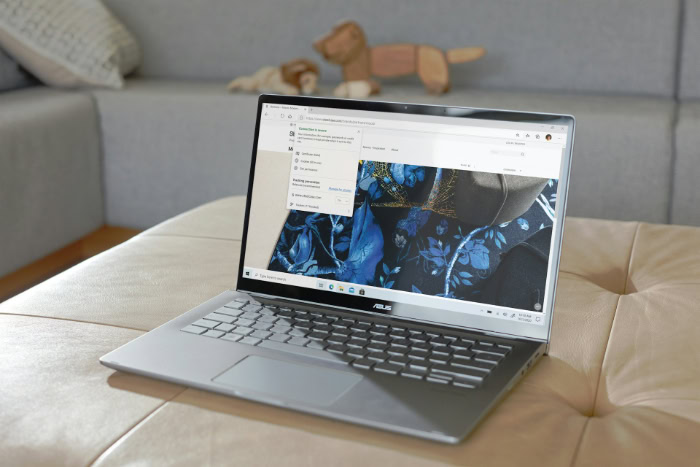
Beyond lecture halls and libraries, a student’s laptop serves as a central hub for personal communication, file organization, and evening downtime in the dorms.
Ease of Use, Pre-Installed Software, and System Updates
Apple’s macOS (currently macOS 27) offers a clean, uniform interface with zero third-party promotional software. Every new MacBook boots up free of pop-up advertisements, trial antivirus programs, or cluttered taskbars, and system updates can be scheduled quietly overnight.
Windows 11 provides superior window snapping, deeper system customization, and broader hardware support, but the out-of-the-box experience on consumer PCs can feel cluttered. Unless a student buys a business-class laptop or a Microsoft Surface device, many retail Windows machines arrive pre-loaded with trialware from antivirus vendors and nagging promotional notifications.
Windows Update has become much less intrusive in recent versions, though students still need to configure active hours so their laptop does not restart while compiling code or exporting a project late at night.
Smartphone and Tablet Integration
For college students who already carry an iPhone, Apple’s continuity ecosystem is one of the strongest selling points for a MacBook. Features like AirDrop allow classmates to share study guides and presentation slides in 2 seconds without emailing attachments.
Mac users can also copy a citation on their iPhone and paste it directly into a research paper on their MacBook via Universal Clipboard, send and receive iMessage texts from the laptop keyboard, control their phone screen with iPhone Mirroring, and use an iPad as a wireless second monitor in the library via Sidecar.
Windows 11 counters with the Microsoft Phone Link app, which connects admirably well with Android smartphones (especially Samsung Galaxy and Google Pixel phones) for text messaging, call handling, photo syncing, and app mirroring. While Phone Link also supports basic iMessage and call notifications for iPhone users over Bluetooth, it lacks group messaging history, AirDrop file transfers, and seamless clipboard sharing.
Regardless of phone brand, students on Windows can bridge the gap using cross-platform cloud storage services like Google Drive, Microsoft OneDrive, and Dropbox.
Video Games and Leisure Capabilities
When exams wrap up and dorm room recreation begins, Windows 11 holds an insurmountable lead in PC gaming. Virtually every major multiplayer game, from Valorant, Fortnite, and Call of Duty to Counter-Strike 2 and Apex Legends, is built primarily for Windows and x86 graphics architectures.
Students who want to play modern titles with friends can choose from dozens of Windows laptops equipped with dedicated NVIDIA GeForce RTX or AMD Radeon GPUs across every price tier.
Despite the impressive graphics hardware inside M5 and M6 chips and developer tools like Apple’s Game Porting Toolkit, native macOS support from major game studios remains sparse. Furthermore, strict kernel-level anti-cheat software blocks most popular competitive multiplayer shooters from running on Macs, even inside virtual machines.
MacBook owners who want to play demanding PC titles in their dorm room must rely on cloud streaming subscriptions like NVIDIA GeForce NOW or Xbox Cloud Gaming over a fast campus internet connection.
Build Quality, Hardware Upgrades, and Repair Support

Four years of daily campus commuting will test any laptop’s hinges, keyboard, and internal components, making physical durability and repair access vital considerations.
Physical Durability Across Price Points
Apple maintains uniform build quality across its entire portable lineup. Whether a student buys the $599 MacBook Neo, the $1,299 MacBook Air, or the $2,899 MacBook Pro with PROLED XDR Display, every machine is carved from a rigid aluminum unibody enclosure with a durable glass trackpad and reliable hinge mechanism.
Build quality in the Windows market varies dramatically by price and product line. Budget Windows laptops priced between $300 and $600 frequently use thin plastic shells that flex under keyboard pressure and suffer from cracked hinges after a year or two in a heavy backpack.
Once shoppers spend $900 or more on premium consumer lines like the Dell XPS or HP OmniBook, or opt for commercial workhorses like the Lenovo ThinkPad and HP EliteBook, Windows build quality matches or exceeds Apple with magnesium-alloy frames, carbon-fiber lids, and military-specification drop and spill resistance.
Internal Memory and Storage Expansion
Apple integrates its RAM and SSD storage chips directly onto the processor package and logic board across every MacBook model. Because internal components cannot be upgraded after leaving the factory, buyers must pay Apple’s steep customization prices at the time of purchase, typically $200 to $400 for each memory or storage tier jump.
Many Windows laptops offer far greater post-purchase flexibility. While ultra-thin convertibles and Snapdragon-based notebooks also use soldered memory to save space, a wide variety of 14-inch, 15-inch, and 16-inch Windows laptops feature standard M.2 SSD slots and accessible SO-DIMM memory slots.
A student on a tight freshman budget can buy a Windows laptop with 512GB of storage and later spend $70 on a third-party 1TB NVMe drive and 15 minutes with a small Phillips screwdriver to double their capacity as their file library grows.
Warranties, Protection Plans, and Local Repair Access
Accidental coffee spills in the library and drops onto concrete lecture hall floors happen regularly in college. AppleCare+ provides straightforward extended coverage with predictable deductibles ($99 for screen or external enclosure damage and $299 for other accidental damage), and students can now cover multiple devices under AppleCare One plans. Better yet, students attending universities near an Apple Store Genius Bar or an Apple-authorized campus bookstore can often get diagnostics, loaner support, or turnaround repairs handled locally.
Major Windows brands like Dell, Lenovo, and HP offer competitive extended warranties with accidental damage protection, and business-grade lines even offer next-business-day onsite technician visits right in a student’s dorm room. However, standard consumer Windows warranties typically require mailing a broken laptop to a regional depot for 7 to 14 days, which can be disastrous during midterms or finals week unless a local third-party PC repair shop has compatible replacement parts in stock.
Conclusion
Choosing between a MacBook and a Windows 11 laptop comes down to balancing ecosystem convenience against hardware and software flexibility. Apple’s MacBooks excel in unplugged battery endurance, uniform aluminum build quality, seamless iPhone and iPad integration, and strong four-year resale value.
Conversely, Windows laptops win on native compatibility with engineering and finance software, affordable touchscreen and stylus versatility, dorm room PC gaming, internal upgradeability, and wide pricing options.
To make the right four-year choice, match the student to the following buyer profiles:
- The STEM, Finance, or Architecture Major: Buy a Windows 11 laptop (such as a Lenovo ThinkPad, Dell XPS, or ASUS ROG Zephyrus) with at least 16GB of RAM and 512GB of storage to run SolidWorks, AutoCAD, and advanced Microsoft Excel macros without virtualization headaches.
- The iPhone-Loyal Creative or Humanities Student: Buy a 13-inch or 15-inch M5 MacBook Air with 16GB of RAM and a 512GB SSD (or step up to an M5 Pro MacBook Pro for heavy video production) to enjoy all-day battery life, AirDrop convenience, and top-tier creative app performance.
- The Digital Note-Taker: Buy a convertible Windows laptop with an active stylus (such as a Lenovo Yoga or Microsoft Surface Pro) to handwrite calculus equations, annotate lecture slides, and type papers on a single device under $1,200.
- The Budget-Conscious Shopper: Buy a midrange Windows laptop on seasonal sale between $550 and $750 for the best spec-per-dollar ratio, or choose the $499 education-priced MacBook Neo if basic web and document coursework is the only requirement and iPhone integration is a priority.
Frequently Asked Questions
Is 8GB of RAM enough for a college laptop right now?
No, 8GB of RAM is only sufficient for light web browsing and basic word processing on budget machines like the MacBook Neo. Most college students should buy a laptop with at least 16GB of RAM to smoothly handle dozens of open browser tabs, video calls, and heavy multitasking across four years of classes.
Can engineering majors use a MacBook in college?
Engineering majors can use a MacBook, but doing so often requires extra software workarounds. Programs like SolidWorks and Ansys are built exclusively for Windows 11, meaning Mac users must pay for virtualization software like Parallels Desktop or rely on campus computer labs to complete mandatory coursework.
Do any MacBooks come with a touchscreen for taking notes?
Apple offers a touchscreen only on the high-end MacBook Pro with PROLED XDR Display, which starts at $2,899. Because entry-level models like the MacBook Neo and MacBook Air lack touch support and cannot fold flat for stylus writing, students wanting handwritten digital notes should pair a Mac with an iPad or buy a convertible Windows laptop.
How much storage space does a college student really need?
A 512GB solid-state drive is the ideal starting point for most undergraduate students. While a 256GB drive can work for students who store everything in Google Drive or Microsoft OneDrive, 512GB provides enough local room for operating system updates, offline lecture videos, large datasets, and creative project files.
When is the best time of year to buy a laptop for college?
Late July through August is the best time to buy a college laptop thanks to aggressive back-to-school promotions. Apple typically bundles a gift card or accessory with education purchases during the summer, while Windows manufacturers like Dell, Lenovo, and HP offer steep seasonal discounts and clearance pricing on previous-generation models.
About the Author: Julio Caesar


